Monitor Has No Display after Resuming From S4 When Connected to the TBT Dock
Summary: This article provides information about a Monitor that has no display after resuming from S4 and being connected to the TBT dock.
This article applies to
This article does not apply to
This article is not tied to any specific product.
Not all product versions are identified in this article.
Symptoms
The monitor has no display after resuming from S4 when connected to the TBT dock on Windows 11 24H2.
The device manager and Windows display settings contain a show monitor connected, as shown in the figure below.
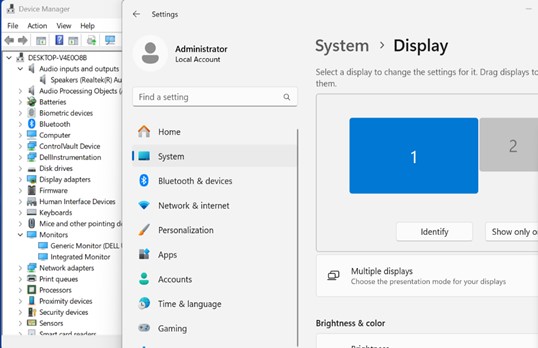
(Figure 1 - Display Settings)
Affected Platforms:
- Latitude 7640
- Latitude 7440
- Latitude 5440
- Precision 3480
Cause
Race condition issue when OS resumes from hibernation, OS re-valuates the display configuration before the USB4 DP tunneling is restored.
Resolution
Long-term solution:
Microsoft has released a hotfix to fix the issue KB5046740 .
.
Workaround:
Use win + P to switch to display mode.
Affected Products
Latitude 5440, Latitude 7440, Latitude 7640, Precision 3480Article Properties
Article Number: 000253980
Article Type: Solution
Last Modified: 17 Apr 2025
Version: 4
Find answers to your questions from other Dell users
Support Services
Check if your device is covered by Support Services.