iDRAC9 範本部署失敗或匯入伺服器組態設定檔完成並發生錯誤
Summary: 在 iDRAC9 更新至 7.20.30.00 或更高版本後,包含 iDRAC 使用者 SNMPv3 屬性的現有伺服器組態設定檔 (SCP) 或部署範本可能會停止運作。
This article applies to
This article does not apply to
This article is not tied to any specific product.
Not all product versions are identified in this article.
Symptoms
從 iDRAC9 匯入伺服器設定檔時,工作完成,但發生錯誤。

$ racadm lclog viewconfigresult -j JID_485333318994
Operation Name  = CHANGE
DisplayValue    = ""
Name            = Users.16#SHA1v3Key
OldValue        = ******
NewValue        = ******
MessageID       = SYS171
Status          = Failure
ErrCode         = 10320
Operation Name  = CHANGE
DisplayValue    = ""
Name            = Users.16#MD5v3Key
OldValue        = ******
NewValue        = ******
MessageID       = SYS171
Status          = Failure
ErrCode         = 10320
要部署範本的 OpenManage Enterprise 或 OpenManage Enterprise 模組化顯示部署工作失敗。
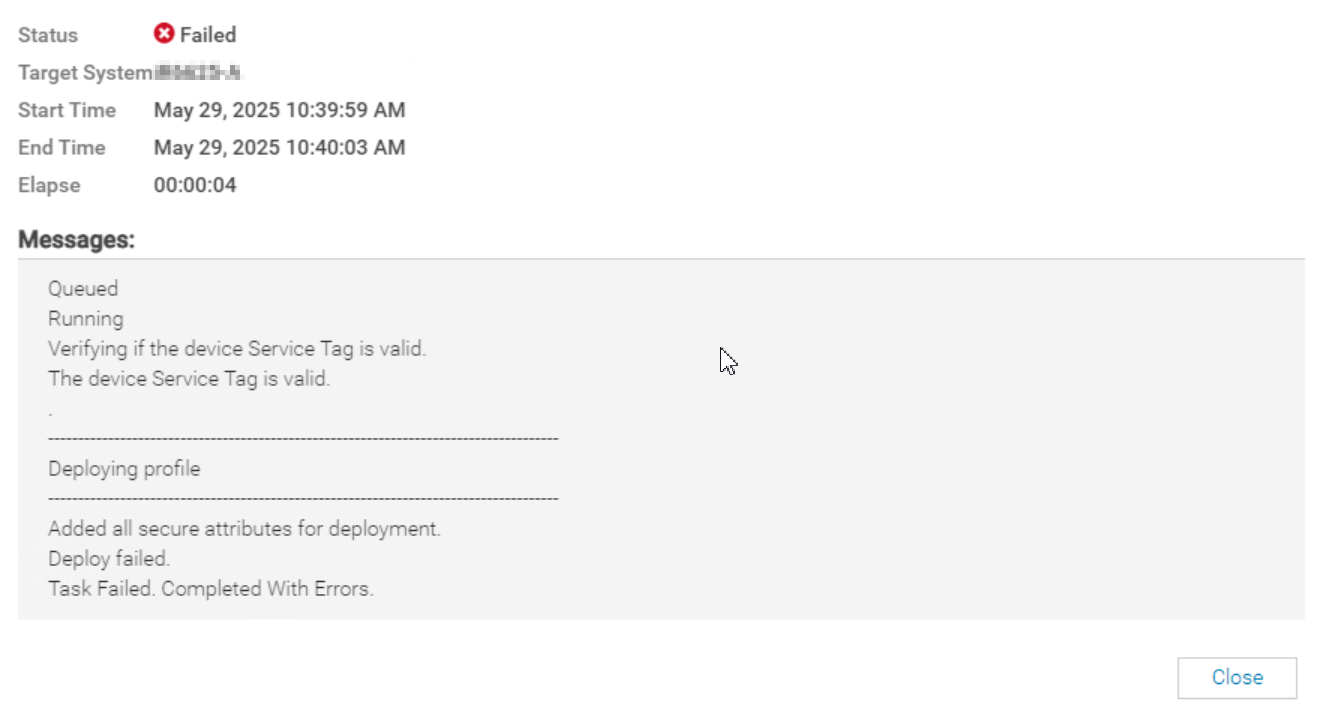
SYS055 error with failed attributes:

1) Users.2#SHA1v3Key - null | iDRAC.Embedded.1 | ****** --> ******|SYS171|Not all hash password values have been supplied.|10320
2) Users.2#MD5v3Key - null | iDRAC.Embedded.1 | ****** --> ******|SYS171|Not all hash password values have been supplied.|10320
Cause
iDRAC 韌體版本 7.20.30.00 為本機 iDRAC 使用者帳戶導入全新 (SHA384v3Key/SHA512v3Key) 屬性。對於現有的 iDRAC 使用者帳戶,這些新屬性值為 null。當 iDRAC 組態設定檔匯入包含已啟用 SNMPv3 的使用者時,要求所有 SNMPv3 金鑰屬性都已提供值。
Resolution
若要補救此問題,請更新或重新輸入 iDRAC 本機使用者帳戶密碼,以產生新的 SNMPv3 (SHA384v3Key/SHA512v3Key) 值。然後重新建立參考範本或伺服器組態設定檔。
因應措施:
從範本或 SCP 中移除或註解使用者的 SNMPv3 金鑰屬性。

Affected Products
Dell EMC OpenManage Enterprise, iDRAC9 - 7.xx Series, Dell OpenManage Enterprise-ModularArticle Properties
Article Number: 000326070
Article Type: Solution
Last Modified: 04 June 2025
Version: 1
Find answers to your questions from other Dell users
Support Services
Check if your device is covered by Support Services.