iDRAC9 模板部署失败或服务器配置文件导入完成并显示错误
Summary: 在 iDRAC9 更新到 7.20.30.00 或更高版本后,包含 iDRAC 用户 SNMPv3 属性的现有服务器配置文件 (SCP) 或部署模板可能会停止工作。
This article applies to
This article does not apply to
This article is not tied to any specific product.
Not all product versions are identified in this article.
Symptoms
从 iDRAC9 导入服务器配置文件时,作业完成并显示错误。

$ racadm lclog viewconfigresult -j JID_485333318994
Operation Name  = CHANGE
DisplayValue    = ""
Name            = Users.16#SHA1v3Key
OldValue        = ******
NewValue        = ******
MessageID       = SYS171
Status          = Failure
ErrCode         = 10320
Operation Name  = CHANGE
DisplayValue    = ""
Name            = Users.16#MD5v3Key
OldValue        = ******
NewValue        = ******
MessageID       = SYS171
Status          = Failure
ErrCode         = 10320
要部署模板的 OpenManage Enterprise 或 OpenManage Enterprise Modular 会将部署作业显示为失败。
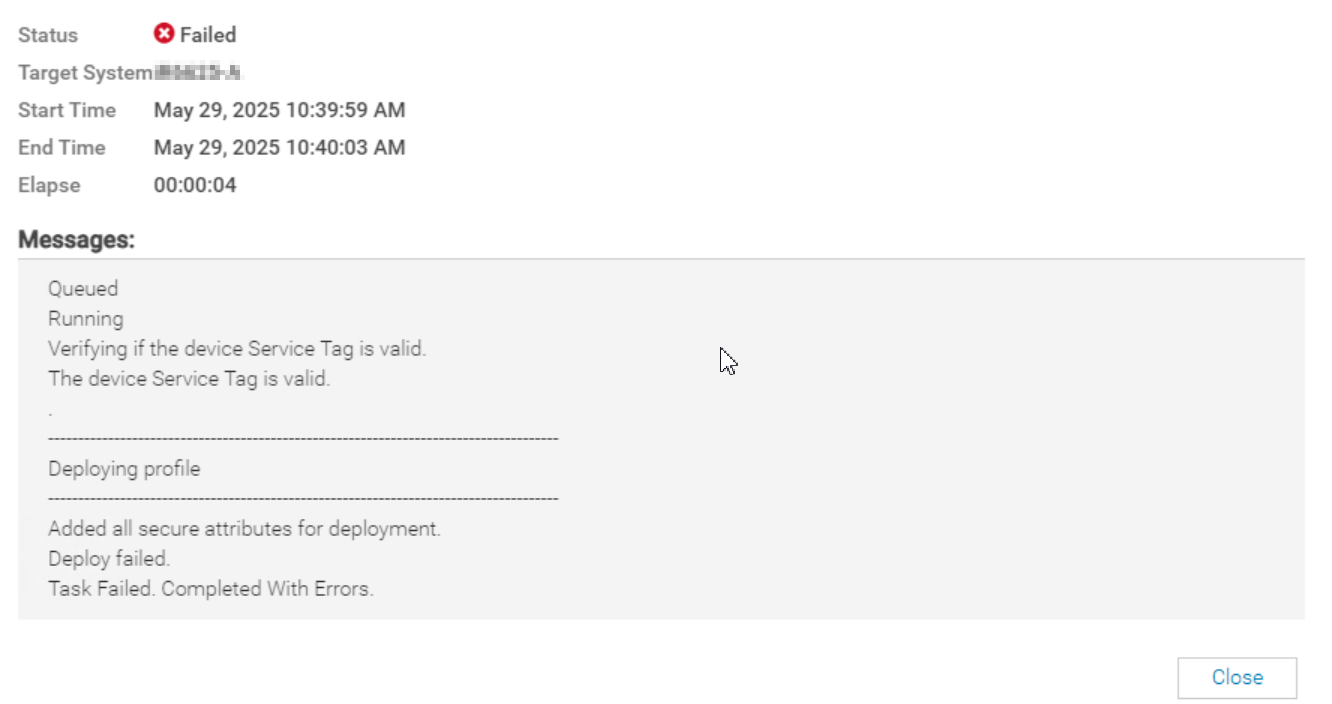
SYS055 error with failed attributes:

1) Users.2#SHA1v3Key - null | iDRAC.Embedded.1 | ****** --> ******|SYS171|Not all hash password values have been supplied.|10320
2) Users.2#MD5v3Key - null | iDRAC.Embedded.1 | ****** --> ******|SYS171|Not all hash password values have been supplied.|10320
Cause
iDRAC 固件版本 7.20.30.00 为本地 iDRAC 用户帐户引入了新的 (SHA384v3Key/SHA512v3Key) 属性。对于现有 iDRAC 用户帐户,这些新属性值为 null。包含启用 SNMPv3 的用户的 iDRAC 配置文件导入要求所有 SNMPv3 密钥属性都提供值。
Resolution
要修正此问题,请更新或重新输入 iDRAC 本地用户帐户密码,以便生成新的 SNMPv3 (SHA384v3Key/SHA512v3Key) 值。然后重新创建参考模板或服务器配置文件。
解决办法:
从模板或 SCP 中删除或注释用户的 SNMPv3 密钥属性。

Affected Products
Dell EMC OpenManage Enterprise, iDRAC9 - 7.xx Series, Dell OpenManage Enterprise-ModularArticle Properties
Article Number: 000326070
Article Type: Solution
Last Modified: 04 June 2025
Version: 1
Find answers to your questions from other Dell users
Support Services
Check if your device is covered by Support Services.