Error SAE-020219 or SAE-020217 adding devices to the SCG APP and VE Edition
Summary: Error SAE-020219 or SAE-020217 adding devices to the SCG APP and VE Edition
This article applies to
This article does not apply to
This article is not tied to any specific product.
Not all product versions are identified in this article.
Symptoms
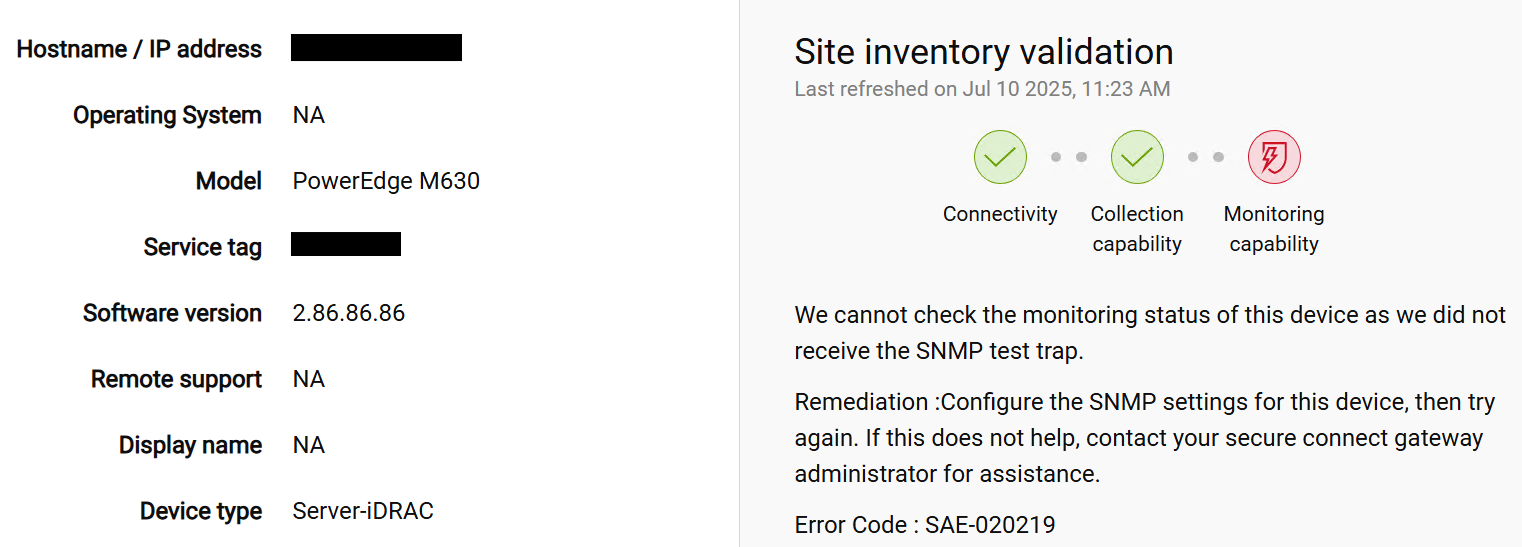
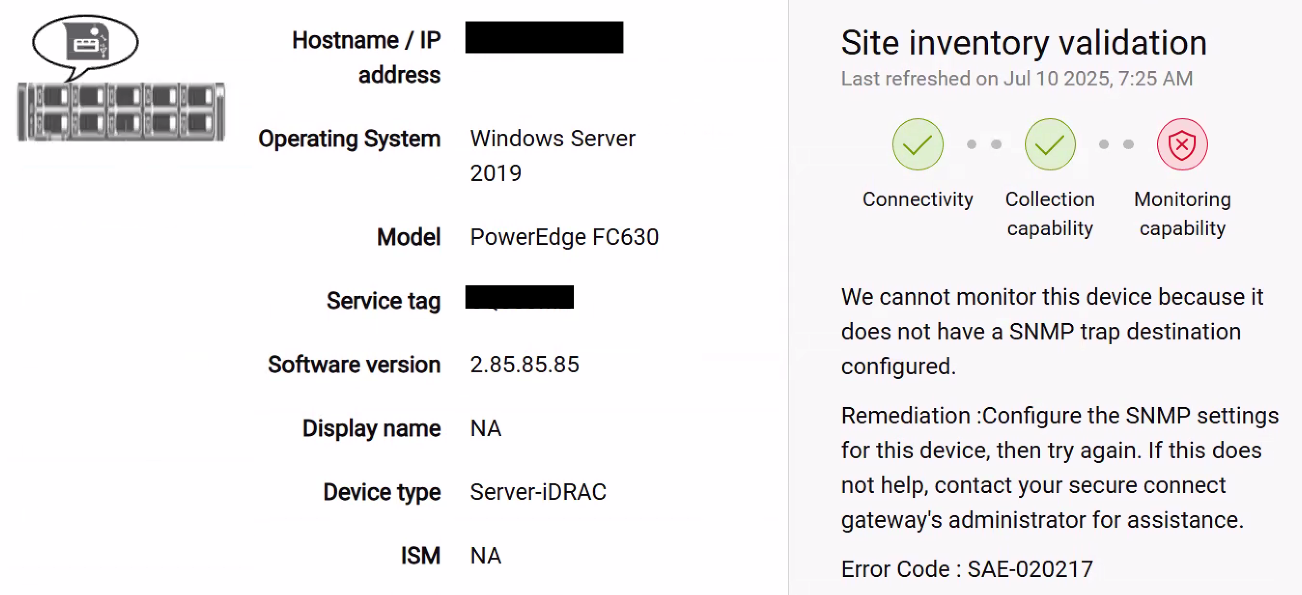
When you add a 13G device to the SCG you receive the error message SAE-020219 or SAE-020217, in 14G, 15G and 16G you don't see this error
 |
 |
Cause
In the SCG 5.26 the SNMP v1 support was discontinued.
Secure Connect Gateway 5.x — Virtual Edition Support Matrix
Resolution
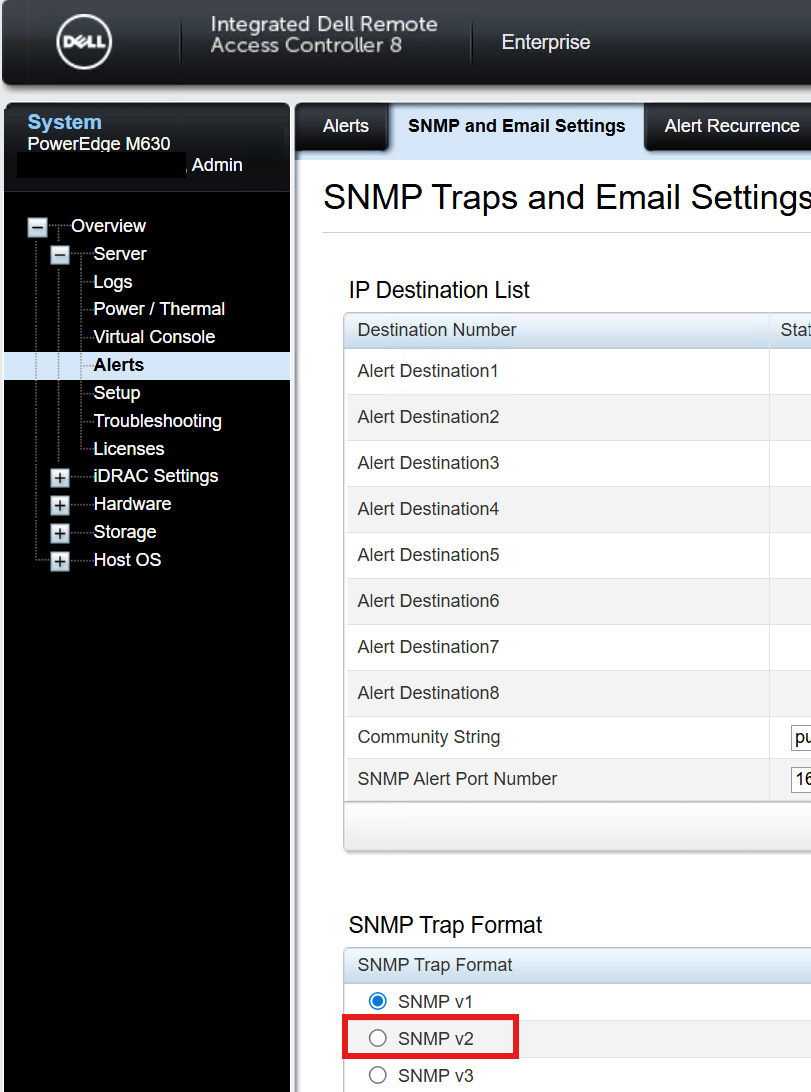
If you see the following errors: SAE-020219 or SAE-020217 Access the iDRAC go to Alerts -> SNMP and Email Settings and make sure that you have the SNVP v2 configured
Affected Products
Secure Connect Gateway, Secure Connect Gateway - Application Edition, Secure Connect Gateway - Virtual EditionArticle Properties
Article Number: 000343377
Article Type: Solution
Last Modified: 11 July 2025
Version: 1
Find answers to your questions from other Dell users
Support Services
Check if your device is covered by Support Services.