在 BIOS 中更改内存频率后,AMD 系统可能无法响应
Summary: 在 BIOS 中修改内存频率时,第 17 代服务器可能无法启动。此问题仅发生在 AMD 平台上。
This article applies to
This article does not apply to
This article is not tied to any specific product.
Not all product versions are identified in this article.
Symptoms
这是使用 AMD 体系结构的第 17 代服务器上的跨平台问题。
在 BIOS 菜单中的 System Profile Settings 下,有一个 Memory Frequency 选项。更改此设置后,服务器可能会在后续重新启动期间停止响应。服务器显示消息“Please wait while the system 正在初始化”,如下所示。
由于此问题发生在重新启动过程中,因此不会丢失数据,也不会影响系统功能。
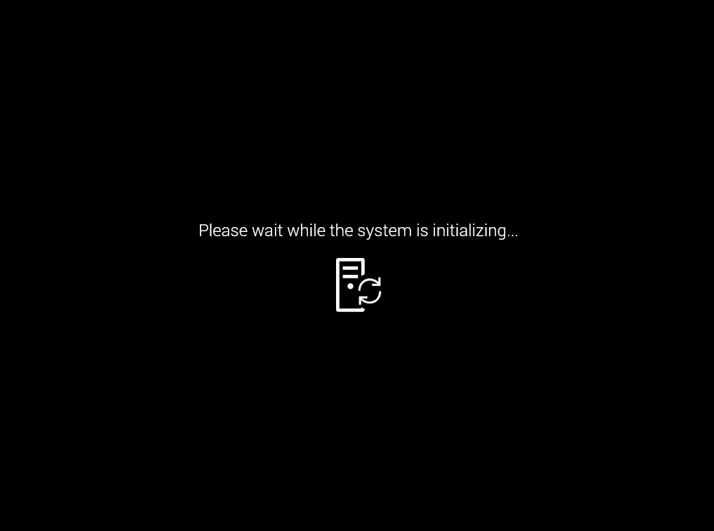
图 1:服务器停止响应并显示此消息。
Cause
此问题是由于戴尔的内存速度调整功能(BIOS 核心)与 AMD 通用封装软件体系结构 (AGESA) 固件行为之间的冲突造成的。此冲突会阻止在重新启动期间正确地初始化内存,导致系统检测到无可用内存。
Resolution
此问题仅在 BIOS 中更改内存频率设置后的第一次重新启动期间发生。一次额外的重新启动(可以是热重启、冷重启或完整的交流电源重启)通常可解决问题,并允许系统成功初始化。
工程团队已注意到此问题,并计划在 BIOS 12 月周期中包含修复。
Affected Products
PowerEdge R6715, PowerEdge R6725, PowerEdge R7715, PowerEdge R7725, PowerEdge R7725xd, PowerEdge XE7745, PowerEdge XE9685LArticle Properties
Article Number: 000356572
Article Type: Solution
Last Modified: 21 Aug 2025
Version: 1
Find answers to your questions from other Dell users
Support Services
Check if your device is covered by Support Services.