NetWorker: NetWorker Services Fail "Error 1069: The Service Did Not Start due to Logon Failure"
Summary: NetWorker services fail to start on a Windows host with "Error 1069: The service did not start due to a log in failure."
This article applies to
This article does not apply to
This article is not tied to any specific product.
Not all product versions are identified in this article.
Symptoms
NetWorker is installed on a Windows host.
NetWorker services fail to start. The error returned is "System error 1608 has occurred"
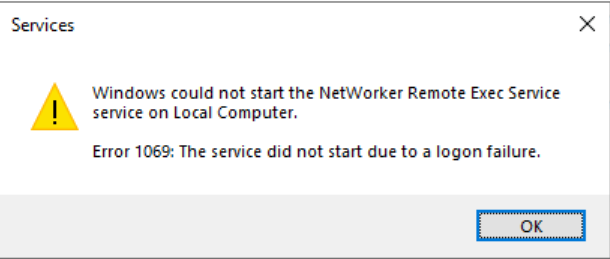
The following failures can be observed from the command-line:
C:\Users\Administrator.NETWORKER>net start nsrd
System error 1068 has occurred.

The dependency service or group failed to start.

C:\Users\Administrator.NETWORKER>net start nsrexecd
System error 1069 has occurred.

The service did not start due to a logon failure.
Cause
The NetWorker service ownership is not default. The service ownership was changed to a user account:

This error appears when there is an issue with the user account. For example, the account became disabled or the password changed.
NOTE: When NetWorker is installed, it configures the services to Local System or Local Service (depending on the service). Do not change these from their default values to another account.
Resolution
Set the NetWorker service ownership back to expected default settings.
CAUTION: If the host is a NetWorker server, create a copy of the
mm and nsrdb folders before proceeding. Default location C:\Program Files\EMC NetWorker\nsr.
The default ownership should show:

Steps:
- Ensure that all services are stopped:
- To stop the NetWorker server, NetWorker Management Console server, and client services, run:
net stop nsrexecd /y
- To stop the NetWorker Web UI server, run:
net stop nwui
- From
Services.msc, open Each of the NetWorker services. - Go to Log On, and select Local System account.
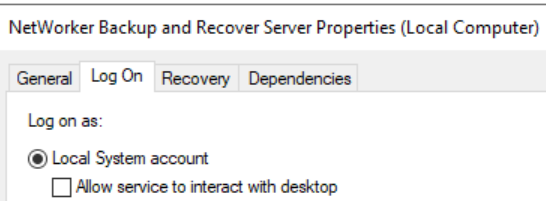
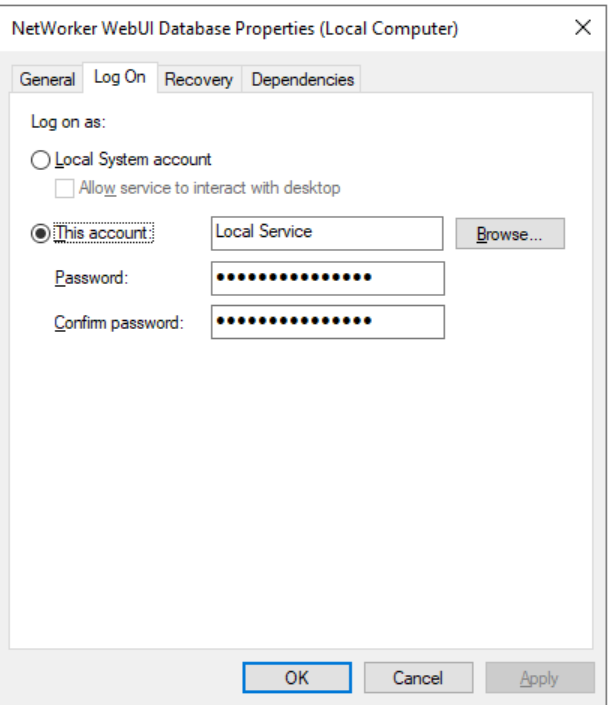
NOTE: The NetWorker WebUI Database and EMC GST Database Service must be owned by Local Service instead of Local System. These services only exist on hosts that are NetWorker Management Console (NMC) and or NetWorker Web User Interface (NWUI) servers.
- Ensure that the NetWorker installation folder's ownership and security settings have not been changed
- From Windows File Explorer, go to the NetWorker installation path. Default
C:\Program Files\EMC NetWorker - Open the EMC NetWorker folder properties.
- Go to the Security tab, then click Advanced.
- The folder must be owned by SYSTEM. The SYSTEM account and host's (
HOSTNAME\Administrators) group should have Full Control permissions. You should not see any specific usernames defined in the output.
- From Windows File Explorer, go to the NetWorker installation path. Default
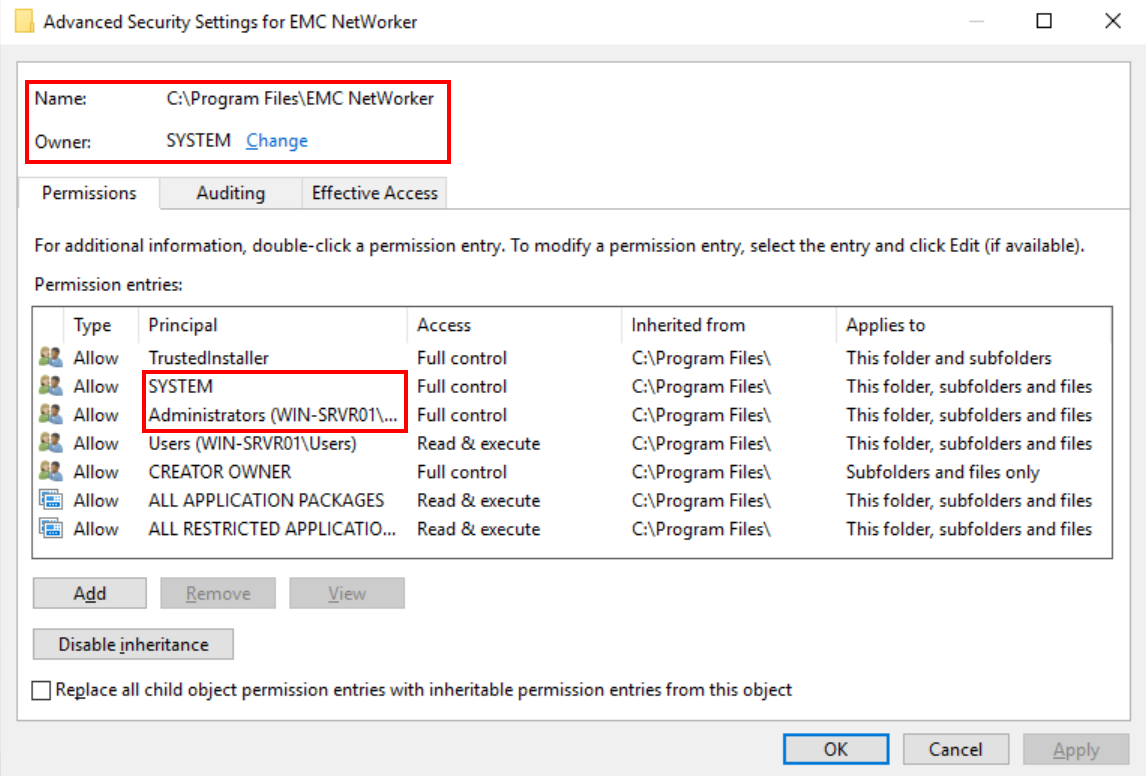
WARNING: Changing the ownership of NetWorker folders can result in database corruption.
- Start NetWorker services:
- Start the NetWorker client service:
net start nsrexecd - Start the NetWorker server service (if applicable):
net start nsrd - Start the NetWorker Web UI service (if applicable):
net start nwui
- Start the NetWorker client service:
Monitor the NetWorker server's C:\Program Files\EMC NetWorker\nsr\logs\daemon.raw for any service-related issues.
The .raw file can be rendered: NetWorker: How to use nsr_render_log to render .raw log files
Additional Information
Default ownership of NetWorker Management Console (NMC) server services:

Affected Products
NetWorkerProducts
NetWorker FamilyArticle Properties
Article Number: 000388246
Article Type: Solution
Last Modified: 20 Nov 2025
Version: 2
Find answers to your questions from other Dell users
Support Services
Check if your device is covered by Support Services.