VxRail: Node Expansion Stuck at Adding Step for Hours Without Error
Summary: Node expansion stuck for hours, no progress, and no errors, due to the workflow encountered unexpected interruption.
This article applies to
This article does not apply to
This article is not tied to any specific product.
Not all product versions are identified in this article.
Symptoms
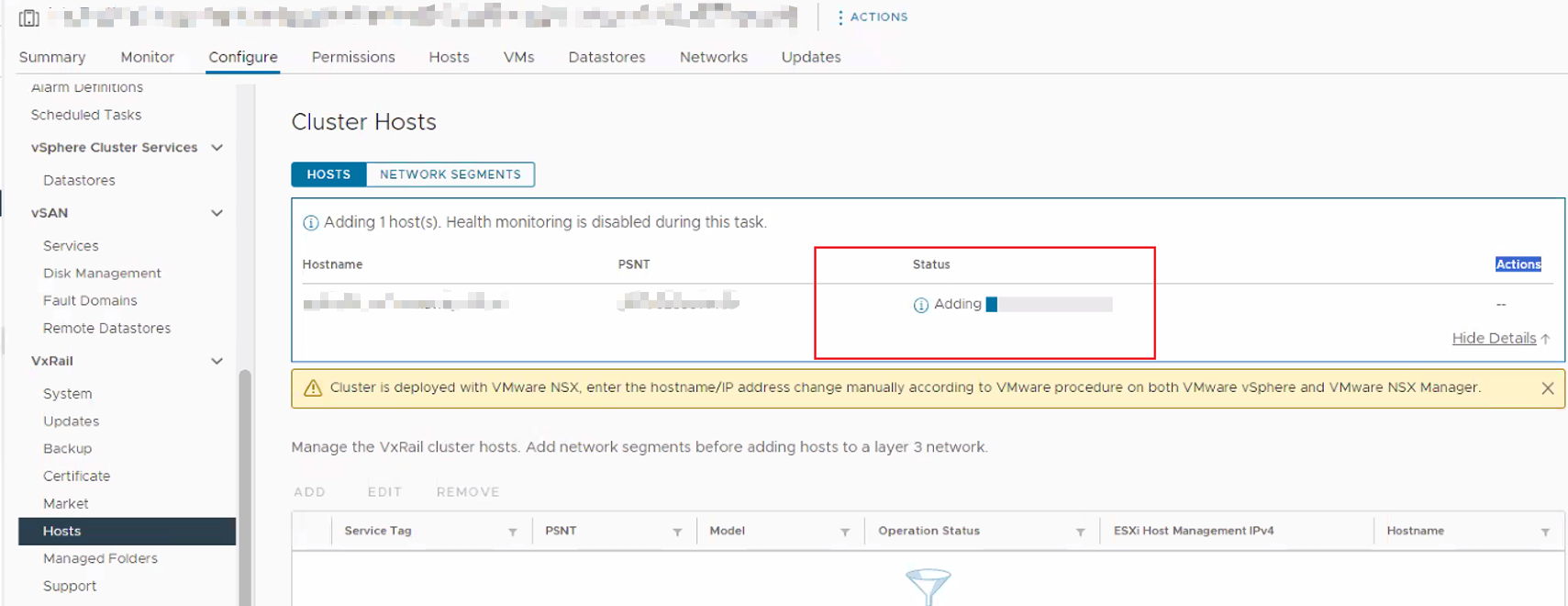
Node expansion status stuck at adding step for hours, there is no progress or errors.
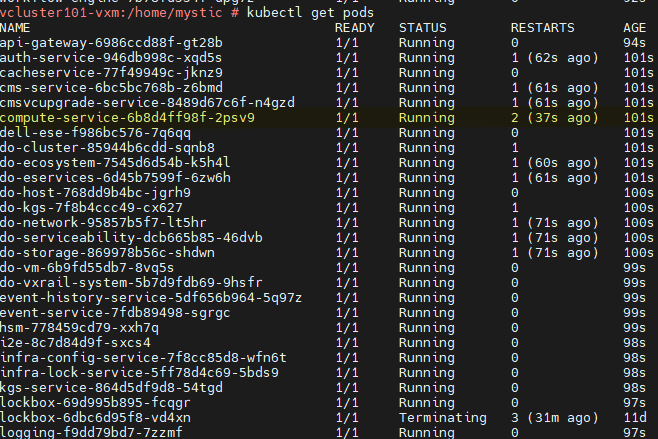
SSH to the VxRail manager and gain the root access, check pod status with the command below:
kubectl get pods
Some pods may restart unexpectedly during the node expansion time period.
Cause
Some microservices restarted during the node expansion time period, the node expansion workflow was interrupted and failed to recover to original steps, so the expansion task progress is lost.
Resolution
To resolve this issue, click the below link to contact Dell Technical Support, or your Authorized Service Representative and quote this Dell Knowledge Base article.
Contact Technical Support | Dell US
Affected Products
VxRail, VxRail Appliance Series, VxRail G Series Nodes, VxRail D Series Nodes, VxRail D560, VxRail D560F, VxRail E Series Nodes, VxRail E560, VxRail E560F, VxRail E560N, VxRail E660, VxRail E660F, VxRail E660N, VxRail E665, VxRail E665F, VxRail E665N
, VxRail G560, VxRail G560F, VxRail P Series Nodes, VxRail P570, VxRail P570F, VxRail P580N, VxRail P670F, VxRail P670N, VxRail P675F, VxRail P675N, VxRail S Series Nodes, VxRail S570, VxRail S670, VxRail Software, VxRail V Series Nodes, VxRail V470, VxRail V570, VxRail V570F, VXRAIL V670F, VxRail VD-4510C, VxRail VD-4520C, VxRail VD Series Nodes, VxRail VE-660, VxRail VE-6615, VxRail VE-670, VxRail VP-760, VxRail VP-7625, VxRail VP-770, VxRail VS-760
...
Article Properties
Article Number: 000225019
Article Type: Solution
Last Modified: 17 Jun 2026
Version: 6
Find answers to your questions from other Dell users
Support Services
Check if your device is covered by Support Services.