Dell Security Management Server Advanced Threat Tab Is Empty
Summary: The Advanced Threats tab in the Dell Security Management Server remote console is showing no data.
This article applies to
This article does not apply to
This article is not tied to any specific product.
Not all product versions are identified in this article.
Symptoms
Affected Products:
- Dell Security Management Server
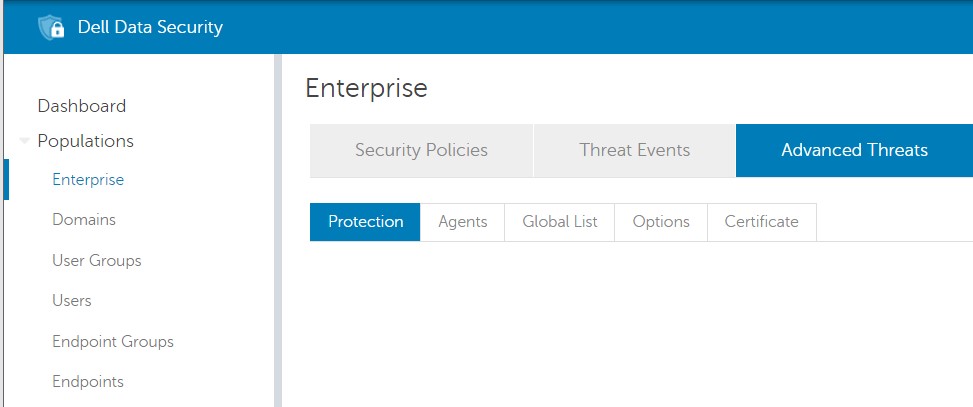
On the Dell Security Management Server, trying to access the content of the Advanced Threats tab in Population -> Enterprise, no data is showing:
Cause
Chrome version 91.0.4472 that was released on May 25, 2021 and the Edge Chromium based version 91.0.864.37 that was released on May 27, 2021 is the cause of this issue.
Resolution
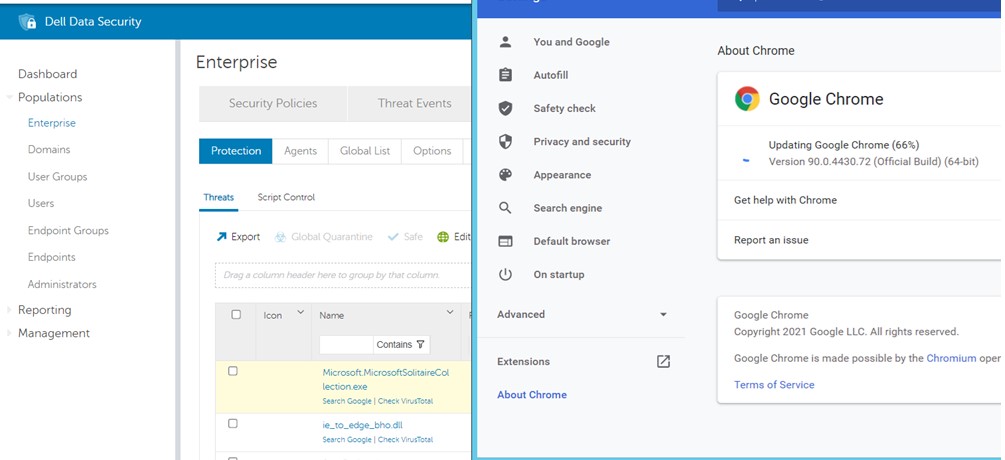
To address this problem, it is possible to install a different supported browser, such as Firefox or downgrade Chrome or Edge to a working version.
- For Chrome, it is possible to downgrade it to a previous version such as 90.0.4430.72.
- For Edge, it is possible to downgrade it to a previous version such as 90.0.818.49.
To contact support, reference Dell Data Security International Support Phone Numbers.
Go to TechDirect to generate a technical support request online.
For additional insights and resources, join the Dell Security Community Forum.
Affected Products
Dell EncryptionArticle Properties
Article Number: 000188278
Article Type: Solution
Last Modified: 18 Jun 2024
Version: 6
Find answers to your questions from other Dell users
Support Services
Check if your device is covered by Support Services.