Registreren voor een Gebruikersaccount
Summary: Iedereen met een geldig e-mailadres (consument, partner of zakelijke gebruiker) kan de initiële registratie voor een online account (MyAccount) maken.
This article applies to
This article does not apply to
This article is not tied to any specific product.
Not all product versions are identified in this article.
Instructions
Registreer u voor een MyAccount door de onderstaande stappen te volgen:
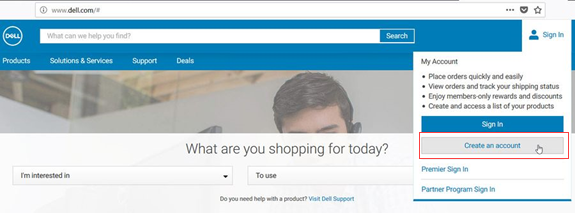
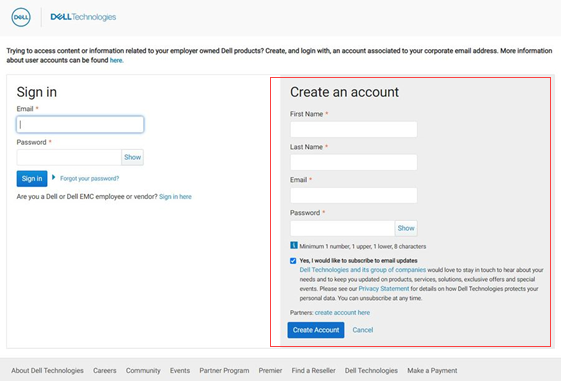
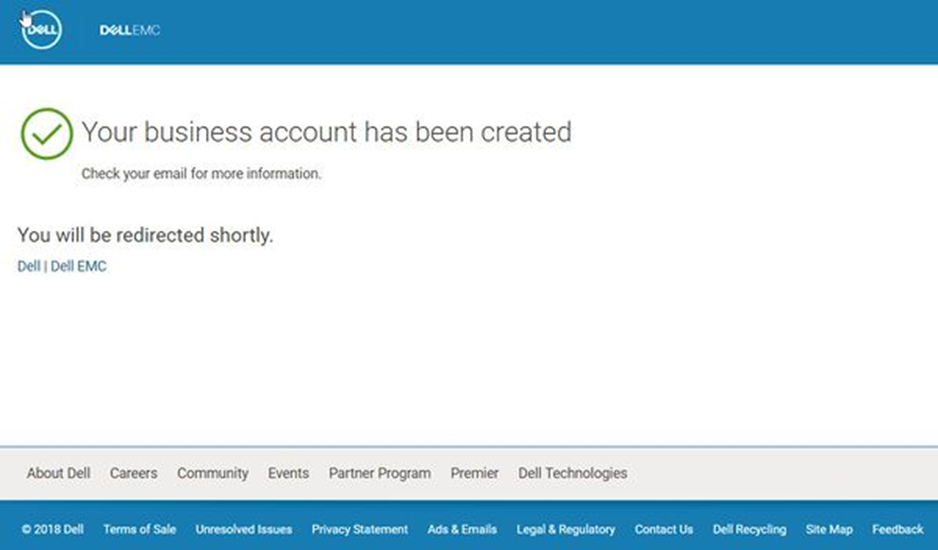
U ziet het scherm waarin staat dat uw account is gemaakt nadat u alle informatie hebt ingevoerd.
- Registratie vindt u onder het aanmeldingsgedeelte van de Dell website. Klik op De accountselectie maken.
- Voer de velden in onder Een account maken.
- Klik op Account maken
- Werktelefoon toevoegen
- Selecteer het informatieve vak.
- Klik op Verzenden
U ziet het scherm waarin staat dat uw account is gemaakt nadat u alle informatie hebt ingevoerd.
Affected Products
APEX, APEX Data Storage ServicesArticle Properties
Article Number: 000196613
Article Type: How To
Last Modified: 11 Aug 2022
Version: 2
Find answers to your questions from other Dell users
Support Services
Check if your device is covered by Support Services.