New drives added to a VM are not automatically backed up with the VM
Summary: Newly added hard disks missing from VM backup.
Symptoms
Cause
vCenter object selections were made at the hard drive level as opposed to the VM level, so only the selected drives are backed up. For example:


When the VMware protection group is configured with VM disks selected instead of the entire VM, only backups of the selected disks will be performed.
When new drives are added to the VM they are not automatically selected for backup.
Resolution
The following options are available:
Option 1:
Confirm if the entire VM can be backed up. If there is no specific reason to for why the unselected disks cannot be backed up using vProxy, select the VM instead of disks.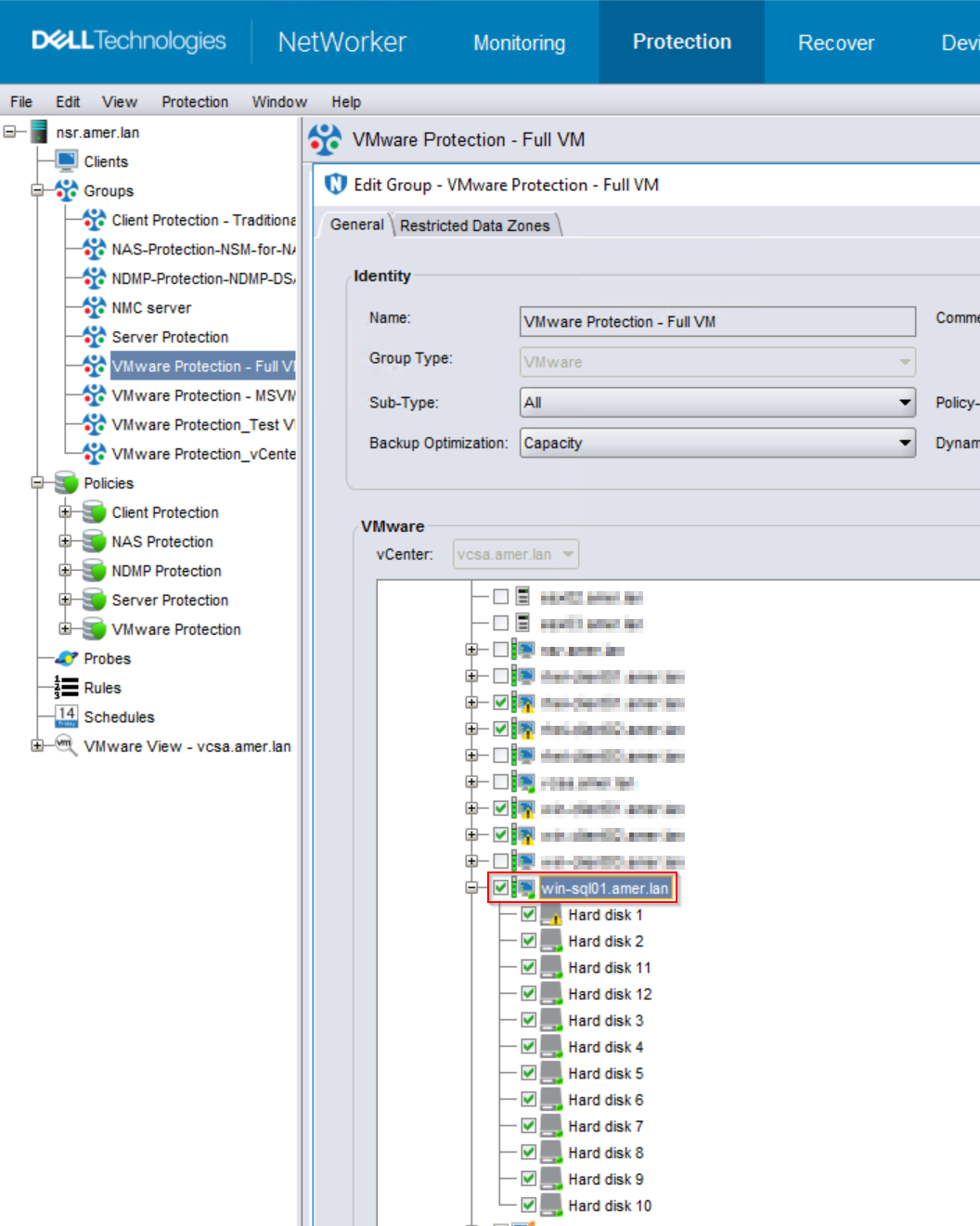

When new disks are added to the VM, they will automatically be backed up.
See the NetWorker VMware Integration Guide for any limitations on VMware disk configurations: https://www.dell.com/support/home/product-support/product/networker/docs
Option 2:
If there is a reason why the VM has specific disks selected; for example, some of the disks do not support VMware Image Protection. Manually check the new disks added that you wish to backup.
