PowerStore: PowerStore system not present after logging into the online CloudIQ portal
摘要: This article provides some checks to verify that the PowerStore is configured properly to send data to CloudIQ.
本文章適用於
本文章不適用於
本文無關於任何特定產品。
本文未識別所有產品版本。
症狀
The CloudIQ portal (cloudiq.dell.com) may not display the PowerStore appliances in the existing inventory.
If the PowerStore is the first CloudIQ supported appliance in the inventory, the CloudIQ portal may display this message: No CloudIQ Compatible Systems Detected
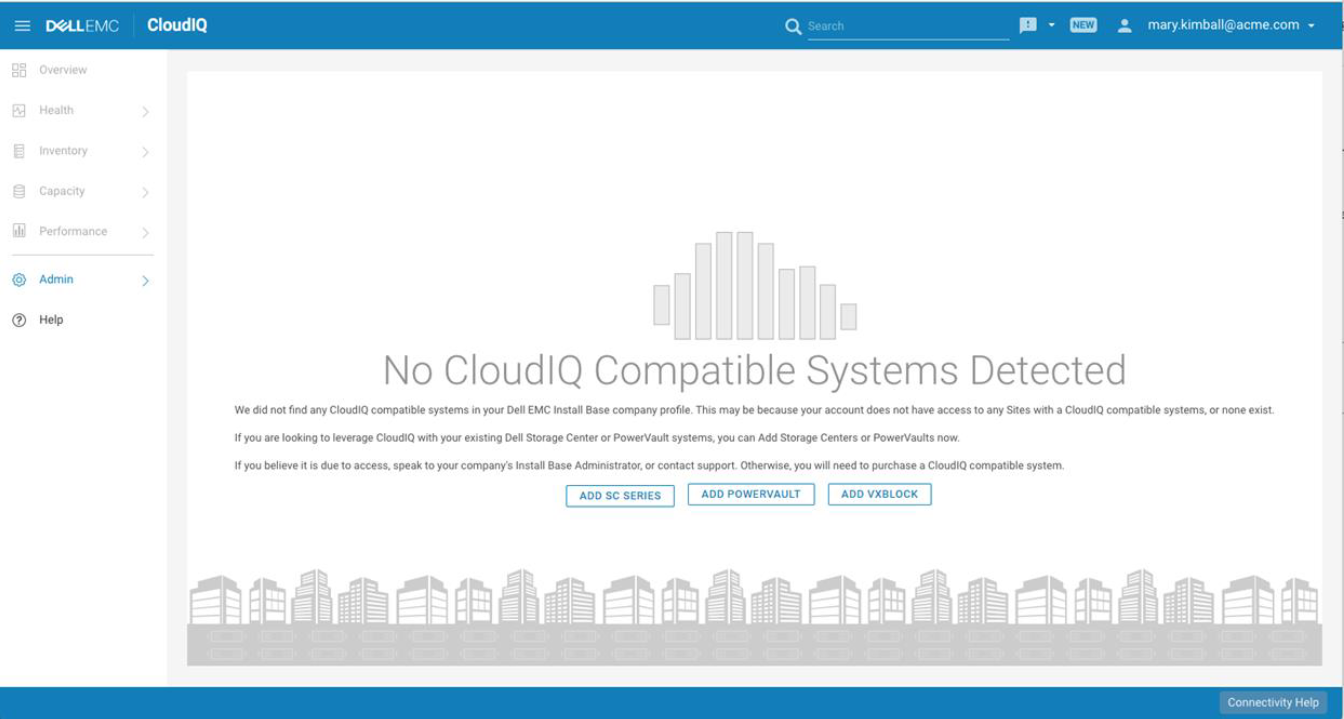
If the PowerStore is the first CloudIQ supported appliance in the inventory, the CloudIQ portal may display this message: No CloudIQ Compatible Systems Detected
原因
The problem may be caused by many different issues ranging from appliance setup to user access.
The PowerStore CloudIQ configuration is documented in KB PowerStore: How to configure CloudIQ for PowerStore
The PowerStore CloudIQ configuration is documented in KB PowerStore: How to configure CloudIQ for PowerStore
解析度
- Make sure all the requirements are in place and the registration was done, see PowerStore: How to configure CloudIQ for PowerStore
- Confirm that the PowerStore appliance has SupportAssist enabled and Connect to CloudIQ is selected in the GUI:
Settings > Support > Support Assist
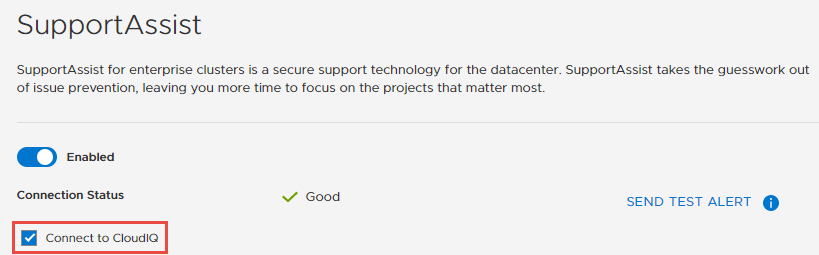
Or via CLI:
[SVC:root@xxxxx-B user]$ svc_remote_support list
Cluster Configuration:
type                      SRS_Gateway_Tier3
connectivity_qos          Good
last_update               2020-08-13 16:51:53+0
is_cloudiq_enabled        True
- Confirm that your username has completed the CloudIQ registration by logging into cloudiq.dell.com
- If you are unable to see the PowerStore in CloudIQ, engage Dell EMC support and reference this KB article.
受影響的產品
PowerStore文章屬性
文章編號: 000123790
文章類型: Solution
上次修改時間: 02 Jun 2025
版本: 8
向其他 Dell 使用者尋求您問題的答案
支援服務
檢查您的裝置是否在支援服務的涵蓋範圍內。