PPDM virtuele machine start niet op Waarschuwing: dracut-initqueue: start timeout scripts
Summary: PowerProtect Data Manager (PPDM) start niet op met "Warning: dracut-initqueue: starting timeout scripts" na het wijzigen van de Small Computer System Interface (SCSI) controller van "LSI Logic Parallel" ...
This article applies to
This article does not apply to
This article is not tied to any specific product.
Not all product versions are identified in this article.
Symptoms
Opstartprobleem met PowerProtect Data Manager
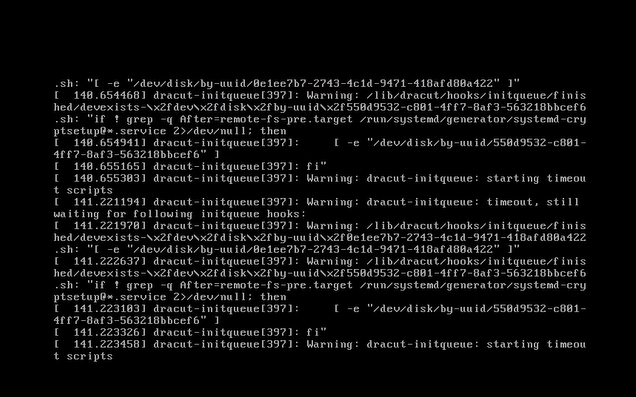
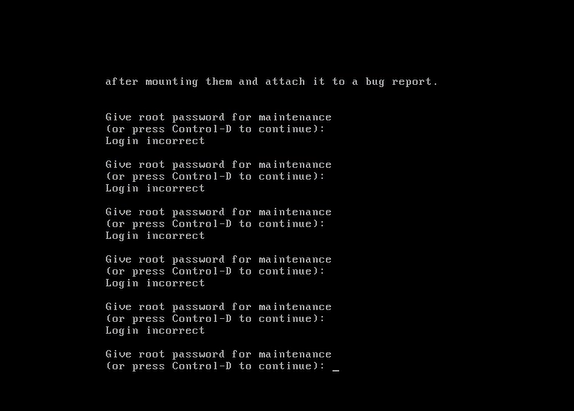
PPDM virtuele machine start niet op met het waarschuwingsbericht dat in de console wordt weergegeven: "Warning: dracut-initqueue: starting timeout scripts"
Cause
Hoofdoorzaak van het probleem
De hoofdoorzaak van het probleem heeft te maken met de configuratie van de PPDM SCSI-controller.
- De PPDM SCSI-controller is gewijzigd in iets anders dan 'LSI Logic Parallel'.
Deze wijziging in de controllerconfiguratie heeft geleid tot het PPDM-opstartprobleem
Resolution
Probleemoplossing PPDM Boots.
Om het PPDM-opstartprobleem op te lossen, wijzigt u de PPDM SCSI-controller in 'LSI Logic Parallel'.
Dit kan worden gedaan door de instellingen van de PPDM virtuele machine in vSphere te wijzigen.
Nadat u deze wijziging hebt aangebracht, zou de PPDM-instantie zonder problemen moeten opstarten.
Affected Products
PowerProtect Data ManagerArticle Properties
Article Number: 000357133
Article Type: Solution
Last Modified: 23 May 2026
Version: 3
Find answers to your questions from other Dell users
Support Services
Check if your device is covered by Support Services.