ViPR SRM: Understanding and using the Central Configuration Repository
This article applies to
This article does not apply to
This article is not tied to any specific product.
Not all product versions are identified in this article.
Instructions
You may want to use Central Configuration Repository when:
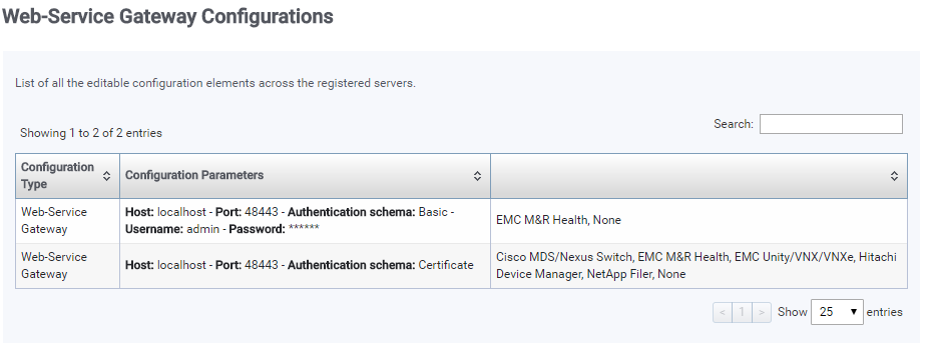
- You want to quickly review the IP, port and credential configured
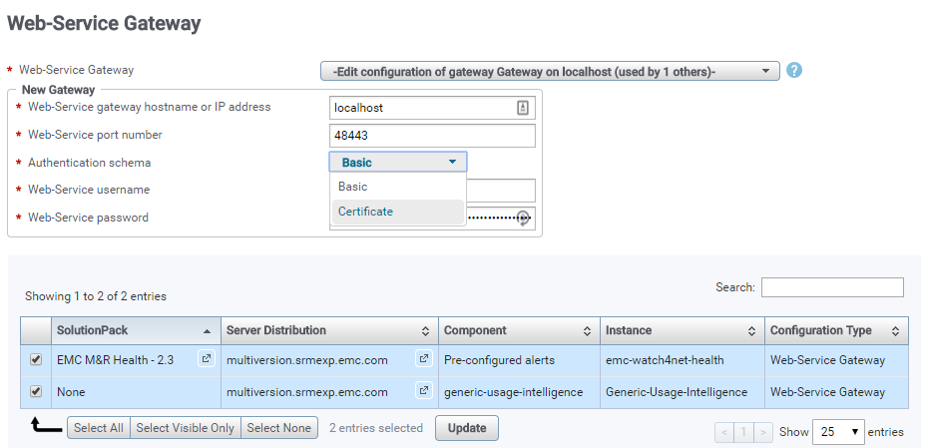
- You want to update IP, port and credential configured
To do this:
- Make sure you have the correct the IP or fqdn, port and credentials for the components that you plan on updating
- Validate that appropriate firewall rules are in place
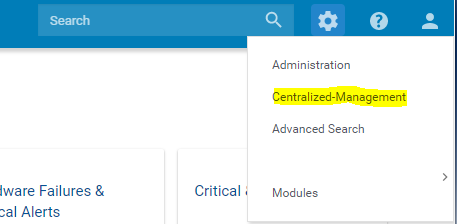
Go to Centralized-Management
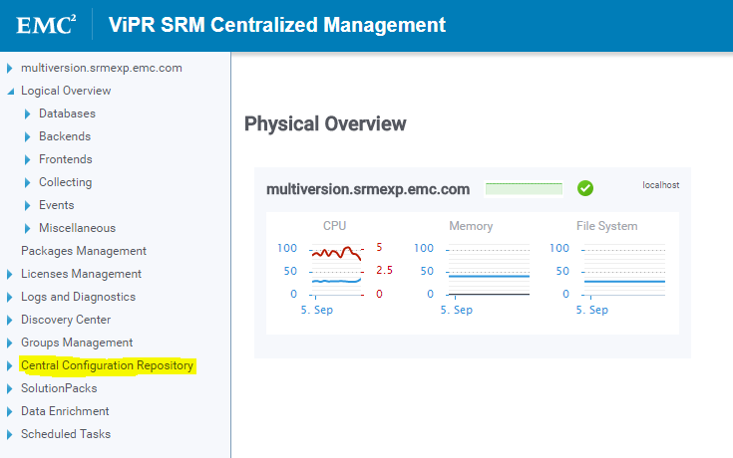
Scroll down to the Central Configuration Repository

Locate / search for the component we want to review or update
Update the settings
Affected Products
SRMProducts
SRMArticle Properties
Article Number: 000022470
Article Type: How To
Last Modified: 20 Sept 2024
Version: 5
Find answers to your questions from other Dell users
Support Services
Check if your device is covered by Support Services.