企业客户端
Summary: 了解如何部署、管理、保护和虚拟化戴尔专家和同行提供的 BYOD、企业客户端和移动解决方案。
This article applies to
This article does not apply to
This article is not tied to any specific product.
Not all product versions are identified in this article.
Symptoms
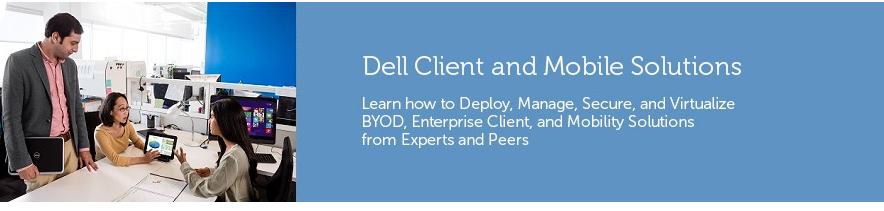
Dell Enterprise 客户端系统(Latitude 笔记本电脑、OptiPlex 台式机和 Precision 工作站)提供一整套工具,可帮助您更轻松地完成工作。在下方选择要使用 Dell Enterprise 客户端完成的任务。
 图 1:客户端部署 |
 图 2:客户端虚拟化 |
戴尔企业客户系统为客户带来最高的价值和最低的总拥有成本(TCO)。这是他们关注企业客户端系统和戴尔消费类系统的众多原因之一。Latitude 笔记本电脑、OptiPlex 台式机和 Precision 工作站旨在为戴尔客户提供更多工作!
目录
- 企业客户端
- BIOS 功能
- 客户端部署
- 客户端管理
- TPM 1.2 与 2.0 的特点
- Dell Client Command Suite
- Dell Command | Integration Suite for System Center
- Dell Command | Intel vPro Out of Band
- Dell Command | Monitor
- Dell Command | PowerShell Provider
- Dell Command | PowerShell Provider Advanced Battery Charge feature(Dell Command | PowerShell Provider 高级电池充电功能)
- Dell Command |Powershell 提供程序自动开机功能
- Dell Command | PowerShell Provider BIOS Passwords feature(Dell Command | PowerShell Provider BIOS 密码功能)
- Dell Command | PowerShell Provider HDD Password feature(Dell Command | PowerShell Provider 硬盘密码功能)
- Dell Command | PowerShell Provider Peak Shift feature(Dell Command | PowerShell Provider 峰值移动功能)
- Dell Command | PowerShell Provider Secure Password feature(Dell Command | PowerShell Provider 安全密码功能)
- Dell Command |Powershell 提供程序 LAN/WLAN 唤醒
- 更新的属性名称和可能值的参考列表
- Dell Command | Update
- Dell Command | Update Catalog
- 戴尔 Precision 工作站
- 企业客户端白皮书
- 产品比较和 TCO
- 企业客户端脚本中心
- ImageAssist 虚拟机教程
Cause
N/A
Resolution
请参阅上文。
Affected Products
Inspiron, OptiPlex, Vostro, XPS, G Series, G Series, Inspiron, Latitude, Vostro, XPSProducts
Inspiron, OptiPlex, Vostro, XPS, G Series, G Series, Inspiron, Latitude, Vostro, XPSArticle Properties
Article Number: 000180967
Article Type: Solution
Last Modified: 10 Feb 2026
Version: 14
Find answers to your questions from other Dell users
Support Services
Check if your device is covered by Support Services.