VxRail: Compute vMotion of VxRail Manager Gives Components Not Supported Warning in VxRail Releases 7.0.010 and Higher
Summary: Due to a virtual machine (VM) Guest OS setting for the VxRail Manager VM in VxRail releases 7.0.010 and the way vCenter identifies the Guest OS a list of VM warnings is triggered while performing compute vMotion. The warnings do not prevent manual or automated DRS vMotion. ...
This article applies to
This article does not apply to
This article is not tied to any specific product.
Not all product versions are identified in this article.
Symptoms
In VxRail releases 7.0.010 and above warnings may be seen when performing VxRail Manager VM compute vMotion on the cluster as illustrated below:
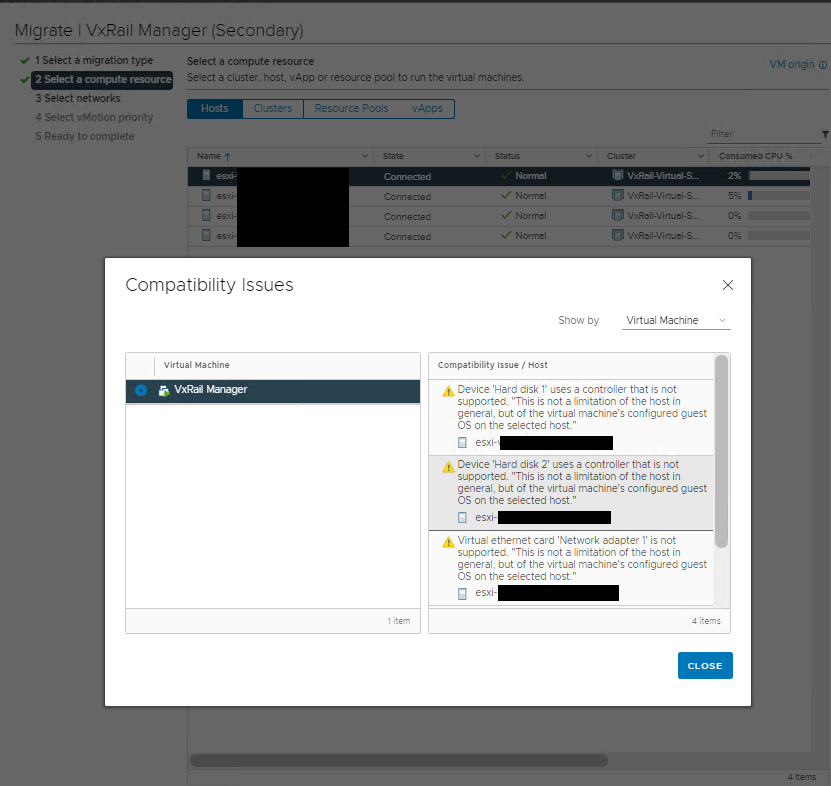
The full list of Warnings is per below:
Device 'Hard disk 1' uses a controller that is not supported. "This is not a limitation of the host in general, but of the virtual machine's configured guest OS on the selected host."

Device 'Hard disk 2' uses a controller that is not supported. "This is not a limitation of the host in general, but of the virtual machine's configured guest OS on the selected host."

Virtual ethernet card 'Network adapter 1' is not supported. "This is not a limitation of the host in general, but of the virtual machine's configured guest OS on the selected host."

Virtual ethernet card 'Network adapter 2' is not supported. "This is not a limitation of the host in general, but of the virtual machine's configured guest OS on the selected host."
Cause
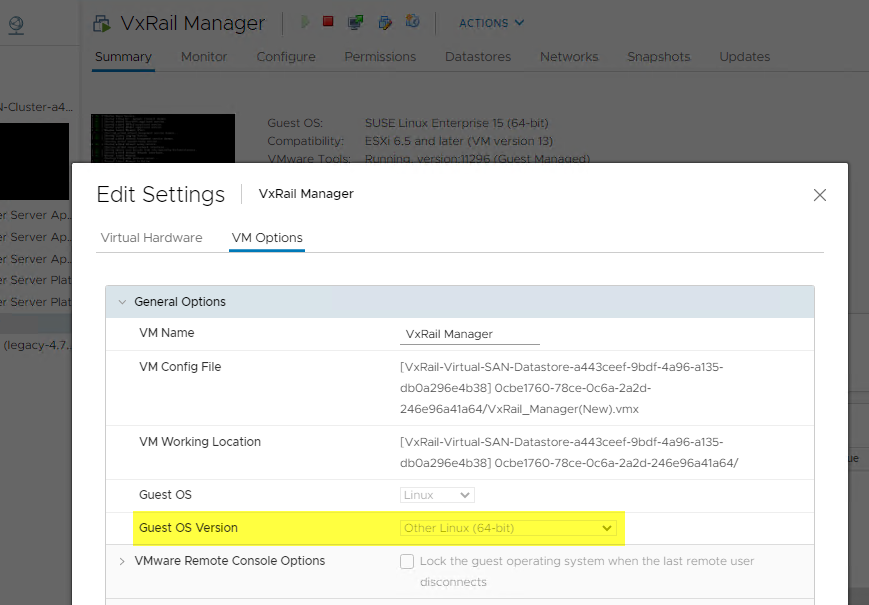
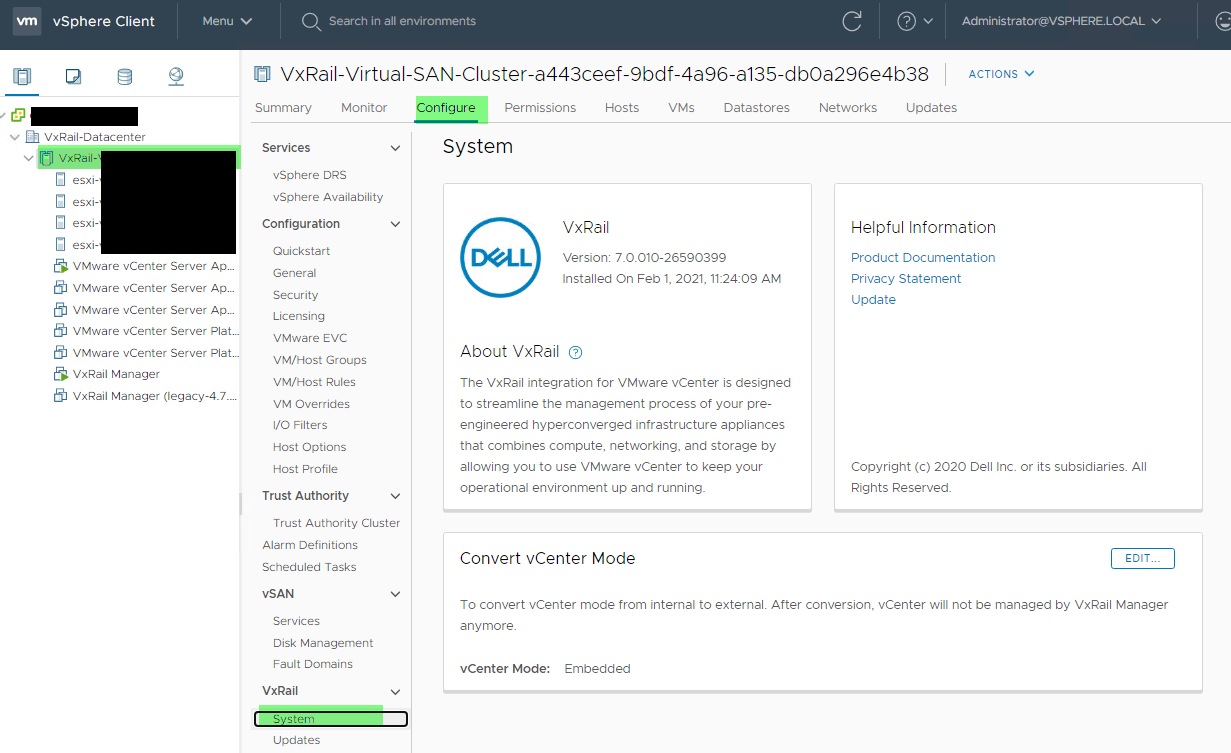
VxRail Manager VM is deployed with Guest OS setting "otherlinux-64" as highlighted below which results in the vMotion compatibility checker to wrongly identify the running Guest OS as a legacy "deprecated" release triggering the vMotion warnings.
Resolution
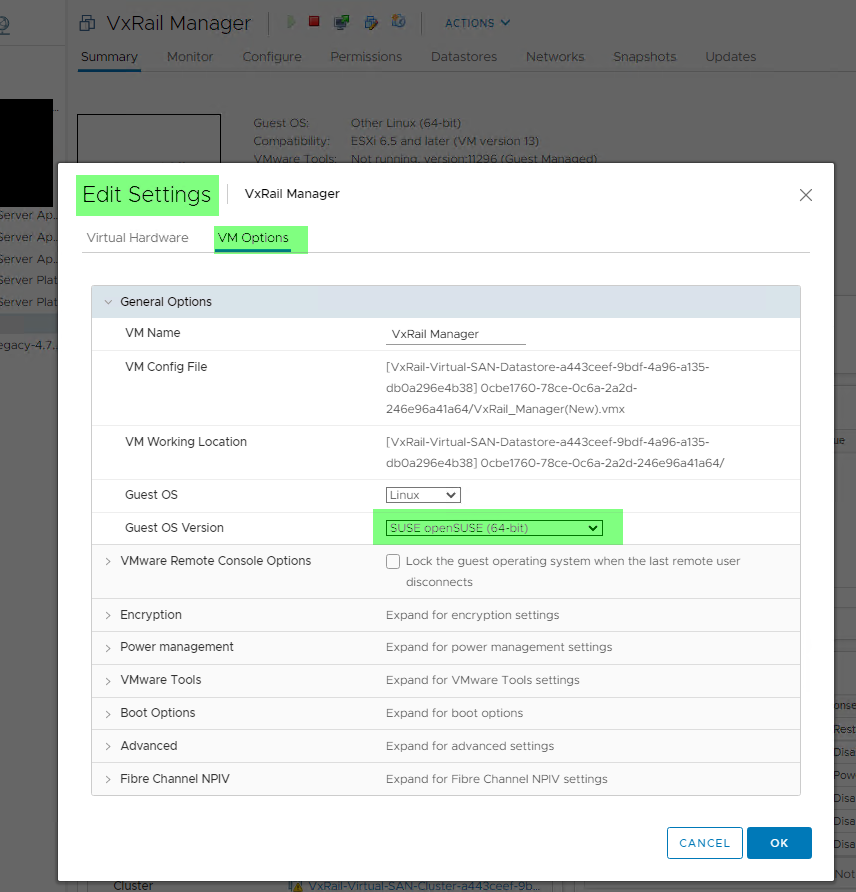
To avoid the warnings, the VxRail Manager VM Guest OS setting can be updated to a different value such as "SUSE Linux Enterprise 12 (64-bit)" or "openSUSE (64-bit)" following below steps:
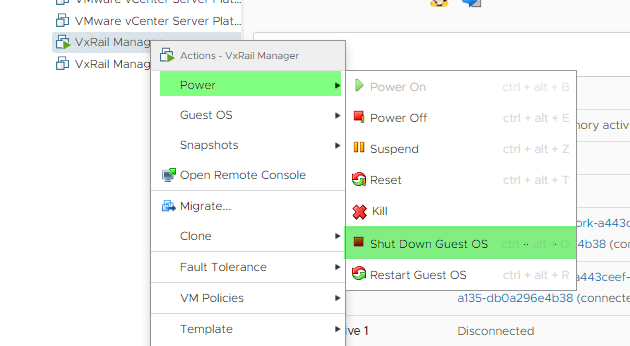
- Power off the VxRail Manager (shut down Guest OS)
- Edit the VM setting under VM Options and change to "openSUSE (64-bit)" for example.
- Power the VxRail Manager VM back on and verify VxRail UI functionality after a few minutes to make sure all is working as expected.
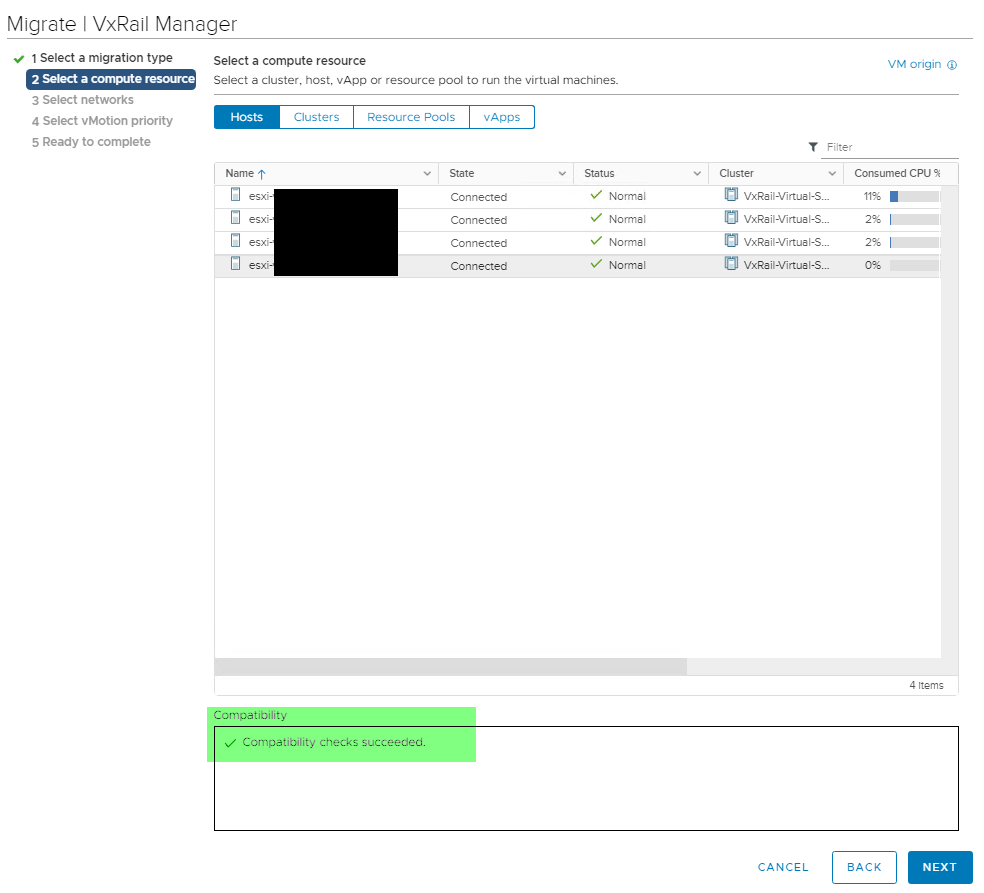
- And no further Warning on Compute vMotion:
Affected Products
VxRail Appliance Family, VxRail Appliance Series, VxRail SoftwareArticle Properties
Article Number: 000182655
Article Type: Solution
Last Modified: 08 May 2026
Version: 6
Find answers to your questions from other Dell users
Support Services
Check if your device is covered by Support Services.