PowerEdge: NVIDIA Control Panel Missing Options in Windows Server
Summary: This article details the procedure to enable the Windows Display Driver Model graphics drivers on the NVIDIA Quadro, Tesla, and GRID GPUs on PowerEdge Server running Windows Server.
Symptoms
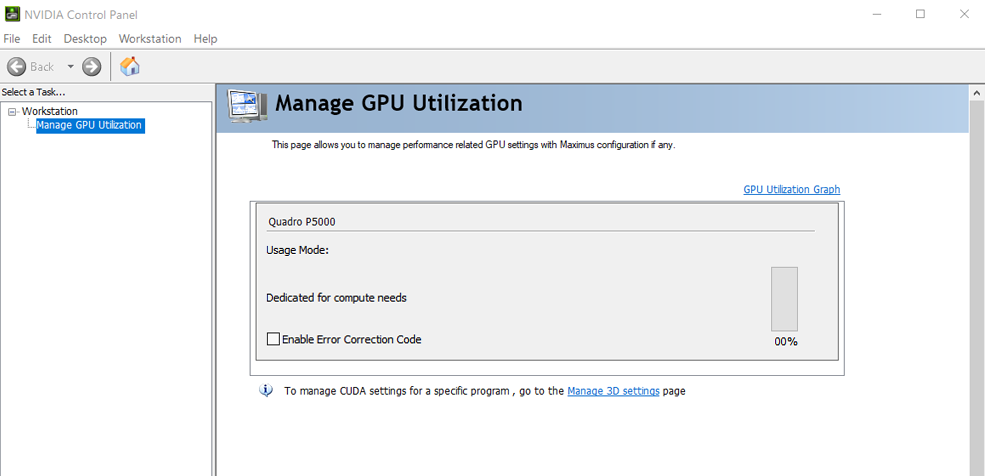
When opening the NVIDIA Control Panel, only the Manage GPU Utilization menu is available. In this menu, there is only the Dedicated for compute needs Usage Mode, while graphics tasks (like 3D Settings) are not present.
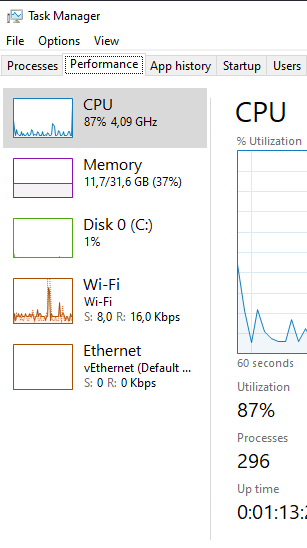
When checking in the Task Manager, the GPU tab is not showing.
The NVIDIA-smi
C:\Program Files\NVIDIA Corporation\NVSMI.
The output prompts to the GPU status when running the nvidia-smi -i command, with its usage and driver details.
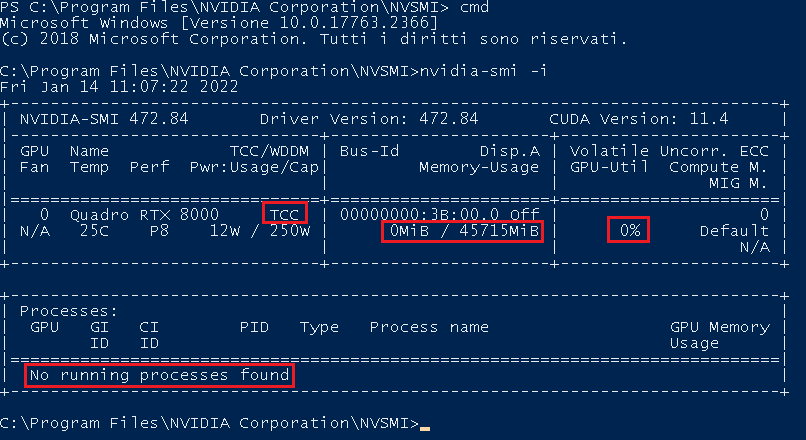
Useful information that is outlined in the above screenshot.
- Driver mode
- As specified in the NVIDIA-smi command documentation
- As specified in the NVIDIA-smi command documentation
- The usage
- No memory is being used.
- No processes are running.
- The GPU-ID
- The PCI bus ID (as
domain:bus:device.functionin hexadecimal).
- The PCI bus ID (as
The command nvidia-smi -fdm 0 (or nvidia-smi -g {GPU_ID} -dm 0
"Unable to set driver model for GPU {GPU-ID}: Not supported
Treating as warning and moving on.
All done."

Cause
As reported in the NVIDIA TCC documentation
GeForce - typically defaults to WDDM mode; used in gaming graphics
Quadro - typically defaults to WDDM mode, but often used as TCC compute devices as well
Tesla - typically defaults to TCC mode Current drivers require a GRID license to enable WDDM on Tesla devices.
Resolution
A GRID license allows the user to download the NVIDIA GRID and Virtual GPU drivers so as to change from TCC to WDDM mode.
The GRID license requires a NVIDIA Enterprise Account that is received by NVIDIA subscription
If this has not being done, it is possible to create a NVIDIA 90 days trial account
Once installed, the WDDM mode should be enabled by default. This can be checked using the command nvidia-smi. If not, it can still be forced using the command nvidia-smi -fdm 0.
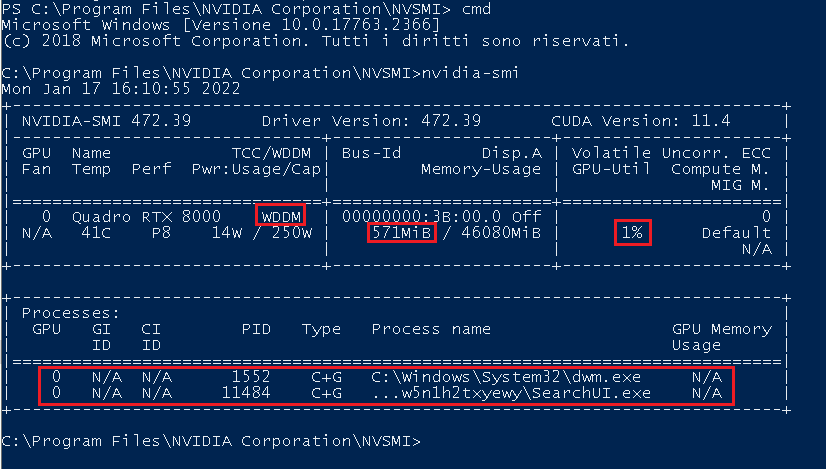
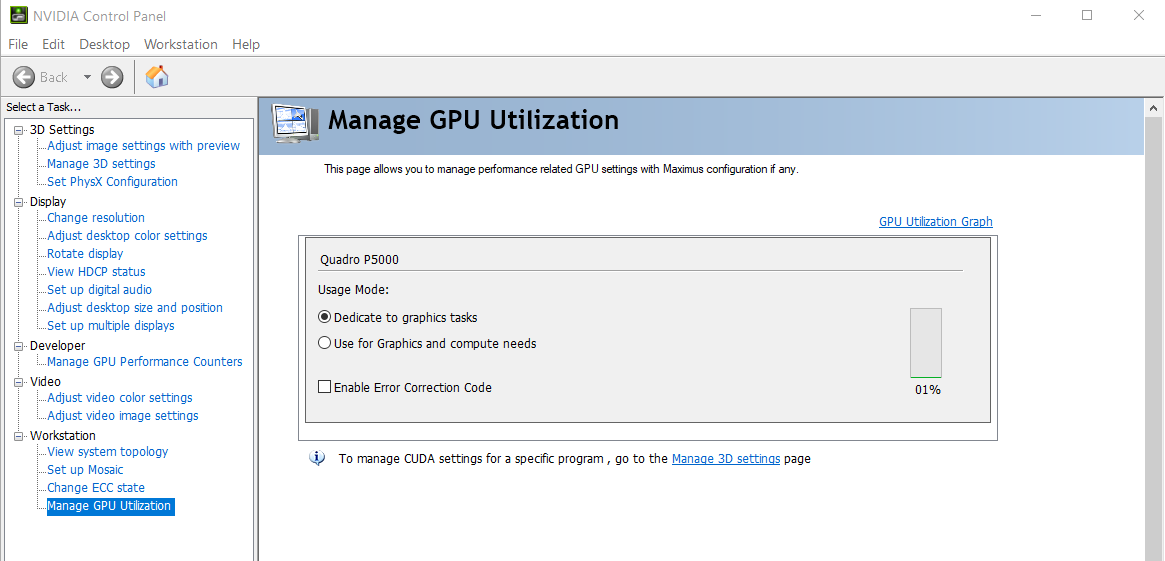
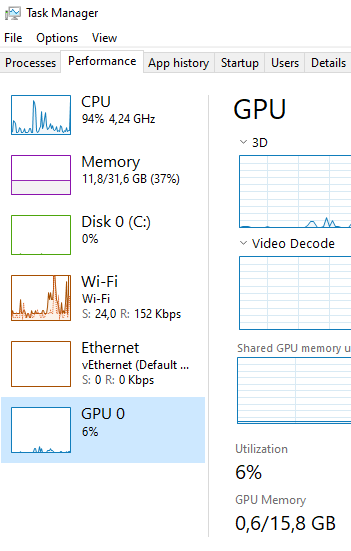
Finally, NVIDIA Control Panel and Task Manager show the GPU options: