SRM 4.6 and 4.7: Unity snapshot causing massive inactive metric in database.
Summary: Unity Snapshots that build up and causes backend processing's delays which in turn causes QDF files to start backing up.
This article applies to
This article does not apply to
This article is not tied to any specific product.
Not all product versions are identified in this article.
Symptoms
Database is slow to process data due to massive number of Unity snapshot inactive metrics. We can see it through report below: Report Library >>System Health >> Operations >> Metrics>> Metrics Per Data Group
Cause
Unity Snapshots increase fast due to customer has large number of Unity arrays in SRM setup.
Resolution
If customer does not want or care about Unity snapshot report. Customer can use the workaround below to stop collecting Unity snapshot.
Step 1: Login into the collector instance
Step 2: Go to the folder <APG-INSTALLED-PATH>/Collecting/Variable-Handling-Filter/<instance-name>/conf
Step 3: Back up the file “vhf-cleanup.xml”
Step 4: Go to collector host >> Pack and Modules >> search for "vnx" then click on Variable-Handling-Filter module.
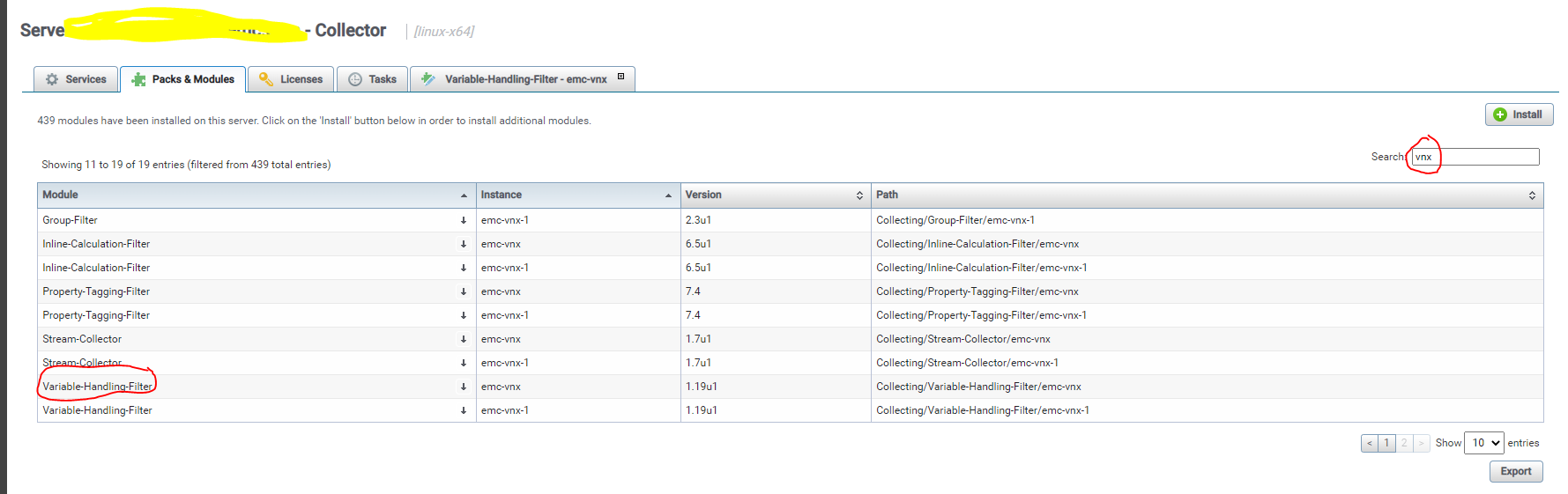
Step 5: When the new tab opens. Search for vhf-cleanup.xml >> then click on the small pencil icon to edit the file.
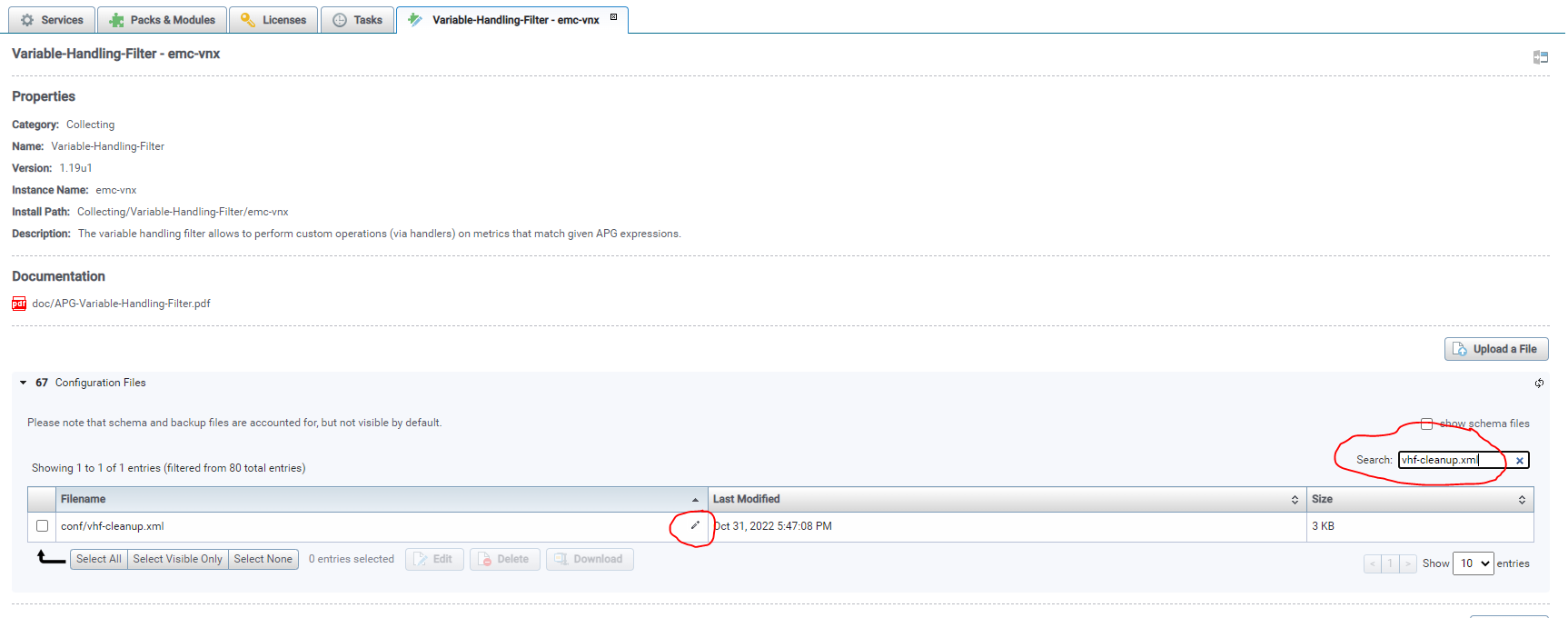
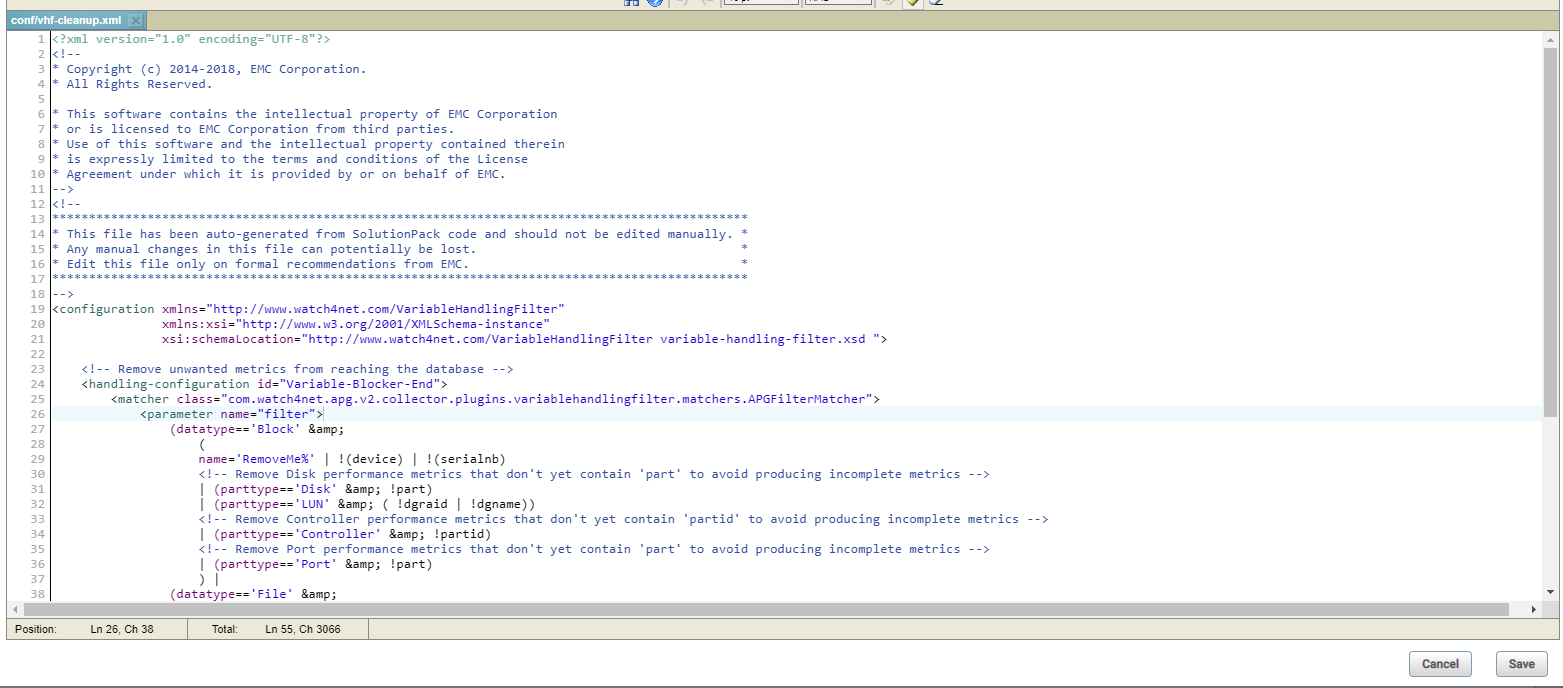
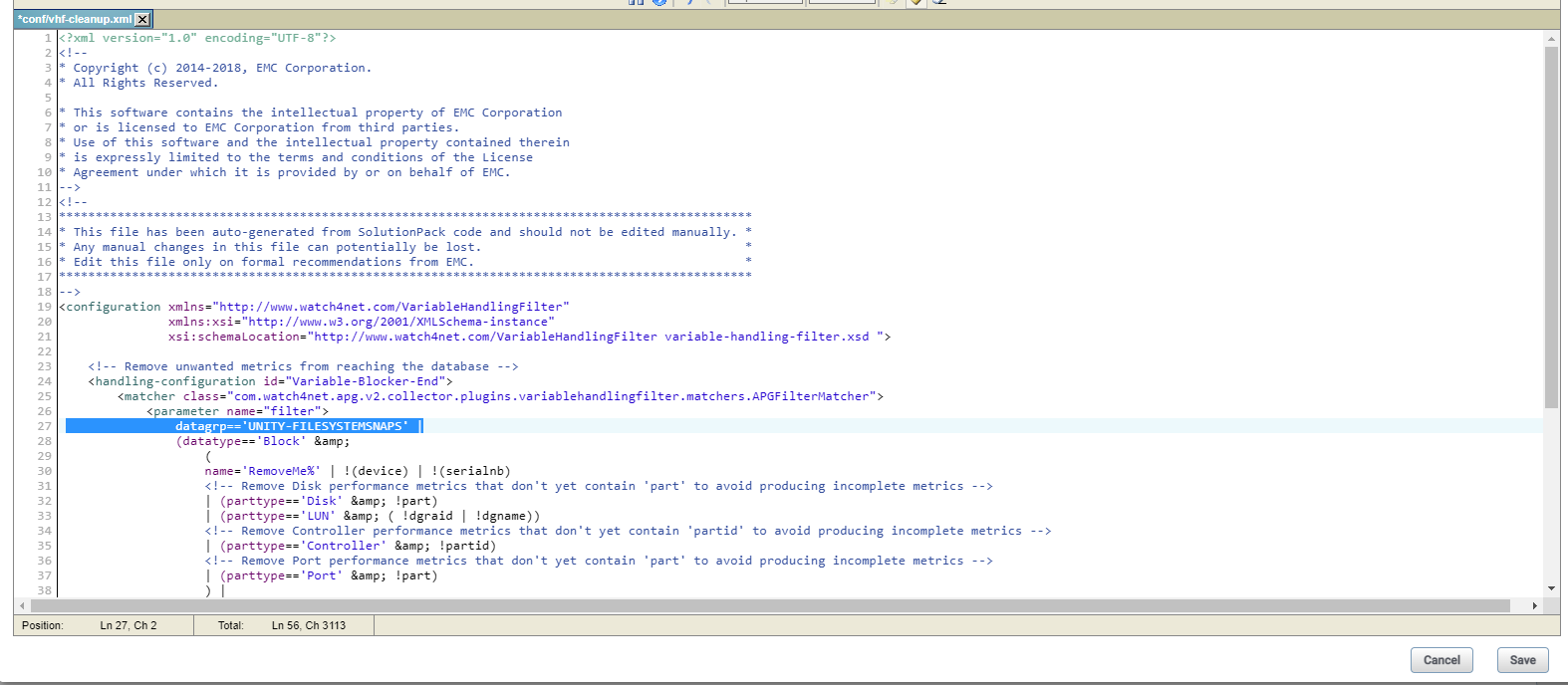
Step 6: Add the below “datagrp=='UNITY-FILESYSTEMSNAPS' |” to block only file system snapshot change in line no 27 the file “vhf-cleanup.xml”.
Before edit:
After edited:
Step 7: Saved the edit then restart the collector.
Note: Previously collected snapshot metrics will turn inactive and also, we would see snapshot related reports/metrics will be empty after those value turn inactive.
Step 1: Login into the collector instance
Step 2: Go to the folder <APG-INSTALLED-PATH>/Collecting/Variable-Handling-Filter/<instance-name>/conf
Step 3: Back up the file “vhf-cleanup.xml”
Step 4: Go to collector host >> Pack and Modules >> search for "vnx" then click on Variable-Handling-Filter module.
Step 5: When the new tab opens. Search for vhf-cleanup.xml >> then click on the small pencil icon to edit the file.
Step 6: Add the below “datagrp=='UNITY-FILESYSTEMSNAPS' |” to block only file system snapshot change in line no 27 the file “vhf-cleanup.xml”.
Before edit:
After edited:
Step 7: Saved the edit then restart the collector.
Note: Previously collected snapshot metrics will turn inactive and also, we would see snapshot related reports/metrics will be empty after those value turn inactive.
Affected Products
SRMArticle Properties
Article Number: 000206702
Article Type: Solution
Last Modified: 19 Jan 2023
Version: 2
Find answers to your questions from other Dell users
Support Services
Check if your device is covered by Support Services.