戴尔坞站在连接到 Precision 工作站时无法正常工作
Summary: 客户可能会报告称,在使用戴尔双连接器坞站时,外接显示器上出现间歇性无显示和无 LAN 功能的问题。
This article applies to
This article does not apply to
This article is not tied to any specific product.
Not all product versions are identified in this article.
Symptoms
受影响的平台:
- Precision 7670
- Precision 7770
- Precision 7680
- Precision 7780
受影响的产品:
- 戴尔高性能坞站 - WD19DCS
- 戴尔高性能坞站 - WD19DC
重新创建步骤:
- 主计算机 BIOS 设置电源 - USB 唤醒支持 - 戴尔 USB-C 坞站唤醒 设置为 开。
- 至少两小时没有外部电源(交流适配器套筒或 Type-C)连接到主计算机。
- 将外接显示器连接到坞站 WD19DCS 或 WD19DC(通过 HDMI、DP 或 Type-C DP 端口连接到坞站的单个或多个外接显示器)。
- 在坞站连接到左侧(两个带 USB Type-C 端口的 Thunderbolt4)开启计算机。

图 1: (仅英文)Precision 7780 左视图
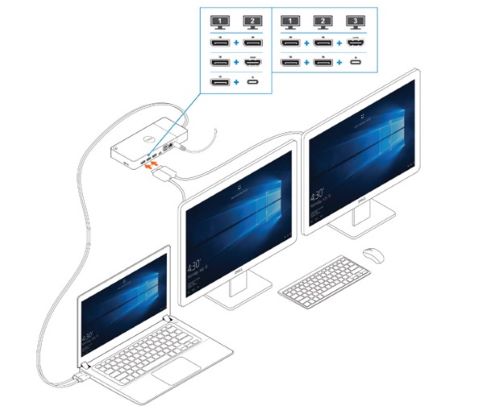
图 2:(仅限英文)保存恢复密钥
Cause
不适用
Resolution
将 BIOS 更新到以下版本可防止此问题发生:
- Precision 7680 和 Precision 7780 BIOS:1.12.1 或更高版本
- Precision 7670 和 Precision 7770 BIOS:1.21.1 或更高版本
Affected Products
Dell Performance Dock - WD19DC, Dell Performance Dock – WD19DCS, Precision 7670, Precision 7680, Precision 7770, Precision 7780Article Properties
Article Number: 000225065
Article Type: Solution
Last Modified: 21 May 2026
Version: 6
Find answers to your questions from other Dell users
Support Services
Check if your device is covered by Support Services.