PowerEdge: 16G AMD-based servers have a CPPC setting that cannot be enabled
Summary: BIOS setting for Collaborative Processor Performance Control (CPPC) will remain disabled after attempting to enable it.
Symptoms
Users that update to BIOS 1.10.0 or 1.11.0 can find a new option in the BIOS settings for CPPC.
- This setting is only found in the iDRAC setup under BIOS Settings - System Profile Settings
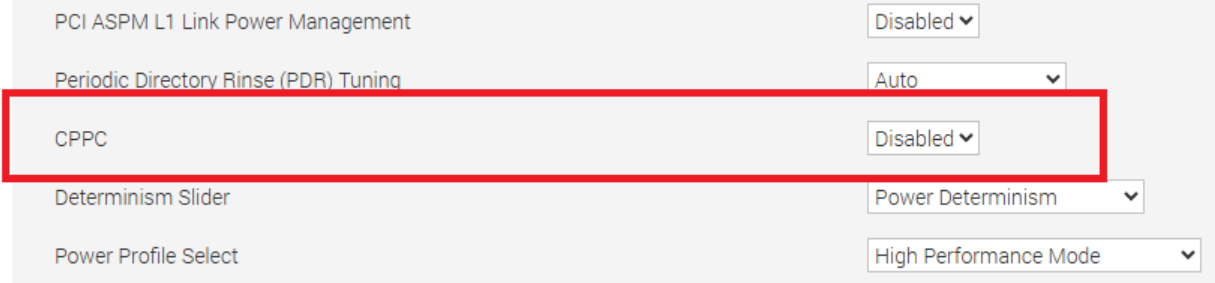
Setting this option to Enabled results in the setting reverting to Disabled after saving the change and rebooting.
This issue applies to R6615, R6625, R7615, and R7625.
Cause
BIOS unintentionally opened a setting for OEM-based systems with ID Modules.
Resolution
This issue is resolved in BIOS 1.12.2 available in June 2025. The CPPC option is removed and not available on Standard PowerEdge servers. PowerEdge servers that require CPPC enablement should use OS DBPM as the CPU Power Management setting. This is configured under System Profile Settings. System Profile Settings are found through F2 system setup or in the iDRAC UI by selecting BIOS Settings under the Configuration tab.
Note: OEM-based servers and certain ID Modules retain the CPPC option.