PowerStore: 마이그레이션 세션 동기화 상태가 실패했습니다.
Summary: 어플라이언스 간의 iSCSI 연결이 설정되지 않은 경우 마이그레이션 세션 동기화가 실패 상태로 전환됩니다.
This article applies to
This article does not apply to
This article is not tied to any specific product.
Not all product versions are identified in this article.
Symptoms
PowerStore Manager는 마이그레이션 세션 상태를 Failed로 표시하고 세부 정보는 다음과
같습니다.핸들 96f91040-09bd-46c3-b47a-a516d21a7a75:751:686을 사용하는 전송 객체: 상태를 사용할 수 없습니다.
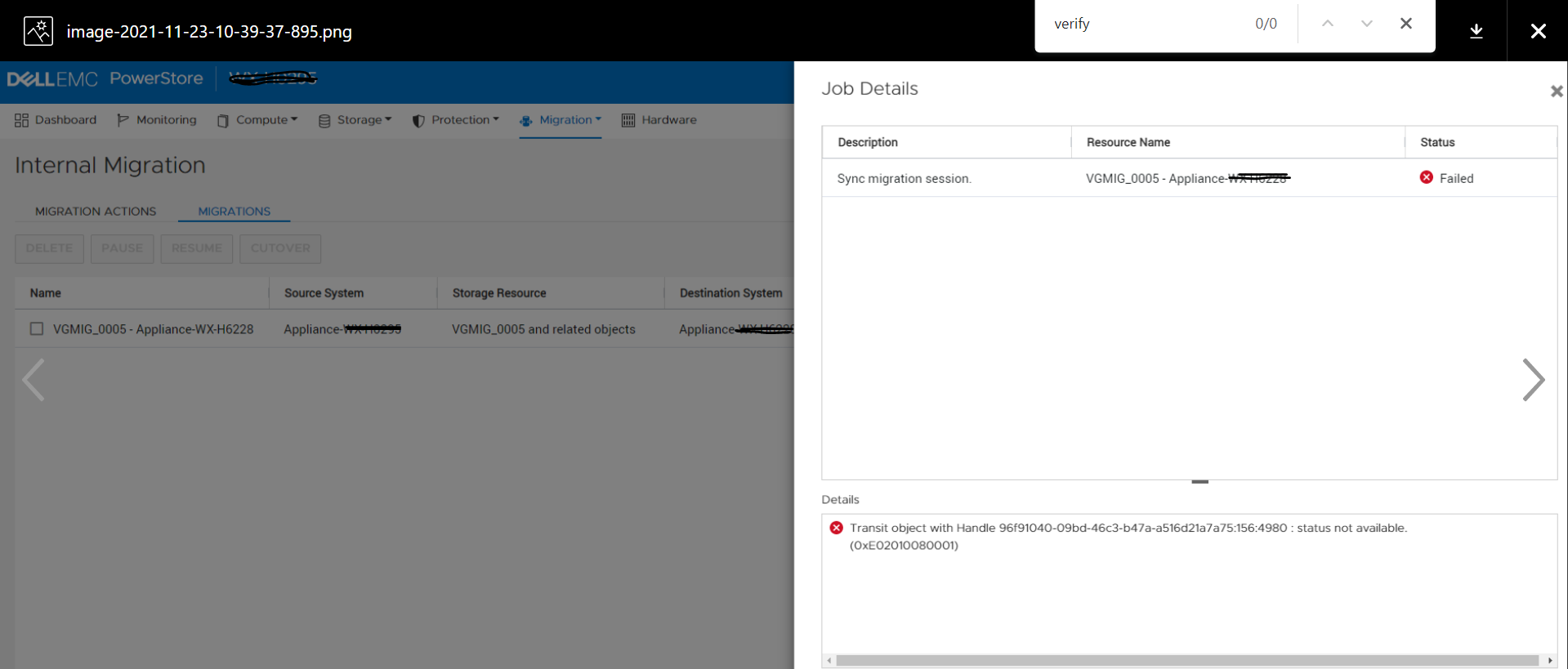
![]()
같습니다.핸들 96f91040-09bd-46c3-b47a-a516d21a7a75:751:686을 사용하는 전송 객체: 상태를 사용할 수 없습니다.
Cause
어플라이언스(동일한 클러스터에 속)가 동시에 발생하지 않거나 어플라이언스 간에 네트워크 연결 문제가 있는 경우 어플라이언스 간의 iSCSI 연결이 설정되지 않을 수 있습니다. 이 시나리오에서 마이그레이션 세션 동기화를 시도하는 경우 상태가 Failed로 변경됩니다.
Resolution
이 KB 문서의 문제는 향후 릴리스에서 수정될 예정입니다. 추가 도움이 필요하면 기술 지원 부서에 문의하십시오.
Affected Products
PowerStoreArticle Properties
Article Number: 000195834
Article Type: Solution
Last Modified: 23 Feb 2022
Version: 1
Find answers to your questions from other Dell users
Support Services
Check if your device is covered by Support Services.