PowerProtect: Backup OpenShift K8s Using Different Interface
Summary: Unable to Backup PersistentVolumeClaims (PVC), backup returned with an error
Instructions
Environment: PowerProtect Data Manager 19.16
OpenShift Cluster: 4.14
OADP Version: 1.27
Backups fail with different codes (ABK0018 and ABK0002) after configuring the new OpenShift K8s Cluster.
"PVC backup returned with an error Unable to backup PVC 'pvc-mysql-0' BackupPvSessions completed with errors: Unable to open DD Boost connection to PowerProtect DD System host "DD_IP": [5203] The call timed out"
OpenShift runs using different interfaces and IP networks.
One of them is in the same network as Data Domain and PowerProtect Data Manager.
The second interface is running in a network without access to PowerProtect Data Manager-DataDomain.
In OpenShift K8s, you must create a Network Attachment Definition (NAD) using the interface in the same network as Data Domain and PowerProtect Data Manager. In this example, use eno12409np1 as interface
apiVersion: k8s.cnicncf.io/v1 [k8s.cni.cncf.io]
kind: NetworkAttachmentDefinition
Metadata:
  Name: eno12409np1-network
Spec:
  Config: '{
    "cniVersion": "0.3.1",
    "type": "macvlan",
    "Active": "eno12409np1",
    "mode": "bridge",
    "ipam": {
      "type": "host-local",
      "subnet": network_subnet_dd_ppdm/mask [network_subnet_dd_ppdm]",
      "rangeStart": "192.168.10.10",
      "rangeEnd": "192.168.10.50",
      "routes": [{"dst": "0.0.0.0/0 [0.0.0.0]"}],
      "gateway": "192.168.10.1"
    }
  }'
Modify the PowerProtect and Velero deployment adding the network definition Annotations:k8s.v1.cni.cncf.io/networks [k8s.v1.cni.cncf.io]: eno12409np1-network
Add the same information in PowerProtect Data Manager K8s Cluster (Edit > Advanced Options)
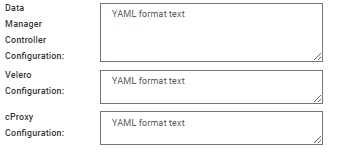
In each configuration, add the information for YAML using the format:
spec:
template:
metadata:
 annotations:
   k8s.v1.cni.cncf.io/networks: kube-system/macvlan-conf
spec:
 dnsConfig:
 nameservers:
    - "10.235.95.21" ## Customer DNS
 searches:
    - "domain.local.customre"
Run a Verify and Save.
After all the changes, run a Discovery and perform a new backup.