PowerFlex作方法enable_background_device_scanner
Summary: 作方法:在指定存储池中的设备上启用后台设备扫描程序以检查错误(在精细粒度存储池中不受支持)。 以及如何在用户界面中报告错误。
This article applies to
This article does not apply to
This article is not tied to any specific product.
Not all product versions are identified in this article.
Instructions
步骤
报告和修复
以下命令可用于运行后台设备扫描程序
scli --enable_background_device_scanner --protection_domain_name pd1 --storage_pool_name pool --scanner_mode device_only --report_and_fix
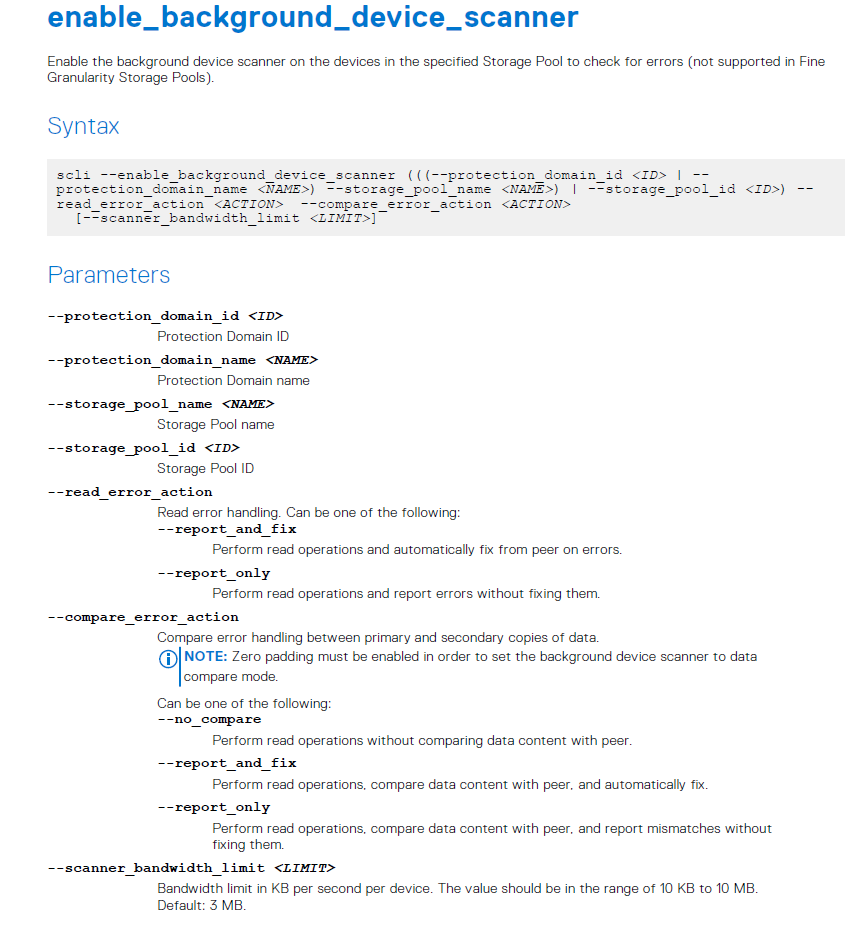
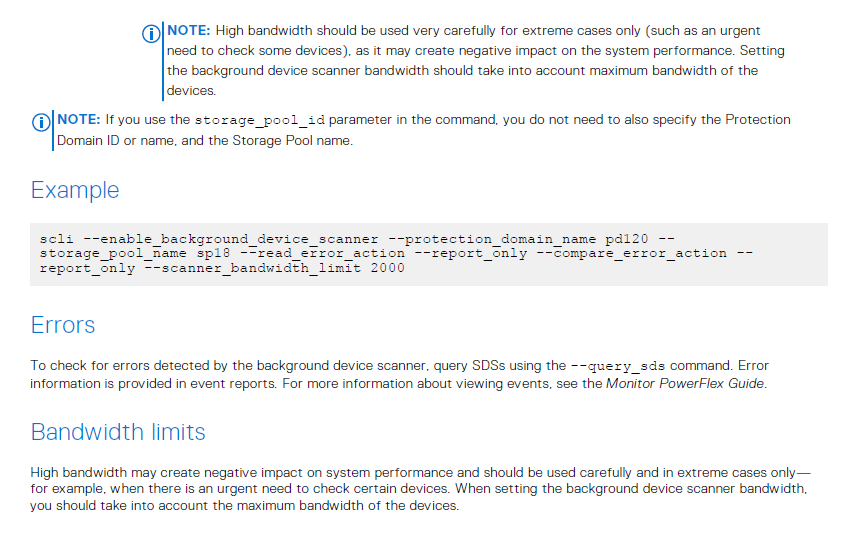
注意:设置“report_and_fix”将导致 GUI 报告设备扫描程序错误
示例#1:PowerFlex 3.5 或更高版本的演示服务器警报:
从设备读取失败。数据已从另一个拷贝更正。无需执行任何作,但请注意,设备可能出现故障。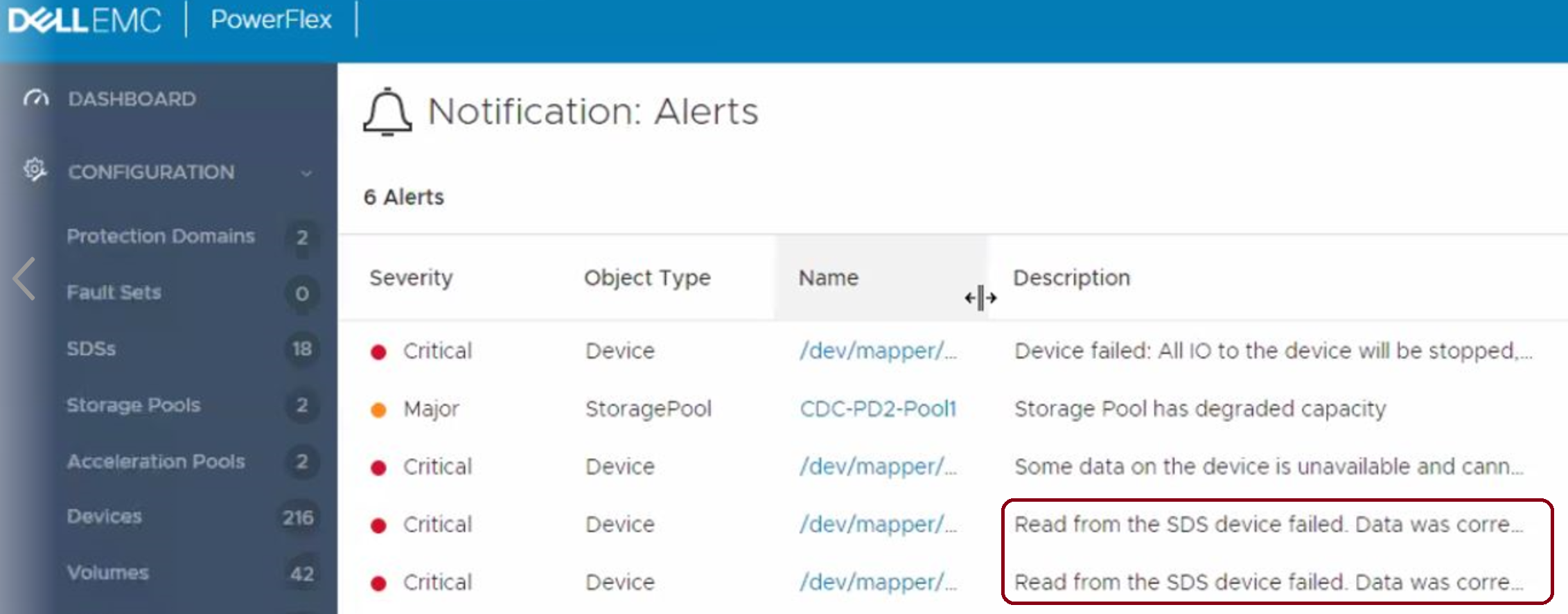
示例#2: 低于 3.5 的 PowerFlex 版本:
SDS 设备读取失败超过 5 次。更换物理设备。
这也是 VxFlex OS 版本 3.0 中的默认行为。
未修复错误(report_only):
scli --enable_background_device_scanner --protection_domain_name pd1 --storage_pool_name pool --scanner_mode device_only --report_only
提醒: 设置“report_only”将导致 GUI 中没有报告,但会在比较中报告。XX 文件,如下所述。
有一个名为 comparison的文件。SDS 日志文件夹中的 XX,其中包含有关扫描程序检测到的每个读取错误的信息,例如:
" lwc-ocu6ikr8h3="">24/02 11:21:03.278967 vtreeId adf1ced400000009 Comb 4ab780000163, offset 2928640 - skipping fixing read error from primary due to configuration flag. primary failed on rc= 65
Additional Information
Affected Products
VxFlex Product FamilyProducts
PowerFlex Software, VxFlex Product Family, VxFlex Ready NodeArticle Properties
Article Number: 000022259
Article Type: How To
Last Modified: 15 Sept 2025
Version: 7
Find answers to your questions from other Dell users
Support Services
Check if your device is covered by Support Services.