How to add users in bulk for Office 365
Summary: Each person on your team needs to have a user account before they can sign in and access the Office 365 services, such as email and Office.
This article applies to
This article does not apply to
This article is not tied to any specific product.
Not all product versions are identified in this article.
Instructions
If you have a lot of people, you can add their accounts all at once from an Excel spreadsheet or some other file that is saved in the .CSV format.
Important Note:
Access the sample spreadsheet template or follow the process below to download the template in Microsoft Online Portal.
Access the sample spreadsheet template
or follow the process below to download the template in Microsoft Online Portal.
 Add multiple users to Office 365 in the Microsoft Online Portal
|
|
|
|
| Your spreadsheet needs to include the exact same column headings as the sample one (Username, First Name, etc.). If you use the template, open it in a text editing tool, like Excel and consider leaving all the data in row 1 alone, and enter the data only in rows 2 and below. |
|
|
|

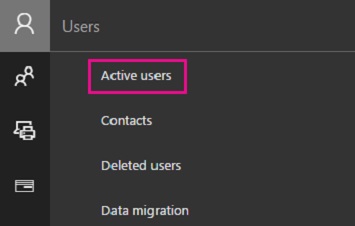
 .
.
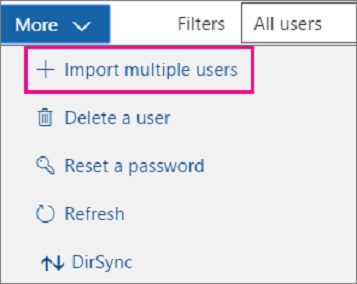
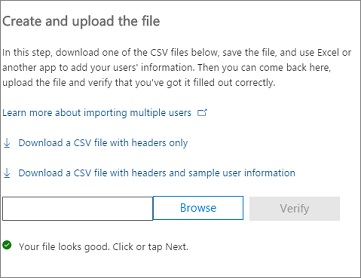
Additional Resource:

Affected Products
Microsoft 365 from DellArticle Properties
Article Number: 000184377
Article Type: How To
Last Modified: 10 Oct 2024
Version: 9
Find answers to your questions from other Dell users
Support Services
Check if your device is covered by Support Services.