「VxRail:VxRailでストレッチ クラスターを確認する方法
Summary: VxRailで拡張クラスター機能が有効になっているかどうかを確認する方法。
This article applies to
This article does not apply to
This article is not tied to any specific product.
Not all product versions are identified in this article.
Instructions
コード7.0.x/8.0.x
- vSphereを開き、管理者アカウントでログインします。
- インベントリーでVxRailクラスター名を選択します。
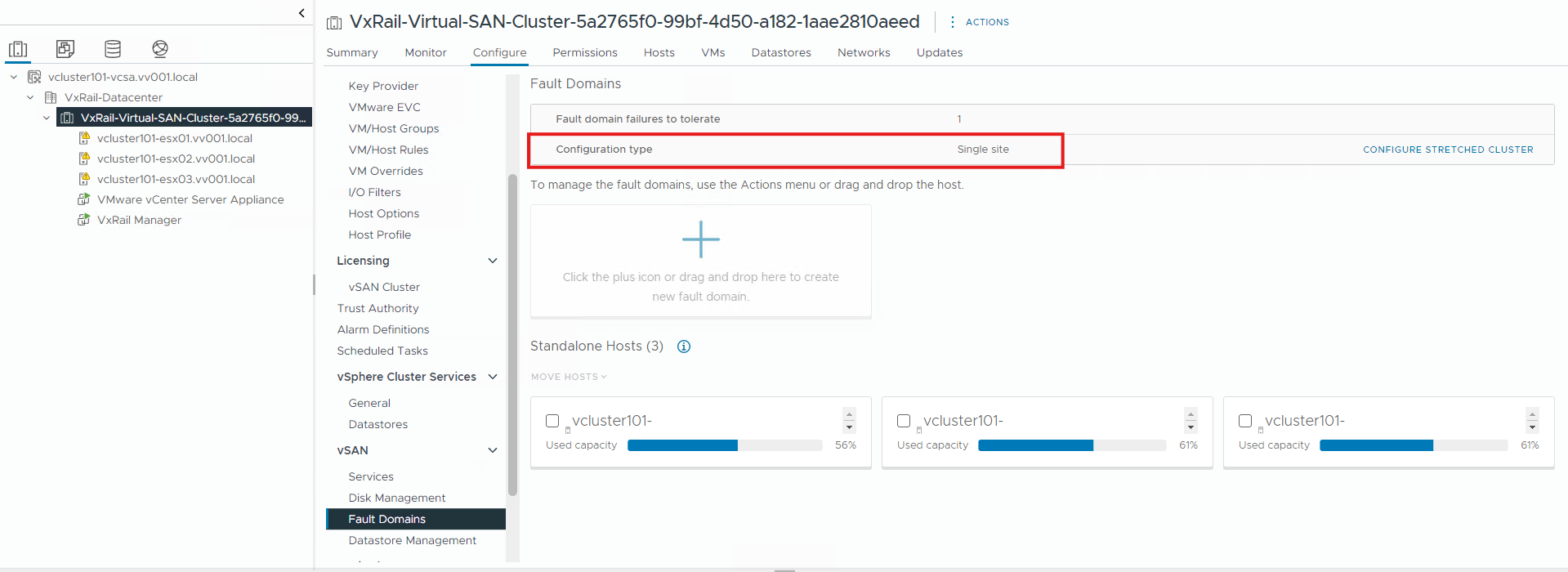
- [Configure> Fault Domains]をクリックします
- 構成タイプを確認します。[Single site]と表示されている場合は、ストレッチ クラスターではありません。
コード4.7.x
- vCenter Webクライアントを開き、管理者アカウントでログインします
- インベントリーでVxRailクラスター名を選択します。
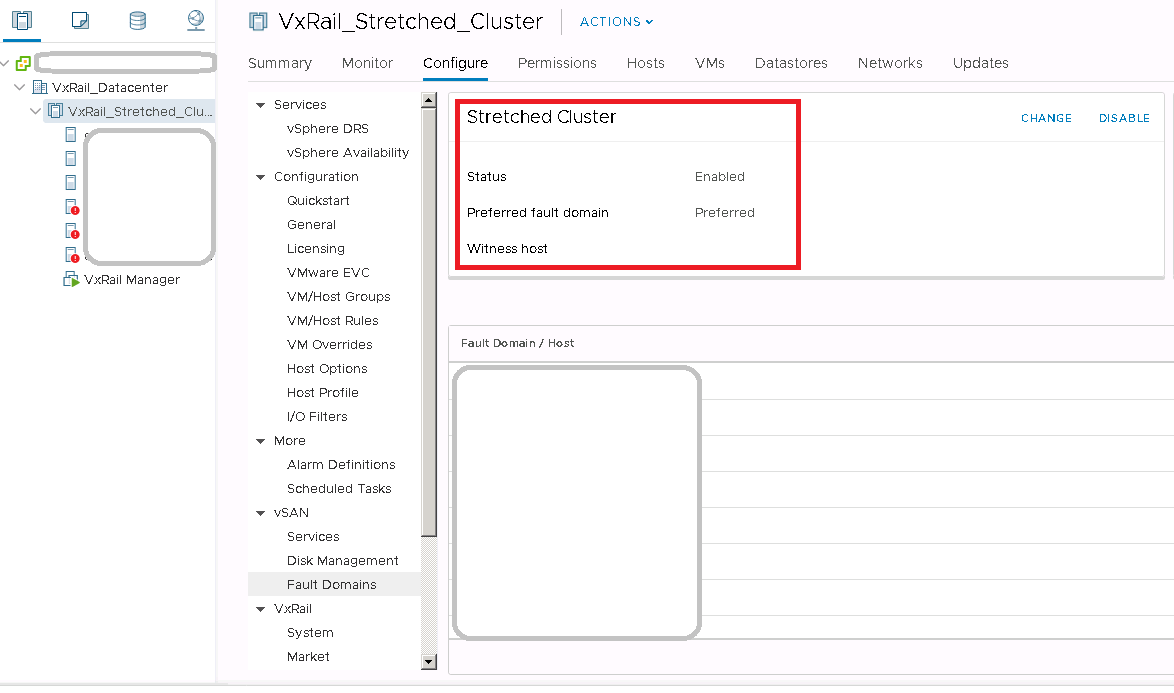
- [Configure -> vSAN-> Fault Domains]をクリックします。
- 拡張クラスターのステータスを確認します。ステータスが有効の場合は、ストレッチ クラスターが使用中であることを意味します。
Affected Products
VxRail, VxRail Appliance Series, VxRail SoftwareArticle Properties
Article Number: 000013864
Article Type: How To
Last Modified: 03 Mar 2025
Version: 5
Find answers to your questions from other Dell users
Support Services
Check if your device is covered by Support Services.