VxRail: Controleren op stretchcluster in VxRail
Summary: Controleren of de functie Stretch Cluster is ingeschakeld in VxRail.
This article applies to
This article does not apply to
This article is not tied to any specific product.
Not all product versions are identified in this article.
Instructions
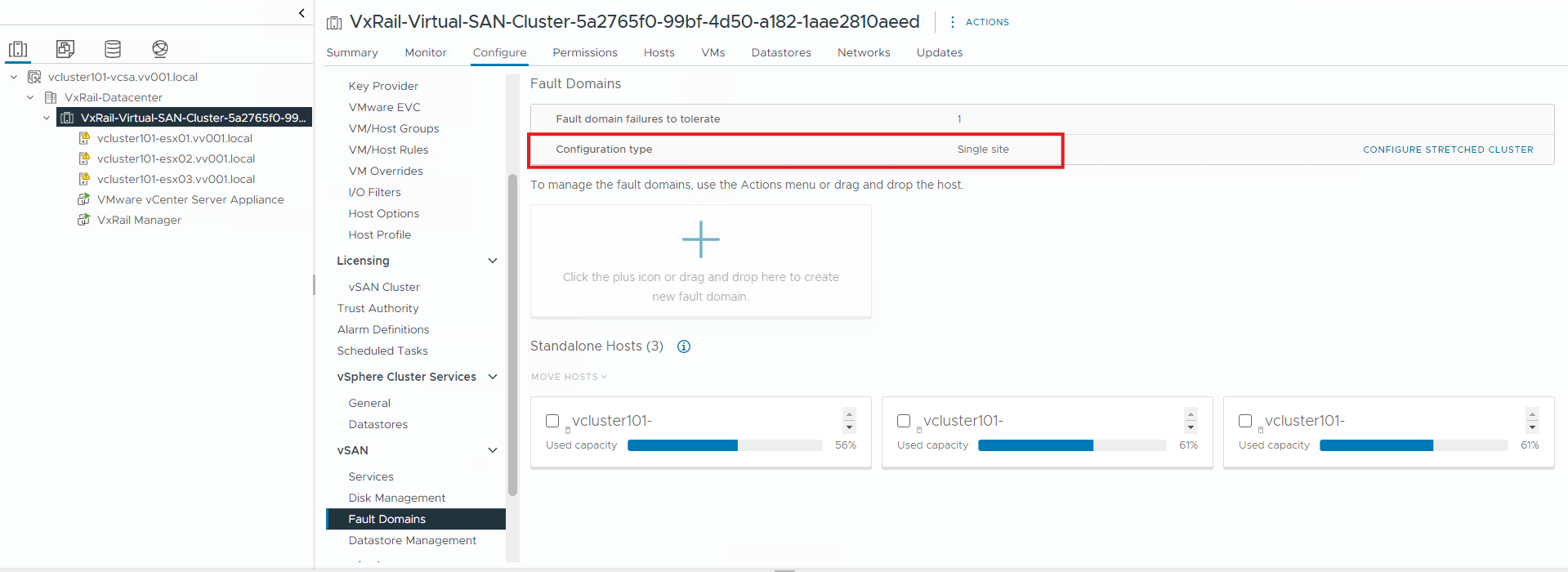
In code 7.0.x/8.0.x
- Open vSphere en meld u aan met het administrator-account.
- Selecteer de naam van het VxRail cluster in de inventaris.
- Klik op Foutdomeinen configureren>
- Controleer het configuratietype. Als er Single site staat, is het geen stretched cluster.
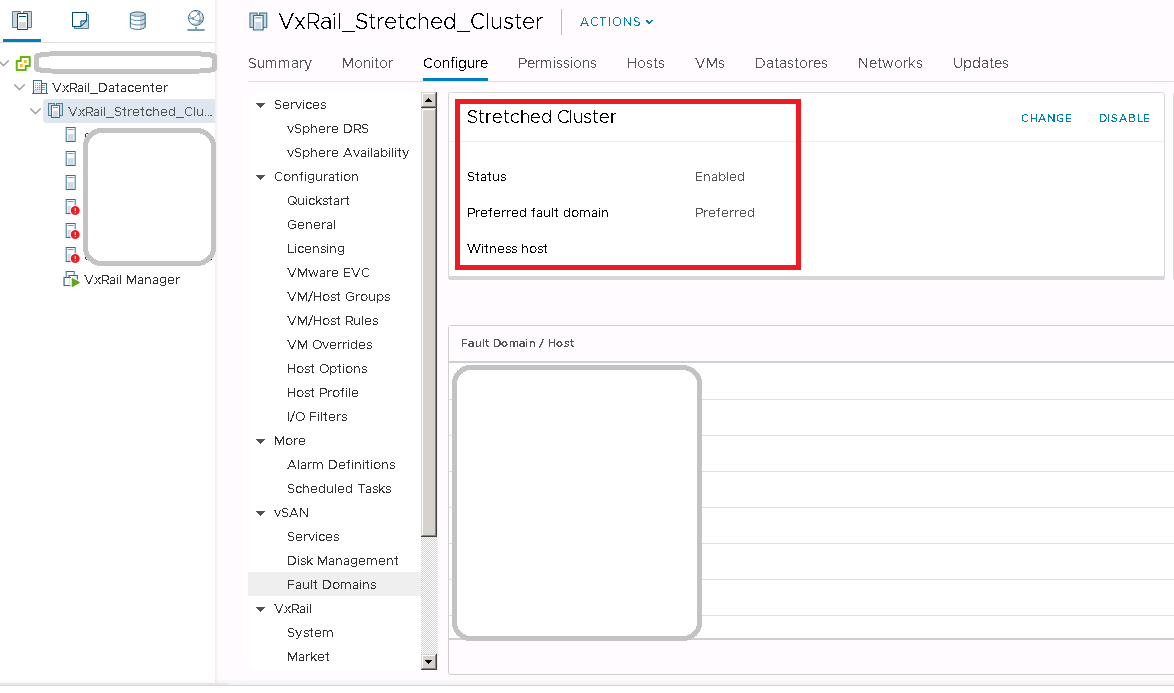
In code 4.7.x
- Open vCenter Web Client en meld u aan met een beheerdersaccount
- Selecteer de naam van het VxRail cluster in de inventaris.
- Klik op Configure -> vSAN -> Fault Domains
- Controleer de status van het stretched cluster. Als de status Ingeschakeld is, betekent dit dat Gestrekt cluster in gebruik is.
Affected Products
VxRail, VxRail Appliance Series, VxRail SoftwareArticle Properties
Article Number: 000013864
Article Type: How To
Last Modified: 03 Mar 2025
Version: 5
Find answers to your questions from other Dell users
Support Services
Check if your device is covered by Support Services.