PowerProtect DD System Manager (DDSM) and Data Domain Management Server (DDMC) access fails with AD Authentication
Summary: PowerProtect DD System Manager (DDSM) and Data Domain Management Server (DDMC) access fails with AD Authentication
This article applies to
This article does not apply to
This article is not tied to any specific product.
Not all product versions are identified in this article.
Symptoms
The Data Domain appliance has been configured in the environment with Windows Active Directory Access Management. The PowerProtect DD System Manager (DDSM) and Data Domain Management Server (DDMC) authentication works successfully with local users, but fails with Active Directory (AD) users. When using an AD user for authentication, the DDSM login fails with "The user has insufficient privileges to access DD System Manager."
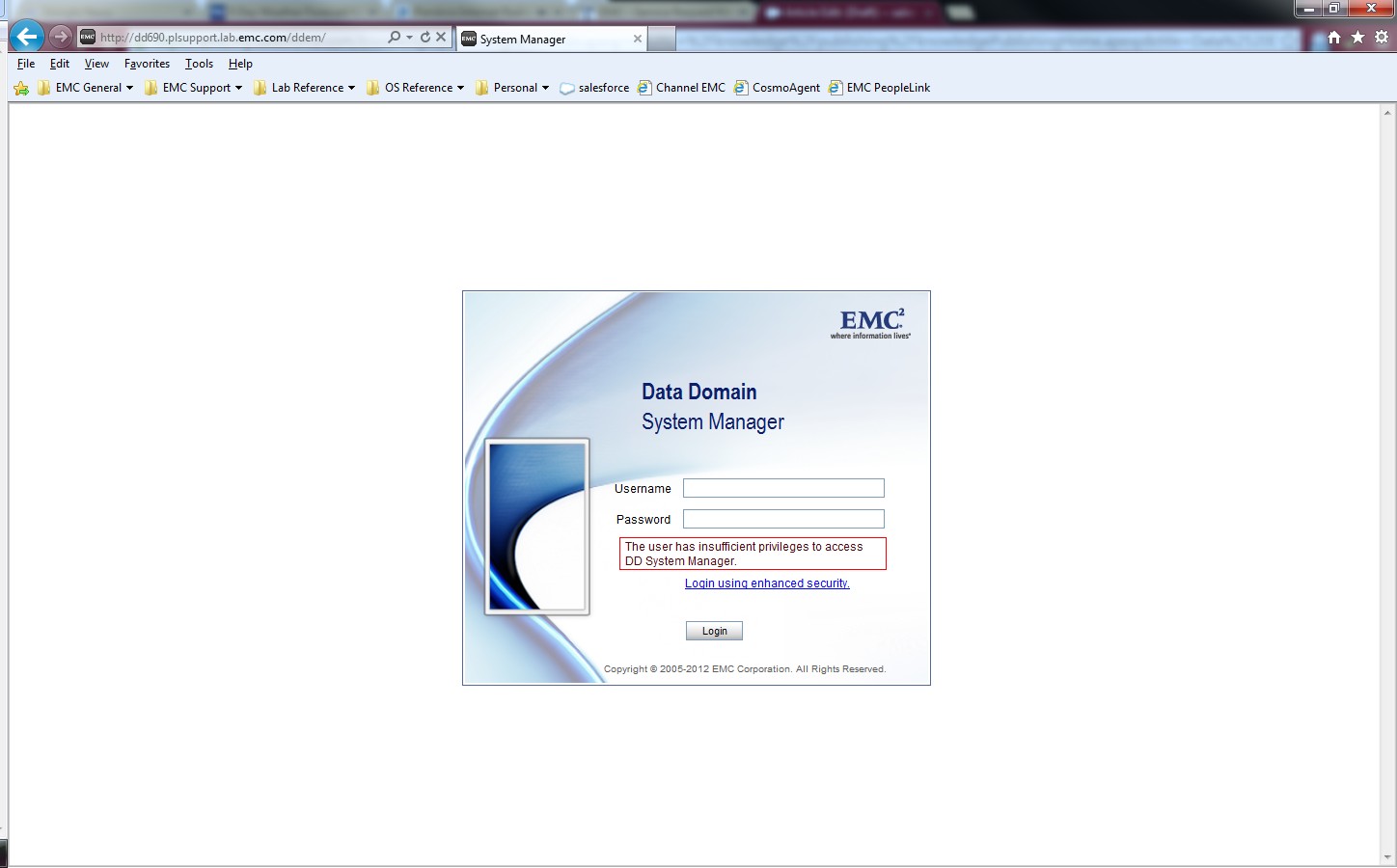
The Windows Authentication and Allowed Group settings under the "System Settings > Access Management > Windows" are properly configured for the Microsoft Active Directory LDAP. The authentication to Data Domain CIFS shares is successful with AD user accounts.
Error for DDMC:
Error for DDMC:
sms: NOTICE: In session create 5034-the user has insufficient privilegeCause
The adminaccess authentication is disabled on the Data Domain.
Resolution
Enable the adminaccess authentication option on the Data Domain system to allow AD user authentication using the DDSM and SSH.
sysadmin@MyDataDomain# adminaccess authentication show
CIFS authentication:    disabled
sysadmin@MyDataDomain# adminaccess authentication add cifs
CIFS authentication:    enabled
sysadmin@MyDataDomain# adminaccess authentication show
CIFS authentication:    enabled
The information and procedure is documented in the "Managing Access Control" section of the PowerProtect Data Domain Operating System Administration Guide.
Affected Products
Data DomainProducts
Data DomainArticle Properties
Article Number: 000023929
Article Type: Solution
Last Modified: 30 Mar 2026
Version: 5
Find answers to your questions from other Dell users
Support Services
Check if your device is covered by Support Services.