Premier: Systems
Summary: The Systems Catalog provides access to the Dell branded products.
This article applies to
This article does not apply to
This article is not tied to any specific product.
Not all product versions are identified in this article.
Instructions
Watch the video and learn how best to navigate the Systems catalog:
Navigating Dell Catalogs video - Duration: 00:01:24 (hh:mm:ss)
When available, closed captions language settings can be chosen using the Settings or CC icon on this video player.
Access the Systems catalog
To access the Systems catalog, click "Shop" in the masthead and then select the desired product category. For faster selection, Access your category of choice from the horizontal product menu bar (Figure 1: Access Systems Catalog)
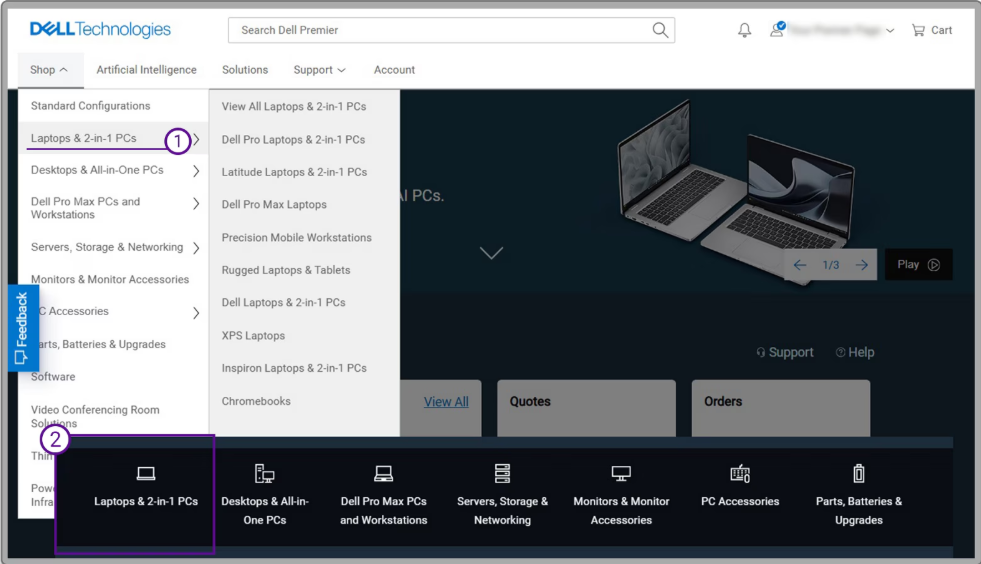
Figure 1: Access the Systems catalog
Back to Top of Page
Select Dell products of interest
Speed up your search by using the dynamic filters and search refiners (Figure 2) to find suitable products for your business. Estimated delivery dates are displayed for product selections, if available for your region.
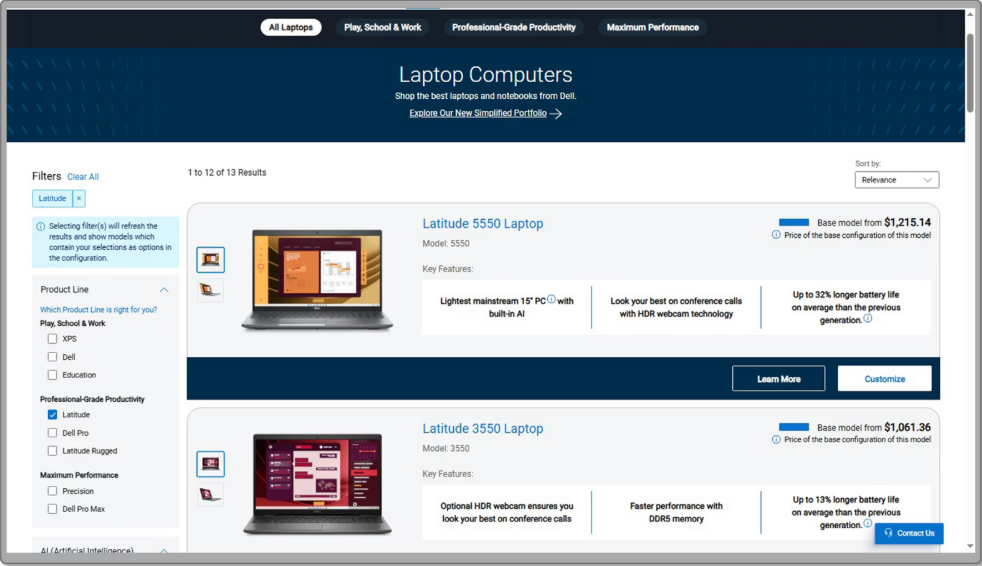
Figure 2: Use the dynamic filters and refiners to find the right products.
Back to Top of Page
Find what you need by comparing products. The "Add to Compare" option provides a great way to view products side by side. (Figure 3: Compare products).
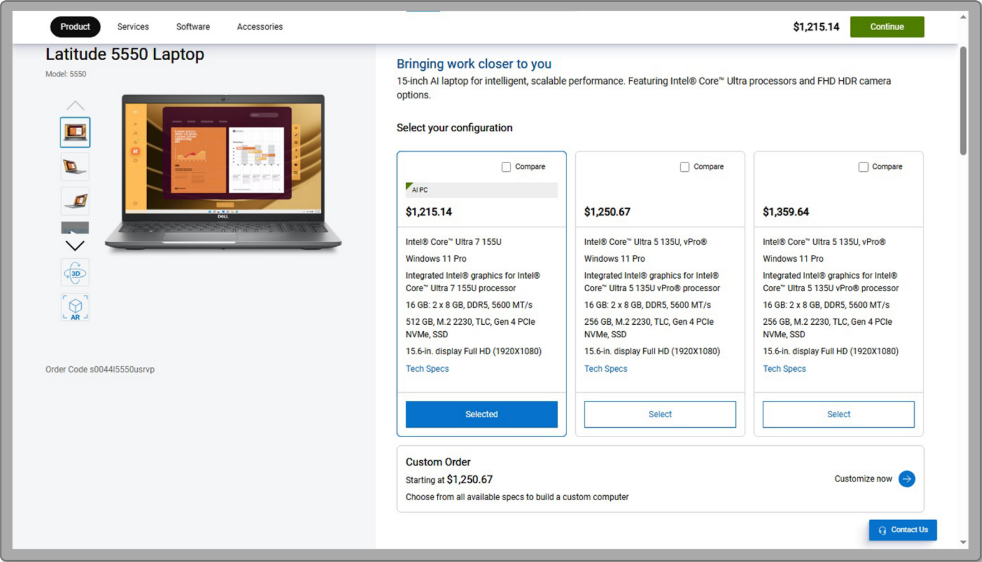
Figure 3: Compare products to view products side by side.
Back to Top of Page
- Build your system from selectable options (based on your organization's preferences). The price for a configuration automatically updates each time you change an option, so the total system price displayed always includes your current selections.
- The tabs along the top allow quick access to matching components, services, support, and accessories.
- Get a summary of configuration, descriptions, and price by selecting "Review."
Once you have made your selection, "Add to Cart" and proceed to Checkout.
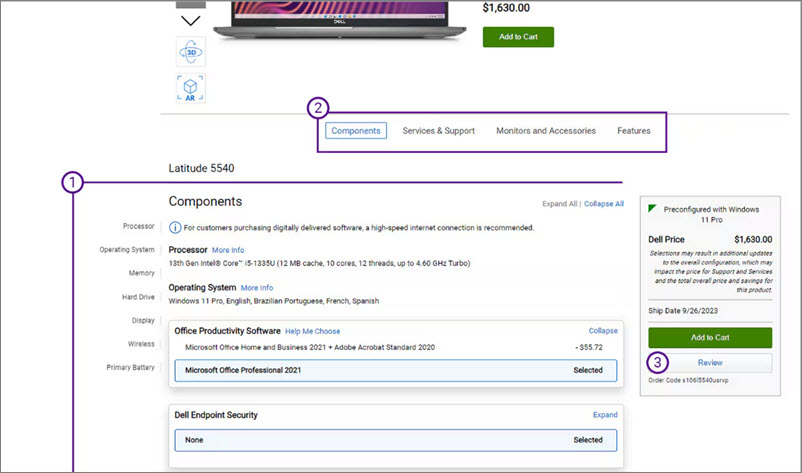
Figure 4: Configure and add to Cart.
Back to Top of Page
If you have questions or need assistance, engage the Premier Support Teams
Article Properties
Article Number: 000113633
Article Type: How To
Last Modified: 18 Apr 2026
Version: 8
Find answers to your questions from other Dell users
Support Services
Check if your device is covered by Support Services.