IDPA: LDAP-integratie met Integrated Data Protection Appliance.
Summary: In dit KB-artikel worden de stappen beschreven voor het configureren van LDAP op IDPA-componenten: Data Protection Search en Data Protection Central. IDPA Backup Server, Protection Storage en Data Protection Advisor moeten afzonderlijk worden geïntegreerd met de LDAP met behulp van de juiste procedures. ACM biedt geen ondersteuning voor LDAP-aanmelding. ...
This article applies to
This article does not apply to
This article is not tied to any specific product.
Not all product versions are identified in this article.
Instructions
In dit KB-artikel wordt uitgelegd hoe u de Integrated Data Protection Appliance met LDAP kunt integreren.
Opmerking: IDPA Appliance Configuration Manager biedt op dit moment geen ondersteuning voor de LDAP-authenticatiemodus. Het enige gebruikersaccount voor Appliance Configuration Manager-aanmelding is 'root'.
Procedure voor het configureren van LDAP in Search en System Manager:
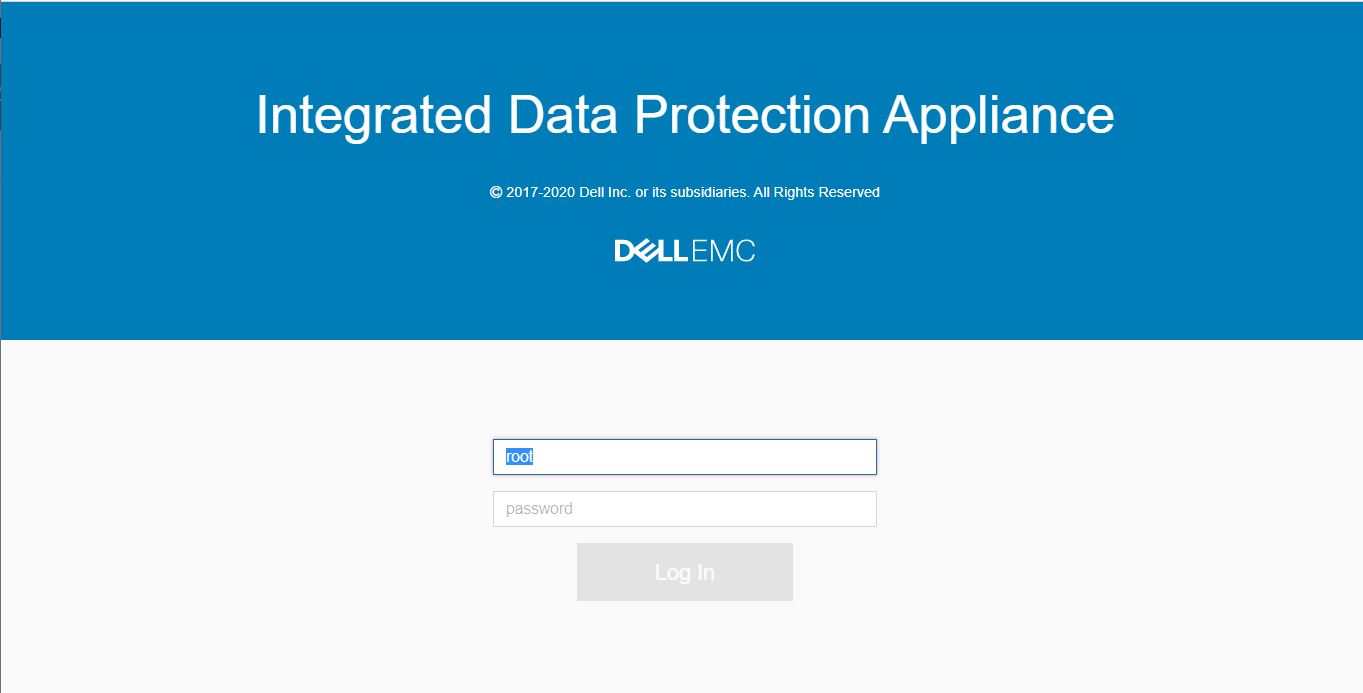
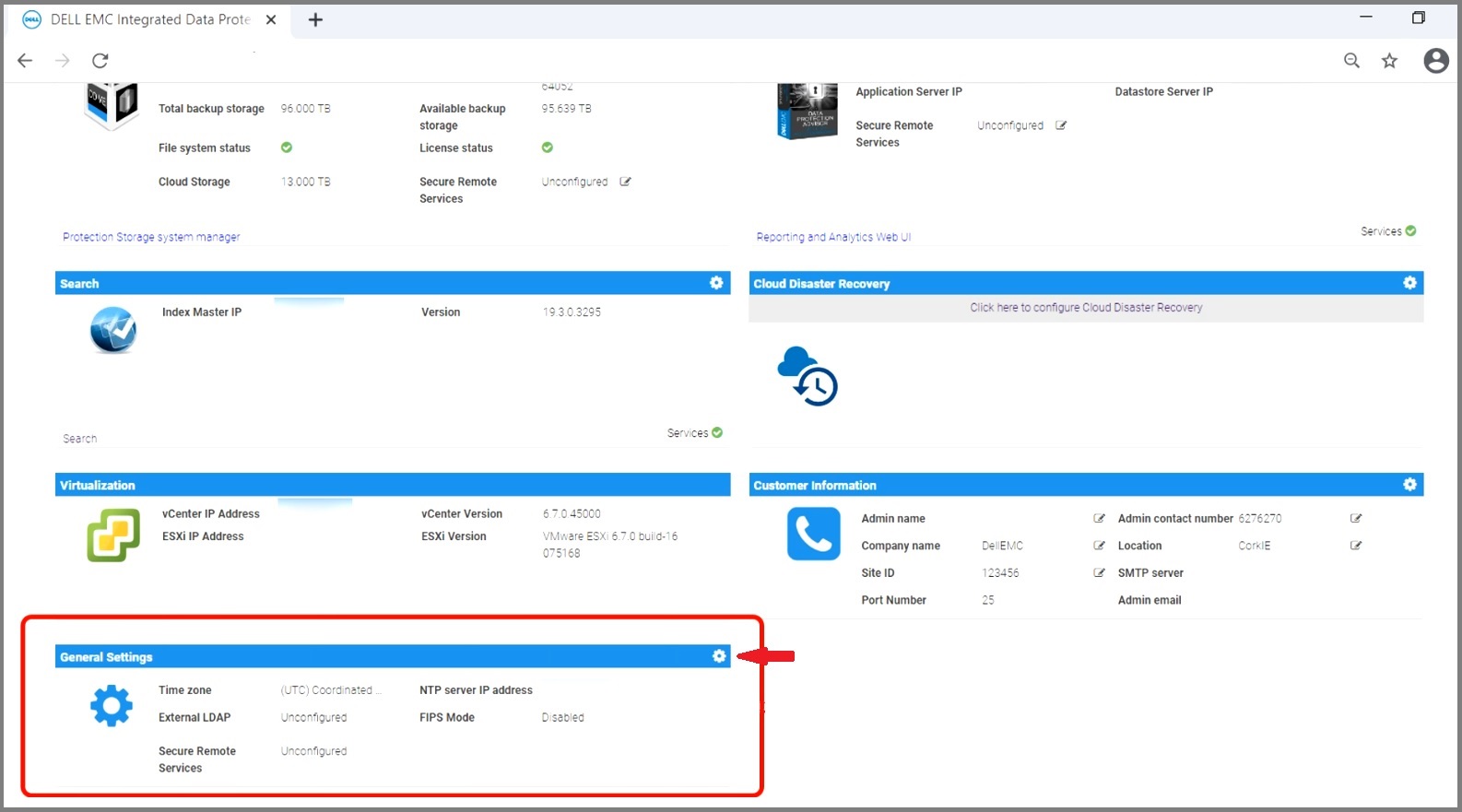
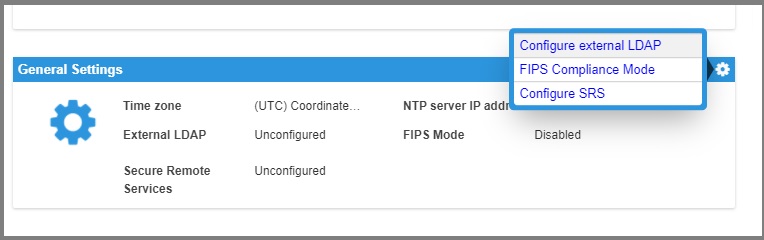
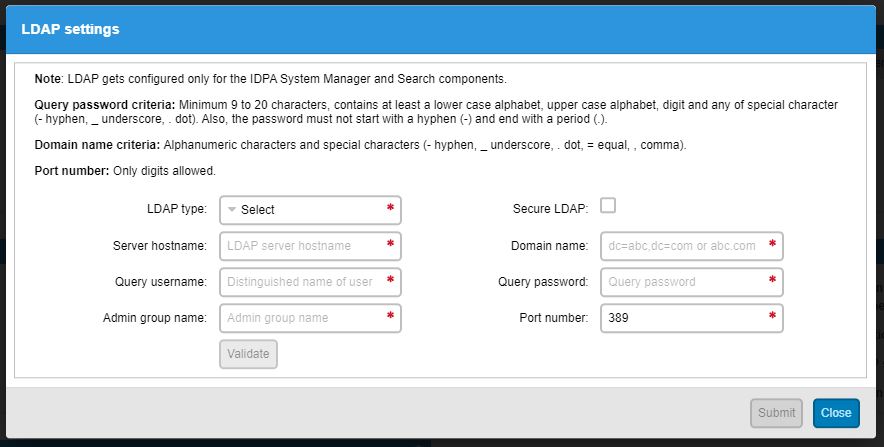
Raadpleeg voor meer informatie de producthandleiding voor Integrated Data Protection Appliance
Procedure voor het configureren van LDAP-instellingen op Avamar, Data Domain en DPA voor authenticatie:
| IDPA Component | LDAP-compatibel |
|---|---|
|
Appliance Configuration Manager (ACM) |
Nee |
|
Zoeken (Data Protection Search) |
Ja |
|
System Manager (Data Protection Central) |
Ja |
|
Protection Storage (Data Domain) |
Ja |
|
Back-upserver (Avamar) |
Ja |
|
Rapportage en analyse (Data Protection Advisor) |
Ja |
Opmerking: IDPA Appliance Configuration Manager biedt op dit moment geen ondersteuning voor de LDAP-authenticatiemodus. Het enige gebruikersaccount voor Appliance Configuration Manager-aanmelding is 'root'.
Procedure voor het configureren van LDAP in Search en System Manager:
- Toegang tot de IDPA ACM GUI
- Blader op de startpagina van Appliance Configuration Manager omlaag naar het gedeelte :: 'Algemene instellingen'. Klik op het instellingenpictogram:
- Klik op het menu-item 'Configureer externe LDAP':
Opmerking:
- Voordat u deze informatie invoert, moet u controleren of uw beheerdersgroep zich onder de gebruikers-organisatie-eenheid van uw Active Directory bevindt.
- Zorg ervoor dat de "Domain User" de primaire groep is voor uw querygebruikersaccount. (Dit is te vinden op het tabblad Lid van de eigenschappen van de querygebruiker onder Active Directory)
- Zorg ervoor dat uw gebruikersaccount voor query's ook lid is van uw beheerdersgroep die zich onder de gebruikers-organisatie-eenheid bevindt. (Dit is te vinden in het lidtabblad in de eigenschappen van de querygebruiker in de Active Directory)
- Standaard heeft de IDPA-beheerdersgroep de naam dp_admin (u kunt indien nodig iets anders gebruiken)
Vereisten voor LDAP-wachtwoorden:
Gebruik alleen de volgende tekens:
- Letters (A, Z, A, Z)
- Cijfers (0, 9)
- Periode (.)
- Koppelteken (-)
- Underscore (_)
- Bevat ten minste één ondersteund speciaal teken
- Niet langer zijn dan 20 tekens
- Voer de informatie in zoals gevraagd op de IDPA LDAP-instellingenpagina.
Raadpleeg voor meer informatie de producthandleiding voor Integrated Data Protection Appliance
Procedure voor het configureren van LDAP-instellingen op Avamar, Data Domain en DPA voor authenticatie:
- IDPA back-upserver:
Bekijk de meest recente sectie Avamar Administration Guide: Verificatie van directoryservice
- IDPA Protection Storage:
Bekijk de meest recenteData Domain Operating System Beheergids,sectie: Directorygebruikers- en groepsbeheer
- IDPA rapportage en analytics:
Raadpleeg de meest recenteData Protection Advisor Security Configuration Guide, sectie: Externe verificatie, LDAP-integratie en binding.
Additional Information
IDPA ACM biedt geen ondersteuning voor LDAP-verificatie voor inloggen vanwege productbeperkingen op dit moment op elke IDPA-versie. RFE is ingediend bij Product Engineering om deze functie op te nemen in toekomstige releases.
Zie deze video:
Zie deze video:
Affected Products
Integrated Data Protection Appliance FamilyProducts
PowerProtect DP4400, PowerProtect DP5300, PowerProtect DP5800, PowerProtect DP8300, PowerProtect DP8800, PowerProtect Data Protection Software, Integrated Data Protection Appliance Family, PowerProtect Data Protection Hardware
, Integrated Data Protection Appliance Software
...
Article Properties
Article Number: 000158042
Article Type: How To
Last Modified: 15 Nov 2021
Version: 6
Find answers to your questions from other Dell users
Support Services
Check if your device is covered by Support Services.