How to Enable the Amazon Appstore Preview on Windows 11
Summary: This article describes how to enable the Amazon Appstore Preview on Windows 11.
This article applies to
This article does not apply to
This article is not tied to any specific product.
Not all product versions are identified in this article.
Instructions
Windows uses the Amazon Appstore Preview to facilitate access to select Android™ apps on Windows 11.
Windows 11 | Amazon Appstore Preview in The Microsoft Store
Duration: 00:21
Closed captions: English only or Available in multiple languages. Use the CC icon to change the closed caption language.
Follow these steps to install the Amazon Appstore Preview:
- Enable BIOS Virtualization. (automatically enabled on new Dell Computers)
- See How To Enable or Disable Hardware Virtualization on Dell Computers | Dell US for instructions on how to perform this step.
- Enable Windows Virtualization.
- See How To Enable or Disable Windows Virtualization on Dell Systems or instructions on how to perform this step.
- The computer reboots at this point.
- Log back into Windows.
- Click http://aka.ms/AmazonAppstore to install the Amazon Appstore Preview.
Note: It can take a few moments until the store populates the information.
- Click Install.
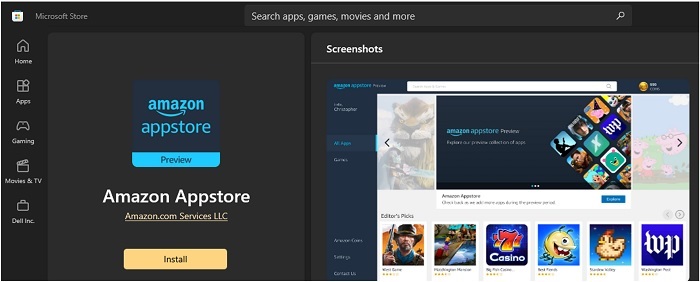
- The Amazon Appstore Preview will now be available under All Apps in the Windows 11 Start Menu.
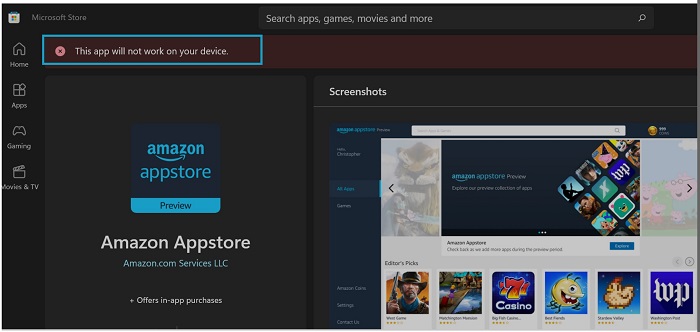
Note: The Amazon Appstore Preview is only available if the system meets the Microsoft requirements:
| RAM | 8 GB (minimum) |
| 16 GB (recommended) | |
| Storage type | Solid State Drive (SSD) as the boot drive |
| Processor | Intel Core i3 8th Gen (minimum) or above |
| AMD Ryzen 3000 (minimum) or above | |
| Qualcomm Snapdragon 8c (minimum) or above | |
| Processor architecture | x64 or ARM64 |
Additional Information
Microsoft resources:
Note: Android is a registered trademark of Google LLC.
Affected Products
Operating SystemsArticle Properties
Article Number: 000196136
Article Type: How To
Last Modified: 13 May 2026
Version: 9
Find answers to your questions from other Dell users
Support Services
Check if your device is covered by Support Services.