BIOS Option to Disable COM Port Not Available on OptiPlex 7000
Summary: This article provides information about the missing option to disable the communication (COM) port in the BIOS on a OptiPlex 7000 desktop.
This article applies to
This article does not apply to
This article is not tied to any specific product.
Not all product versions are identified in this article.
Symptoms
OptiPlex 7000 may have a COM port device entry in Device Manager even through the computer was not purchased with the optional add-on COM port.
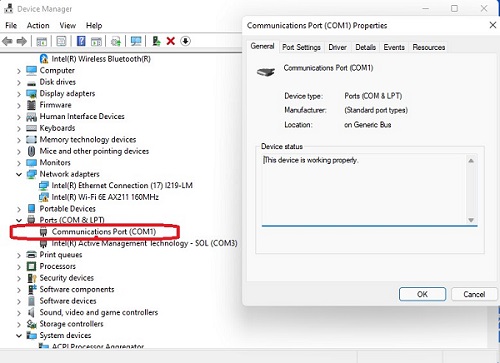
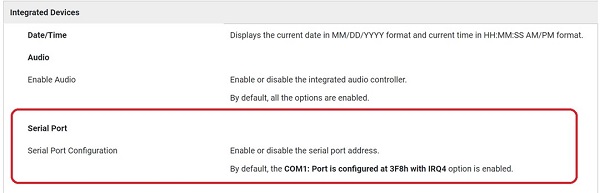
This entry may not be removable in Device Manager as there is no option to disable it in BIOS as per the service manual.
Affected Models:
- OptiPlex 7000
Cause
This is working as designed, and the operating system is detecting the COM port on the motherboard. The BIOS does not show any option to disable the COM port if an add-on port is not fitted to the computer.
Resolution
Purchasing the computer with an add-on COM port or adding one after point of sale provides BIOS options to disable it or change the serial port address.
Affected Products
OptiPlex 7000 TowerArticle Properties
Article Number: 000213637
Article Type: Solution
Last Modified: 18 May 2026
Version: 4
Find answers to your questions from other Dell users
Support Services
Check if your device is covered by Support Services.