พาวเวอร์เอดจ์: วิธีรวบรวม TSR ด้วยบันทึกการดีบักโดยใช้อิมเมจ SLI ที่ใช้ Rocky Linux
Summary: บทความนี้เป็นคําแนะนําเกี่ยวกับวิธีรวบรวมรายงาน Dell SupportAssist Log/TSR จาก Live Environment Support Live Image (SLI) ที่ใช้ Rocky Linux
This article applies to
This article does not apply to
This article is not tied to any specific product.
Not all product versions are identified in this article.
Instructions
กรุณาค้นหาไฟล์ ISO Support Live Image (SLI) ที่ใช้ Rocky Linux ในลิงค์ภายในต่อไปนี้ http://slidev.okc.eerclab.dell.com/
ตัวเลือกด้านล่างขณะบูตเซิร์ฟเวอร์จากสภาพแวดล้อม
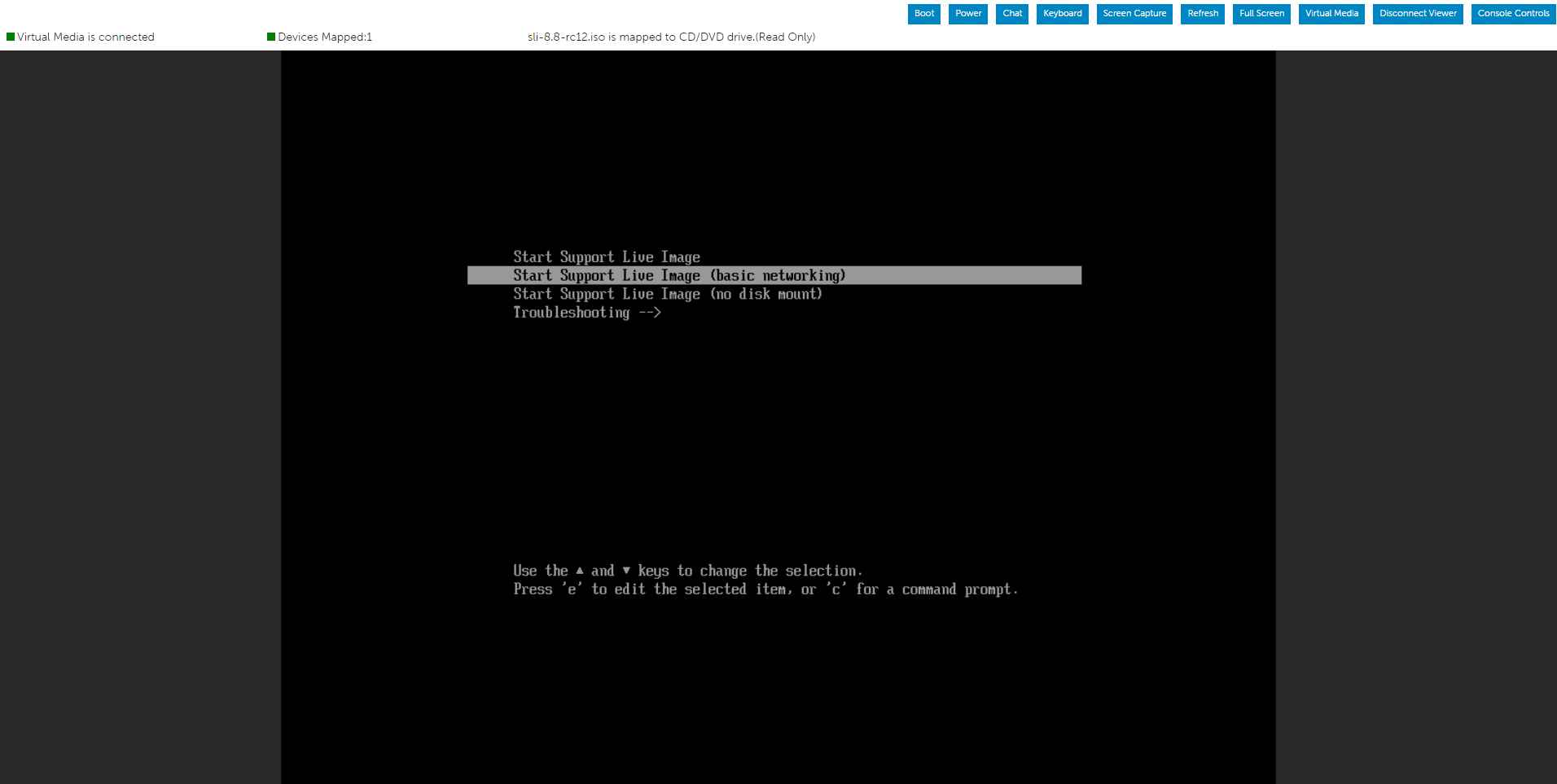
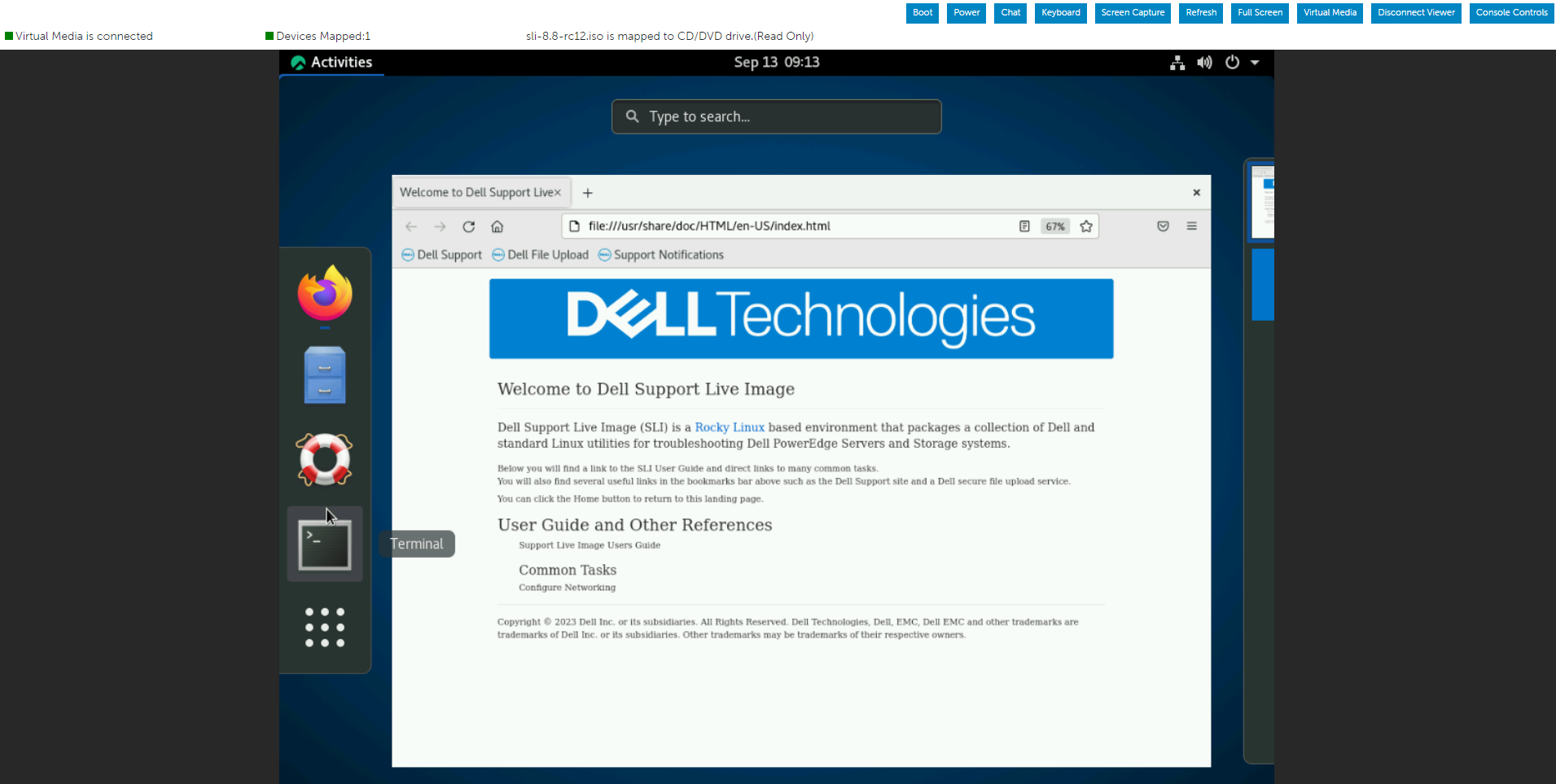
Live OS ที่ใช้ Rocky Linuxเรียกใช้คําสั่งด้านล่างเพื่อเริ่มรายงานบันทึก Dell SupportAssist/TSR โดยเปิดใช้งานบันทึกการแก้ไขข้อบกพร่อง
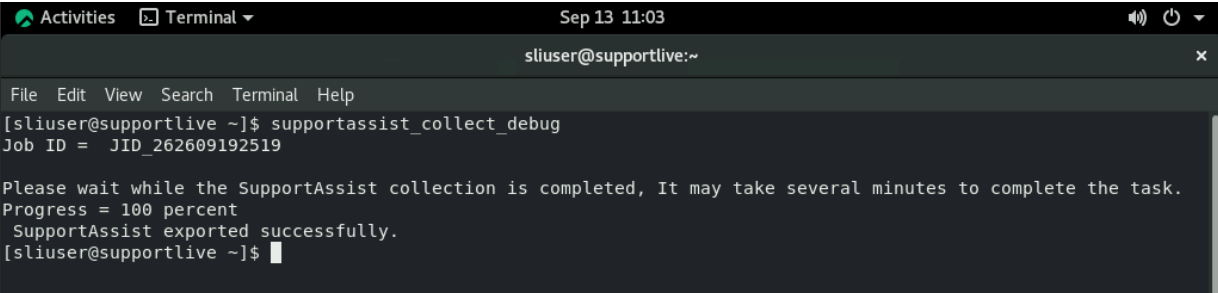
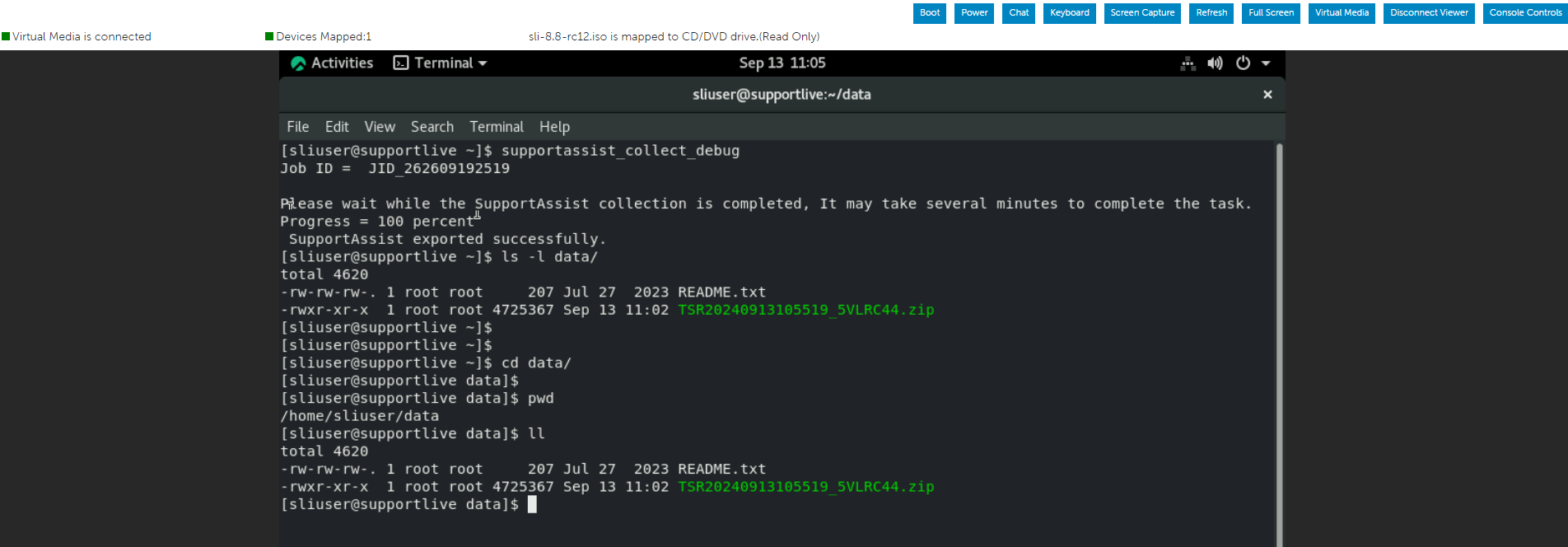
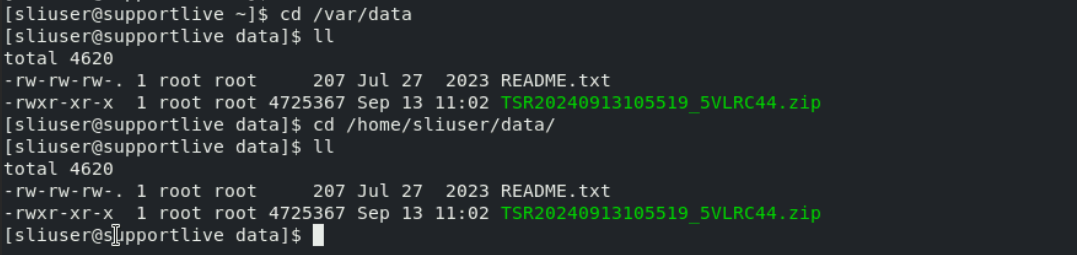
เมื่อการรวบรวม Dell SupportAssist เสร็จสิ้น อาจไปที่โฟลเดอร์ /var/data เพื่อตรวจสอบหรือถ่ายโอนรายงาน TSR
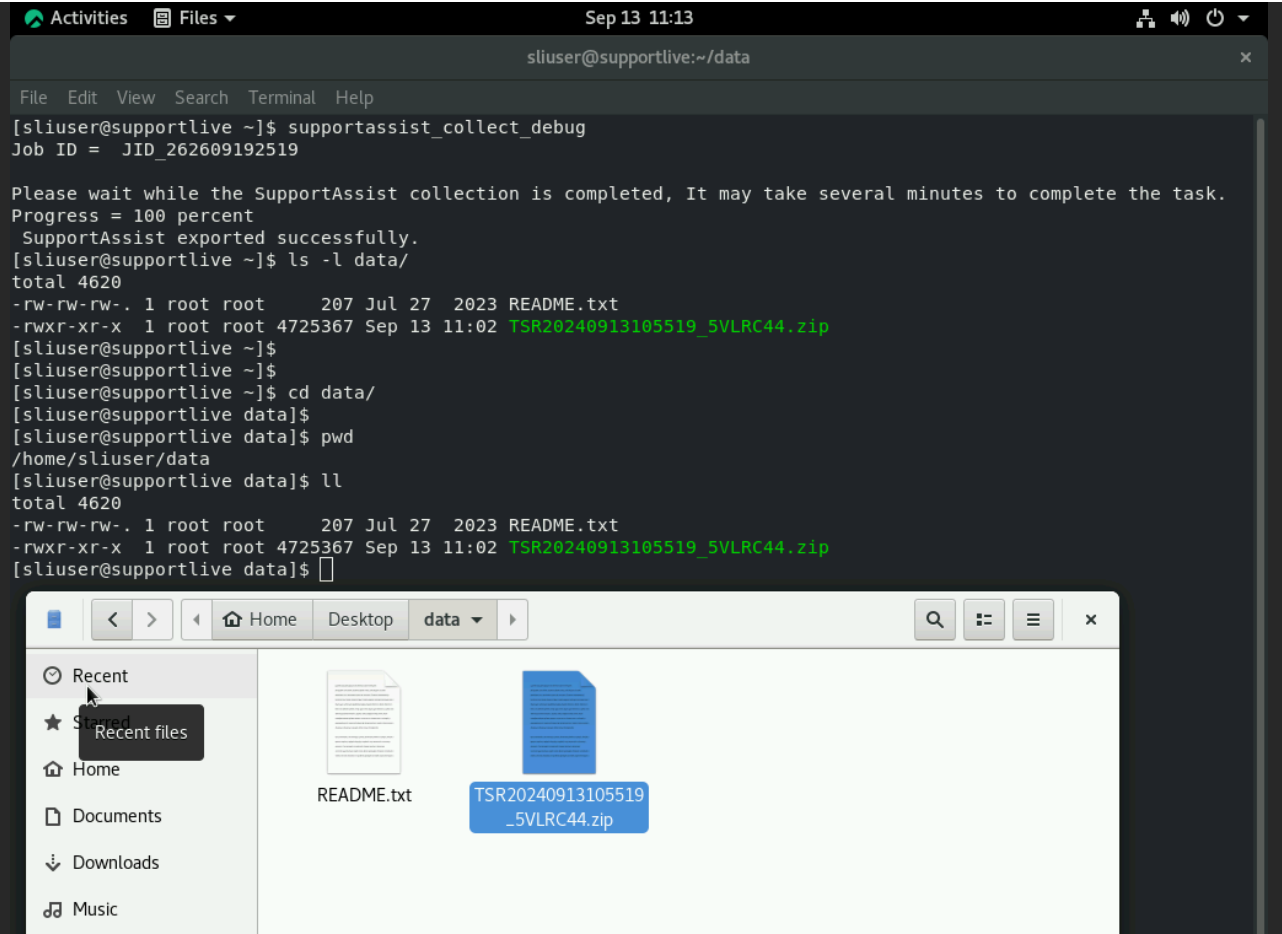
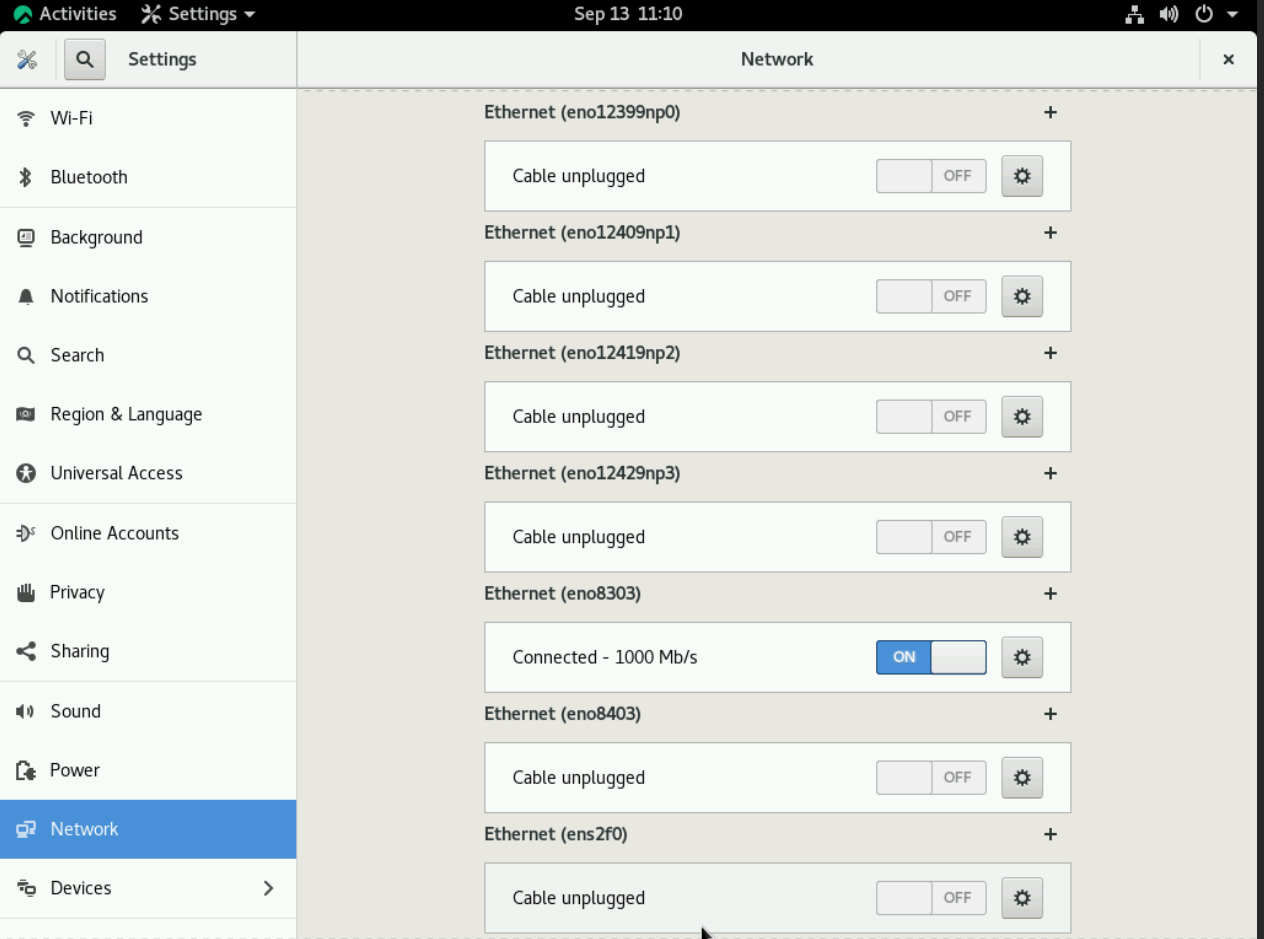
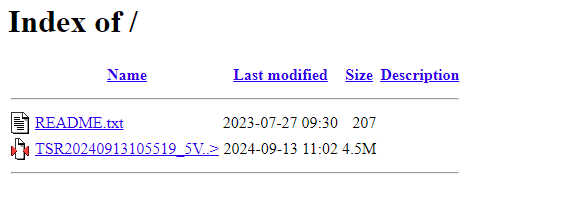
รายงาน TSR สามารถถ่ายโอนไปยังแท่ง USB ที่เชื่อมต่อหรือแชร์โดยใช้เครือข่าย
Affected Products
PowerEdge, Red Hat Enterprise Linux Version 8Article Properties
Article Number: 000228559
Article Type: How To
Last Modified: 21 May 2026
Version: 7
Find answers to your questions from other Dell users
Support Services
Check if your device is covered by Support Services.