Dell Pro Laptop-Kameravorschau zeigt nach der Installation des Windows Studio-Effekttreibers einen schwarzen Bildschirm an
Summary: Erfahren Sie, warum in der Kameravorschau nach der Installation des MEP-Treibers (Windows Studio Effects) auf einem Dell Pro Laptop ein schwarzer Bildschirm angezeigt wird.
This article applies to
This article does not apply to
This article is not tied to any specific product.
Not all product versions are identified in this article.
Symptoms
In der Kameravorschau wird möglicherweise ein schwarzer Bildschirm angezeigt. Das Problem tritt nach der Installation des MEP-Treibers ohne VC++ auf.
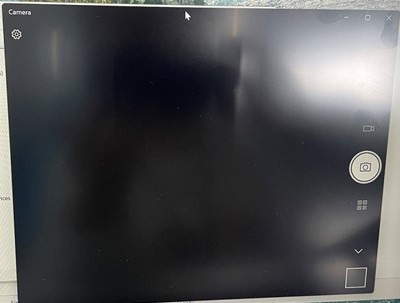
Betroffene Plattform:
- Dell Pro 13 Plus PB13255
- Dell Pro 14 Plus PB14255
- Dell Pro 16 Plus PB16255
Cause
Die Visual C++ Redistributable ist weiterhin erforderlich, um MEP (v1.0.xx) zu unterstützen.
Resolution
Laden Sie VC++ von der Microsoft-Website
Affected Products
Dell Pro 13 Plus PB13255, Dell Pro 14 Plus PB14255, Dell Pro 16 Plus PB16255Article Properties
Article Number: 000343134
Article Type: Solution
Last Modified: 15 Sept 2025
Version: 3
Find answers to your questions from other Dell users
Support Services
Check if your device is covered by Support Services.