L’aperçu de la caméra de l’ordinateur portable Dell Pro affiche un écran noir après l’installation du pilote d’effets Windows Studio
Summary: Découvrez pourquoi l’aperçu de la caméra affiche un écran noir après l’installation du pilote Windows Studio Effects (MEP) sur un ordinateur portable Dell Pro.
This article applies to
This article does not apply to
This article is not tied to any specific product.
Not all product versions are identified in this article.
Symptoms
L’aperçu de la caméra peut afficher un écran noir. Le problème se produit après l’installation du pilote MEP sans VC++.
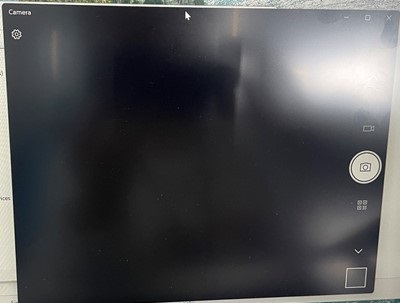
Plates-formes concernées :
- Dell Pro 13 Plus PB13255
- Dell Pro 14 Plus PB14255
- Dell Pro 16 Plus PB16255
Cause
Le redistribuable Visual C++ est toujours requis pour prendre en charge MEP (v1.0.xx).
Resolution
Téléchargez et installez VC++ à partir du site Web
Affected Products
Dell Pro 13 Plus PB13255, Dell Pro 14 Plus PB14255, Dell Pro 16 Plus PB16255Article Properties
Article Number: 000343134
Article Type: Solution
Last Modified: 15 Sept 2025
Version: 3
Find answers to your questions from other Dell users
Support Services
Check if your device is covered by Support Services.