SupportAssist Warning "Invalid Configuration Information - Please Run SETUP Program" When Powering On
Summary: Information about two warning messages for time and configuration settings appearing in SupportAssist after powering on.
This article applies to
This article does not apply to
This article is not tied to any specific product.
Not all product versions are identified in this article.
Symptoms
Powering on your computer boots to a SupportAssist screen and display the following warning messages:
- Time-of-day not set - please run SETUP program.
- Invalid configuration information - please run SETUP program.
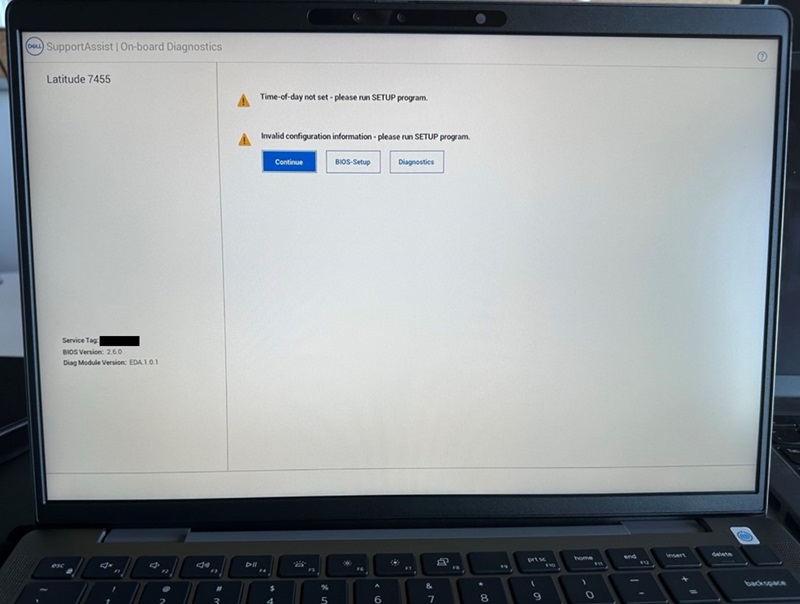
If you click the "Continue" button and boot to the BIOS, you see the "Secure Boot" option is turned off.
Affected Computers:
- Inspiron 14 5441
- Inspiron 14 Plus 7441
- Latitude 5455
- Latitude 7455
Cause
This happens due to a system BIOS reset.
Resolution
Default BIOS Settings and Enable Secure Boot
To fix this issue, restore the BIOS to "Default" and enable "Secure Boot."
- Connect the AC adapter to ensure that the computer has power to turn on.
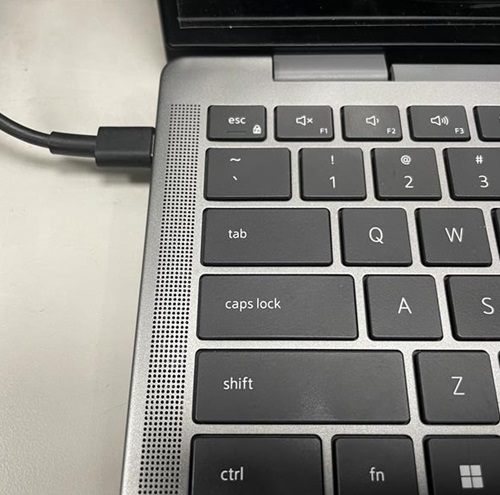
- Power the computer on and press the F2 key when the DELL logo appears to enter the BIOS menu.

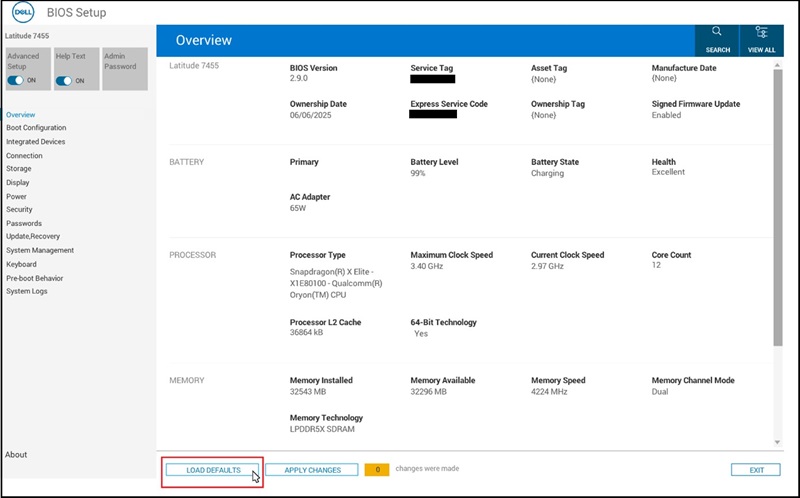
- Click the "LOAD DEFAULTS" button at the bottom of the screen.
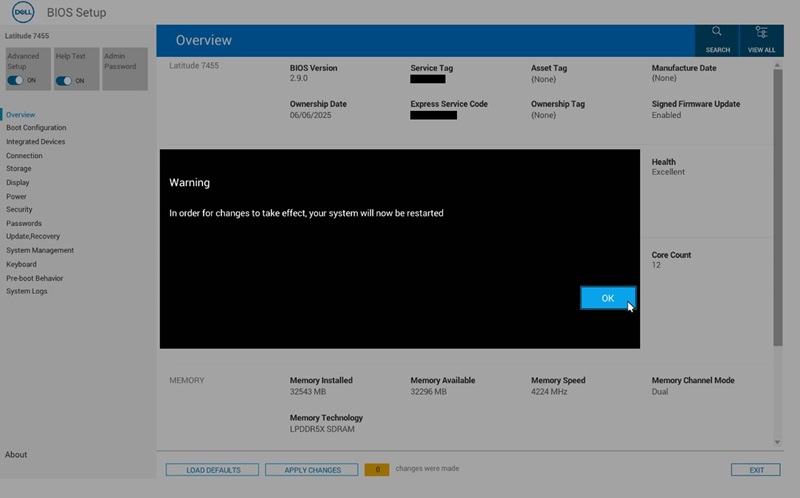
- Click "OK" when "Restore Settings" and the "Warning" dialog appears, then the computer restarts.
- Follow Step 2 to enter the BIOS menu again.
- Select the "Boot Configuration" page.
Find "Secure Boot"and turn it "ON."
Click "APPLY CHANGES."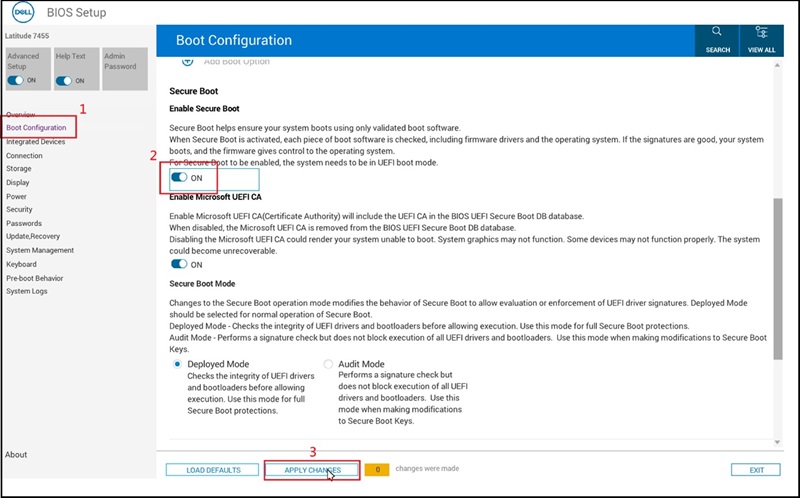
- Click "OK" when the "Apply Settings Confirmation" dialog appears.
- Update to BIOS version 2.12.2 or later to avoid this issue in the future.
Affected Products
Inspiron 14 5441, Inspiron 14 Plus 7441, Latitude 5455, Latitude 7455Article Properties
Article Number: 000353653
Article Type: Solution
Last Modified: 04 Dec 2025
Version: 2
Find answers to your questions from other Dell users
Support Services
Check if your device is covered by Support Services.