NVIDIA Control Panel Display Settings Cannot be Adjusted if the Computer Does Not Support Dynamic Display Switch
Summary: This article provides information about being unable to adjust the display settings inside the NVIDIA control panel if the computer does not support Dynamic Display Switch (DDS).
This article applies to
This article does not apply to
This article is not tied to any specific product.
Not all product versions are identified in this article.
Symptoms
Affected Platforms:
- Dell 16 Premium DA16250
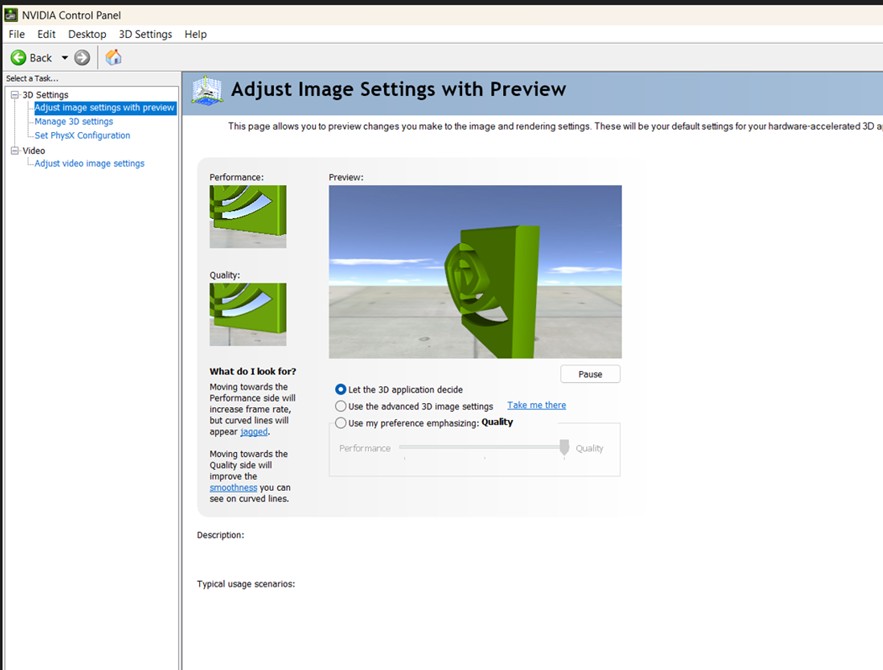
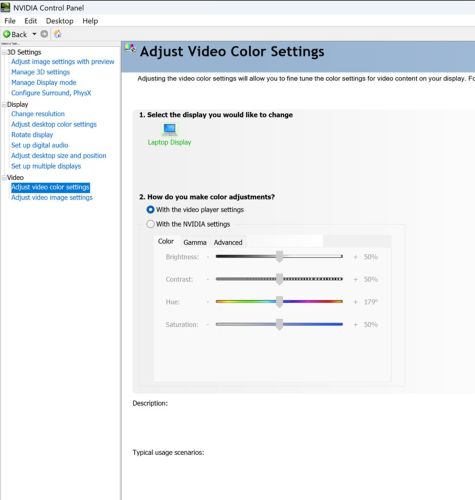
The NVIDIA Control Panel without DDS support which has four menus only.
- Dell 16 Premium DA16250 with RTX 5050/RTX 5060 does not support DDS
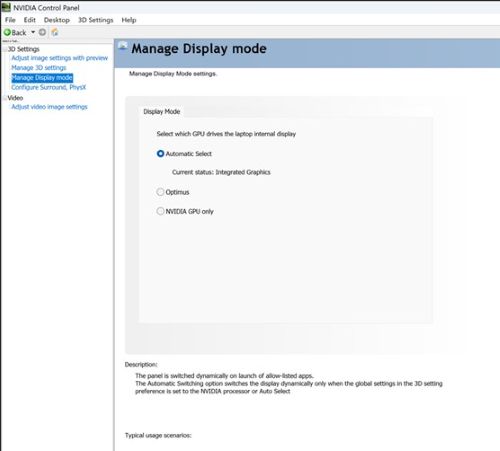
The NVIDIA Control Panel with DDS support which has five menus as the default.
- Dell 16 Premium DA16250 RTX 5070 does support DDS
Cause
The computer must support DDS and switch to NVIDIA GPU only to support display settings.
Resolution
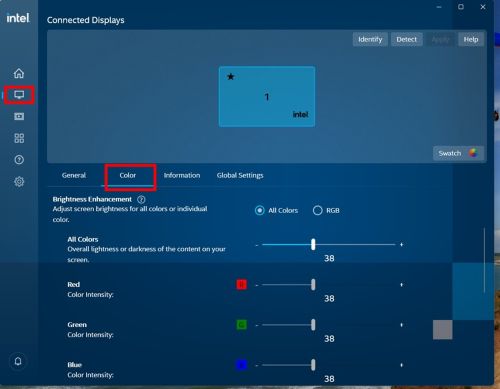
The Dell 16 Premium DA16250 NV 5050/NV 5060 does not support DDS.
Note: Users can adjust display settings in the Intel Graphics Command Center application.
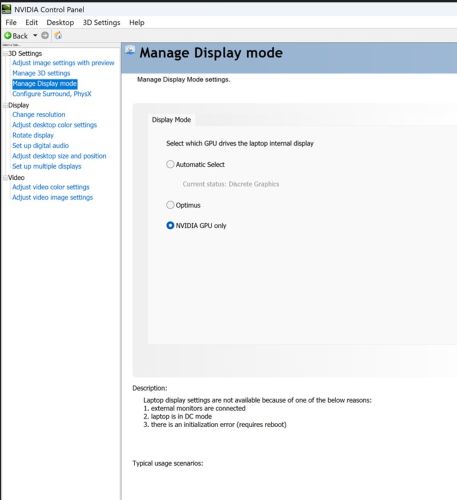
Dell 16 Premium DA16250 NV 5070 does support DDS.
Switching to NVIDIA GPU only reveals additional display options (for example, uses can adjust the contrast and vibrance).
Affected Products
XPS 16 (Dell 16 Premium) DA16250Article Properties
Article Number: 000358429
Article Type: Solution
Last Modified: 23 May 2026
Version: 3
Find answers to your questions from other Dell users
Support Services
Check if your device is covered by Support Services.