Dell Optimizer Intelligent Privacy Options Not Working on Latitude 9xxx or Dell Pro 13 Premium
Summary: Learn about the Dell Optimizer software setting issue on Latitude 9xxx or Dell Pro 13 Premium.
This article applies to
This article does not apply to
This article is not tied to any specific product.
Not all product versions are identified in this article.
Symptoms
Dell Optimizer Intelligent Privacy options may not work on Latitude 9XXX or Dell Pro 13 Premium even if they have ordered Intelligent Privacy compatible LCDs.
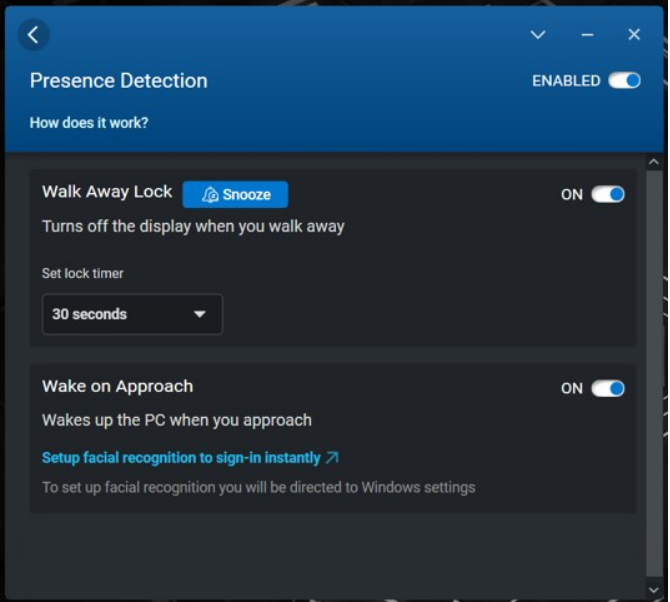
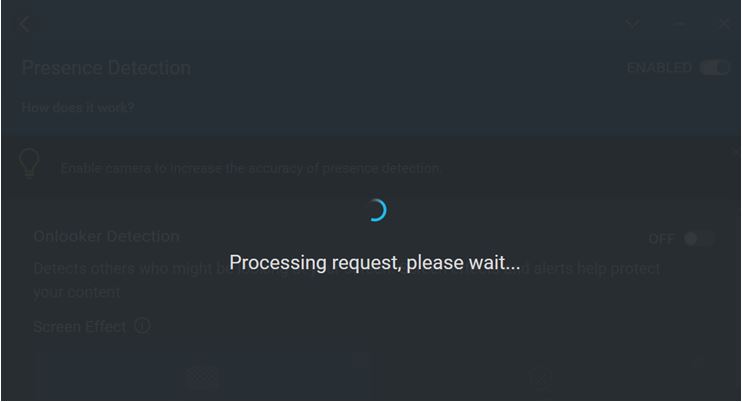
The feature Intelligent Privacy (Presence Detection): Onlooker Detection and Look Away Detect is not working. Error message appearing in Dell Optimizer "Processing request, please wait…" when trying to enable any option there.
Cause
Onlooker Detection and Look Away Dim are not supported with Latitude 9000 or Dell Pro 13 Premium models when an admin password is set. The Latitude 9000 series or Dell Pro 13 Premium is equipped with multiple type facial recognition capable camera sensors (TOF and CVF). The TOF sensor is active by default. Switching between the sensors is required to get Onlooker Detection and Look Away Dim to work. The Dell Optimizer is no longer able to switch to CVF because access is blocked, if the BIOS is protected with an admin password. It is a security limitation.
Resolution
This is a software limitation and working as expected. This information becomes available in the Dell Optimizer User's Guide soon. See Manuals and Documentation for your Dell Product to find the manual.
Affected Products
9000 Series, Dell Pro 13 Premium PA13250, Latitude 9330, Latitude 9410, Latitude 9420, Latitude 9430, Latitude 9510, Latitude 9520Article Properties
Article Number: 000204175
Article Type: Solution
Last Modified: 15 May 2026
Version: 10
Find answers to your questions from other Dell users
Support Services
Check if your device is covered by Support Services.