Dell Unity: Creating a Proxy NAS Server name that contains spaces fails (User Correctable)
Summary: When creating a Proxy NAS Server, if the NAS Server name contains spaces, the addition fails.
This article applies to
This article does not apply to
This article is not tied to any specific product.
Not all product versions are identified in this article.
Symptoms
An error occurs when adding a NAS Server containing single-byte spaces to the Proxy NAS Server.
Error Example:
# svc_nas proxy_nas_server -proxy -add TEST NAS -NFSRoot subnet=XX.XX.XX.XX/YYY.YYY

proxy_nas_server : commands processed: 1
output is complete

Command failed

Error 13159235585: proxy_nas_server :  Syntax error on NAS server management command: Target NAS server not found.
Cause
The error occurs because the created NAS Server name does not conform to the naming conventions.
References:
Dell Unity Family Unisphere CLI User Guide page 109~ Create NAS Server.
Note: NAS server names can contain alphanumeric characters, a single dash, and a single underscore. Server names cannot contain spaces or begin or end with a dash.
Note: Prior to Unity OE 5.1 it was possible to create a NAS Server using single-byte spaces.
Example Unity OE 5.1 or earlier:
- Change NAS Server name to "TEST NAS"
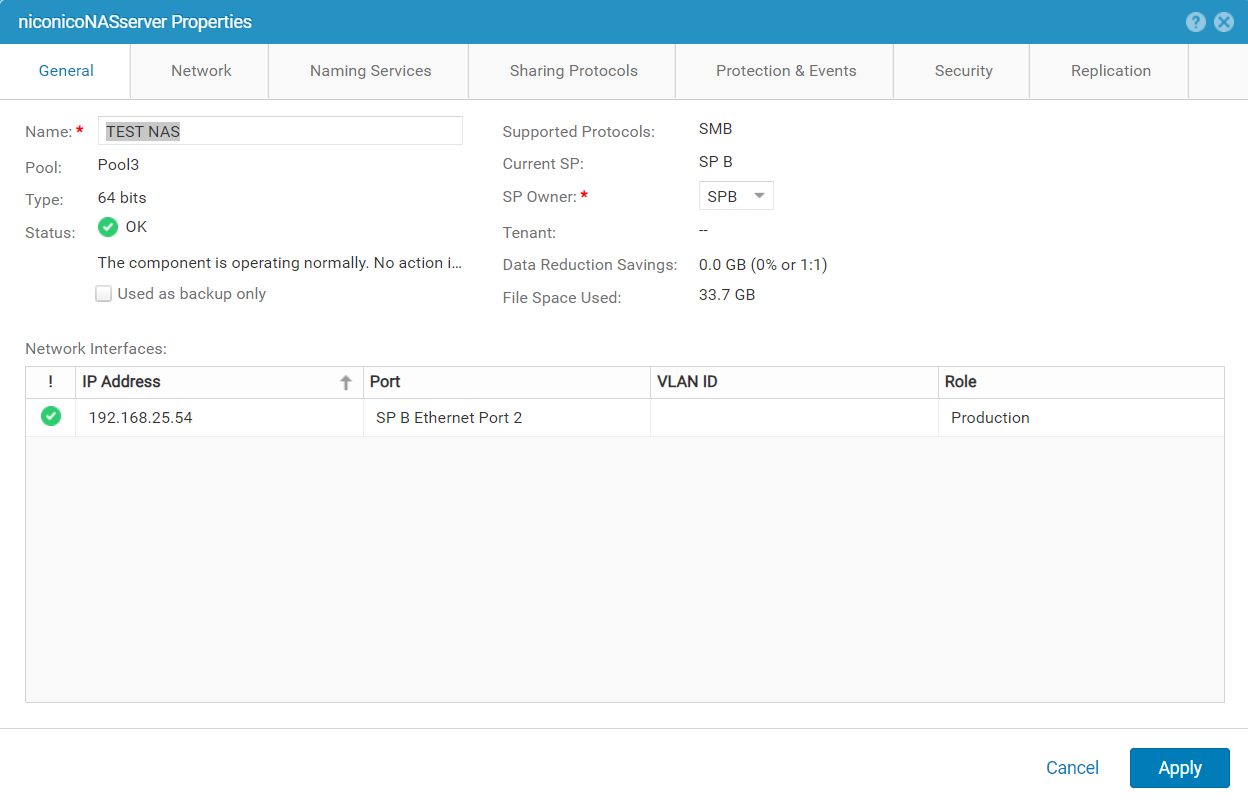
- The NAS Server name including single-bytes spaces has been changed.
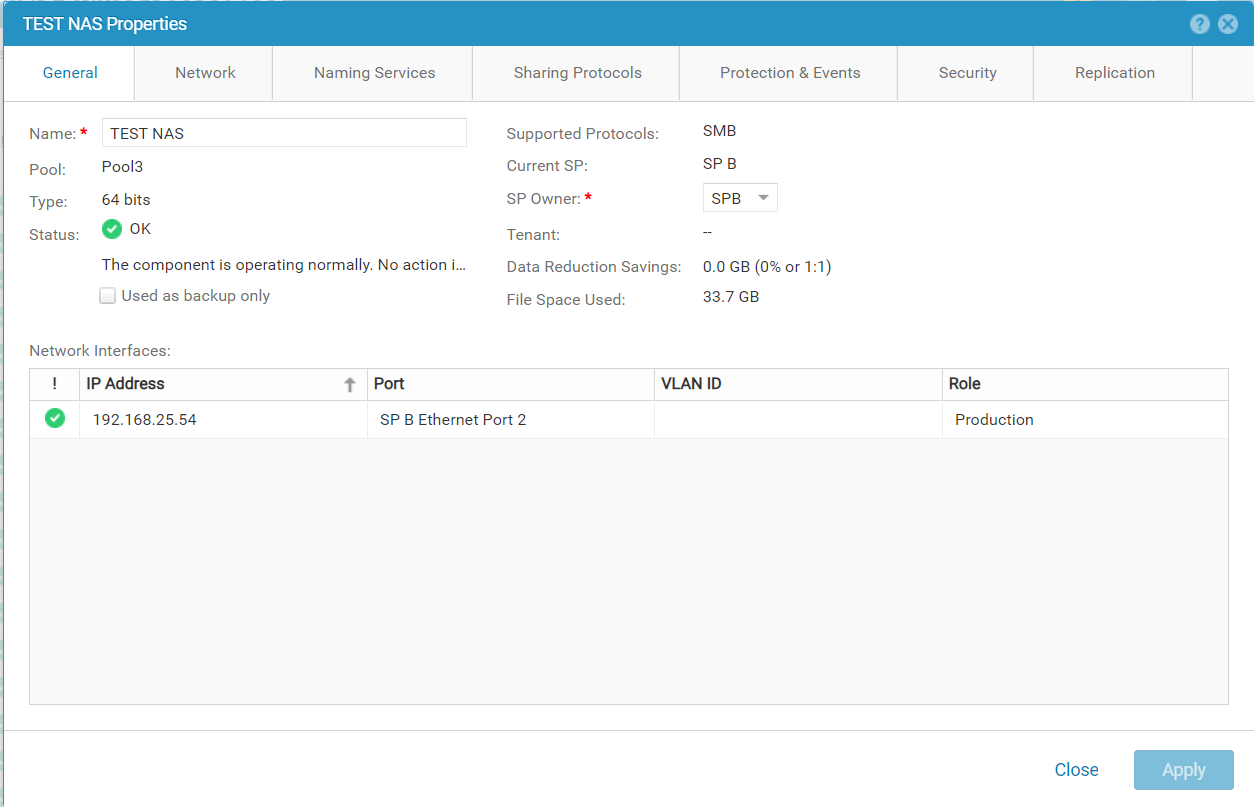
Example Unity OE 5.1 or later:
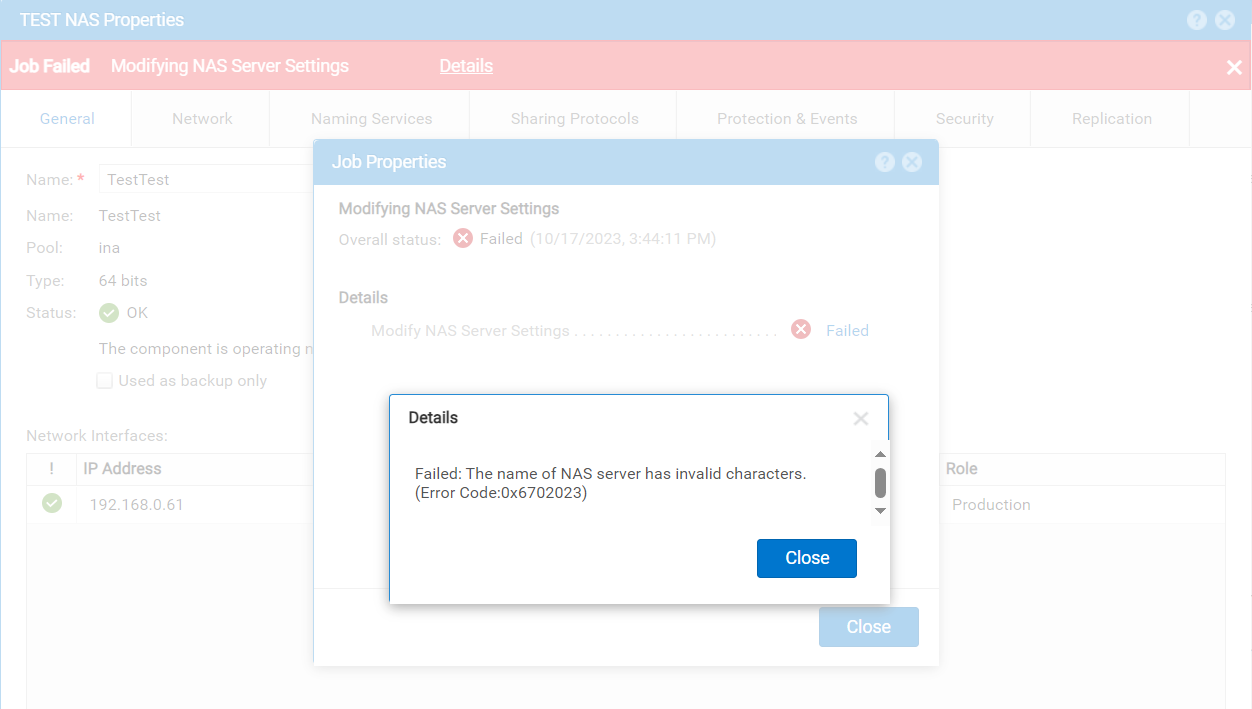
- Change NAS Server name to "TEST NAS"
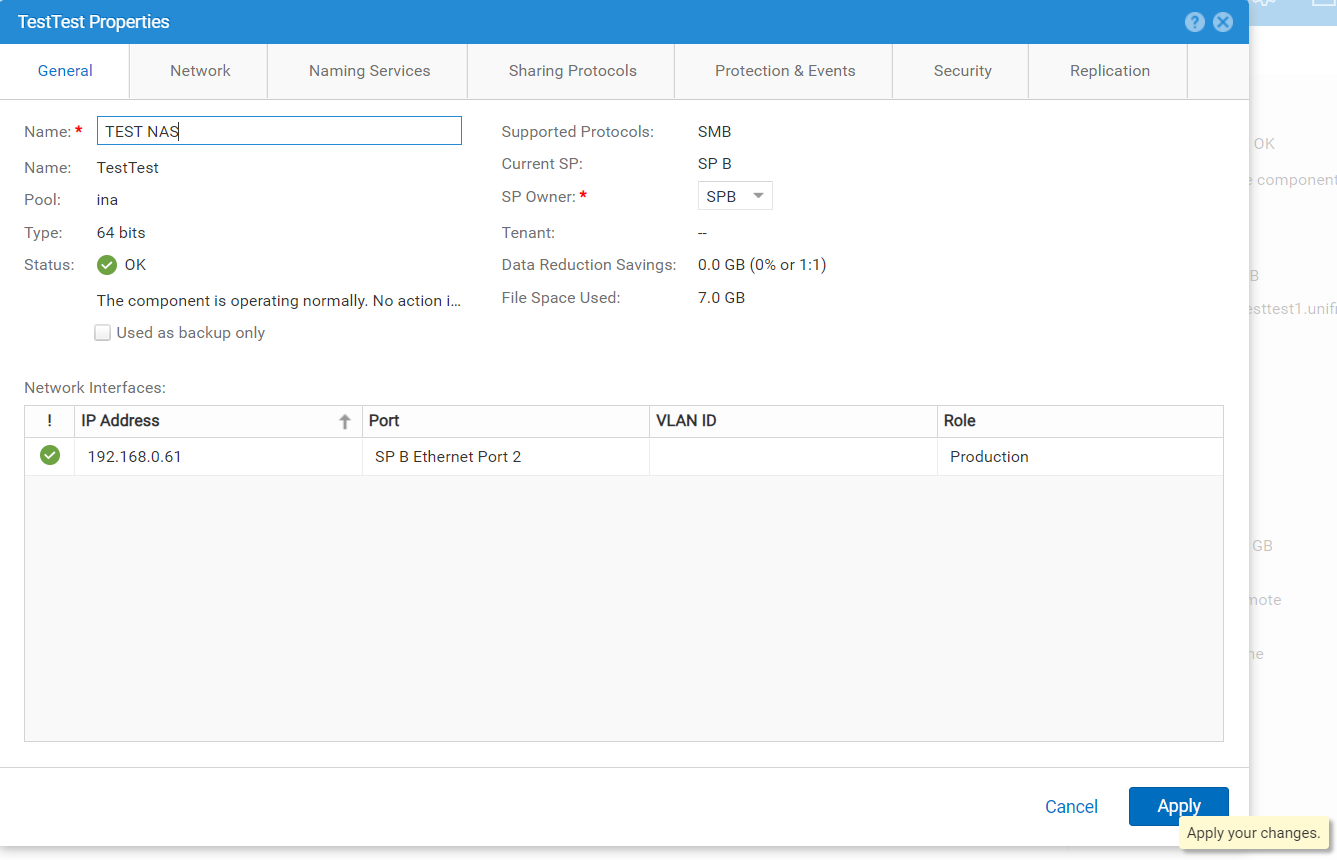
- Changing the NAS Server name failed by invalid characters.
Resolution
The NAS server name must be changed to a name that does not contain single-byte spaces according to the naming conventions.
Changing the NAS Server name on the Replication Destination side is not permitted in versions prior to OE 5.1.
In environments using versions before OE 5.1, NAS Server name change is allowed only on the Source side.
To change the NAS Server name on the Replication Destination side, failover the Replication Session, switch to Production, and change the NAS Server name to one that does not contain spaces.
Changing the NAS Server name on the Replication Destination side is not permitted in versions prior to OE 5.1.
In environments using versions before OE 5.1, NAS Server name change is allowed only on the Source side.
To change the NAS Server name on the Replication Destination side, failover the Replication Session, switch to Production, and change the NAS Server name to one that does not contain spaces.
Affected Products
Dell EMC Unity, Dell Unity 300, Dell EMC Unity 300F, Dell EMC Unity 350F, Dell EMC Unity XT 380, Dell EMC Unity XT 380F, Dell EMC Unity 400, Dell EMC Unity 400F, Dell EMC Unity 450F, Dell EMC Unity XT 480, Dell EMC Unity XT 480F, Dell EMC Unity 500
, Dell EMC Unity 500F, Dell EMC Unity 550F, Dell EMC Unity 600, Dell EMC Unity 600F, Dell EMC Unity 650F, Dell EMC Unity XT 680, Dell EMC Unity XT 680F, Dell EMC Unity XT 880, Dell EMC Unity XT 880F, Dell EMC Unity Family |Dell EMC Unity All Flash, Dell EMC Unity Family, Dell EMC Unity Hybrid, Dell EMC UnityVSA Professional Edition/Unity Cloud Edition
...
Article Properties
Article Number: 000218631
Article Type: Solution
Last Modified: 07 Jul 2026
Version: 6
Find answers to your questions from other Dell users
Support Services
Check if your device is covered by Support Services.