Unable to Connect to SupportAssist with Valid Product Access Key and PIN, "Connection is failed"
Summary: Unable to connect to SupportAssist with valid product Access Key and PIN.
This article applies to
This article does not apply to
This article is not tied to any specific product.
Not all product versions are identified in this article.
Symptoms
The following error is received when attempting to connect to SupportAssist.
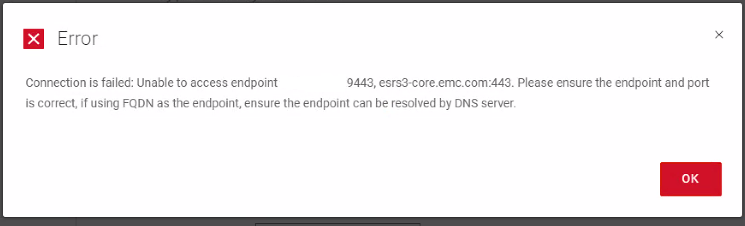
"Connection is failed: Unable to access endpoint. <GatewayIP:9443,esrs3-core.emc.com:443. Please ensure the endpoint and port is correct. If Using FQDN as the endpoint, ensure the endpoint can be resolved.
Cause
If the Access Key is generated from the Site ID (seen below), the licensing backend sees it as a Software instance, not a device, and rejects it with a "401 Error"
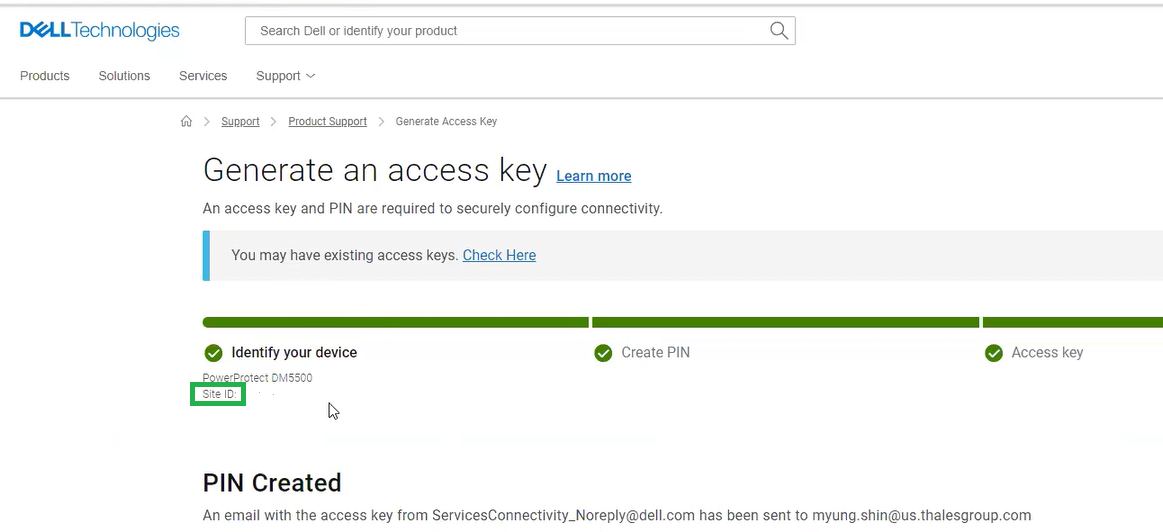
127.0.0.1 - - [05/Jun/2024:06:47:32 -0700] "PUT /esrs/v2/devices/POWERPROTECTDMAPPLIANCE/DE300234800594/context/keyGen/esrs/v2/devices/POWERPROTECTDMAPPLIANCE/DE300234800594/deviceKey HTTP/1.1" 401 150
This message indicates that the connection was made, but the request is "denied or rejected" as shown by the code 401.
Resolution
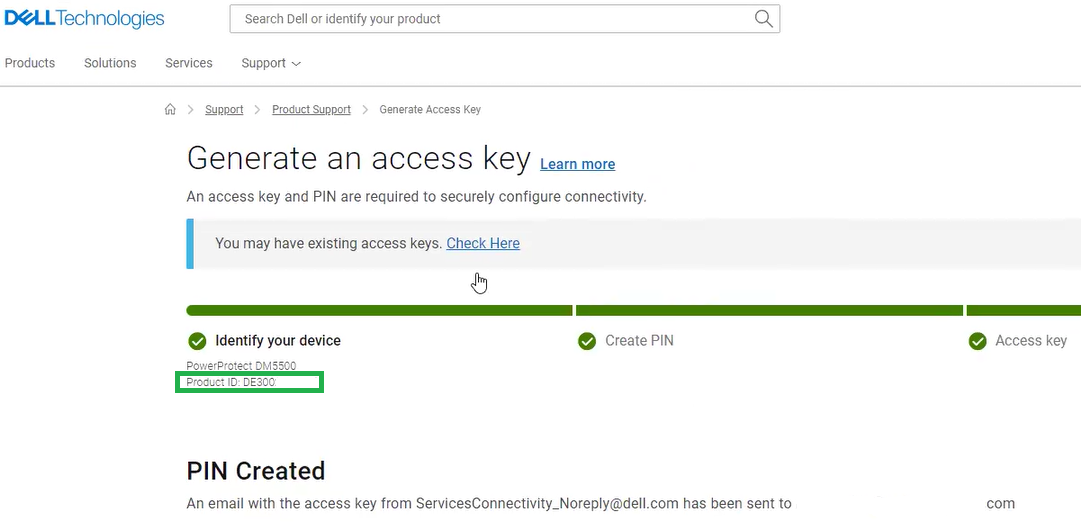
The Product ID (seen below) must be selected when requesting an Access Key for SupportAssist,
The following is an example of the Access Key generated for the Product ID.
 The following is an example of an email with the Access Key generated for the "Product ID"
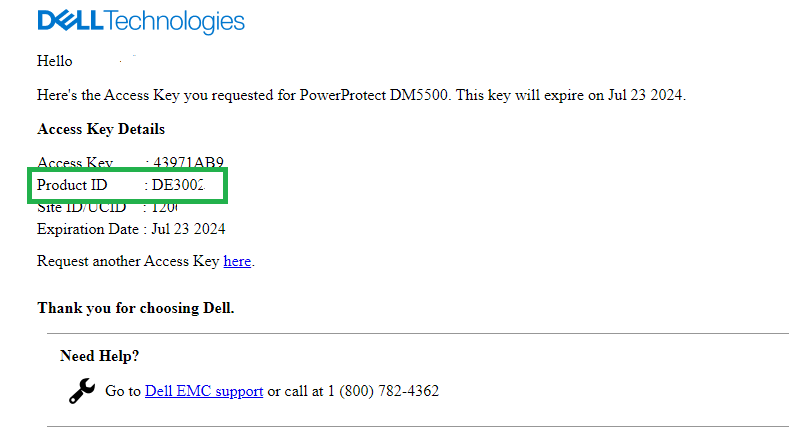
The following is an example of the Access Key generated for the Product ID.
Affected Products
PowerProtect Data Manager ApplianceArticle Properties
Article Number: 000226977
Article Type: Solution
Last Modified: 21 May 2026
Version: 2
Find answers to your questions from other Dell users
Support Services
Check if your device is covered by Support Services.