NVP vProxy: vSphere Web Client Plugin Reports Successful Installation, But Does Not Appear

Resumen: vSphere Web Client Plugin Reports Successful Installation, But Does Not Appear.

Este artículo se aplica a Este artículo no se aplica a Este artículo no está vinculado a ningún producto específico. No se identifican todas las versiones del producto en este artículo.

Síntomas

The NetWorker VMware Protection integration is configured with the vProxy Appliance. The vCenter Plugin install results show it installed successfully when performed from either the NetWorker Management Console (NMC) or NetWorker Web User Interface (NWUI). The vSphere web client does not show the Dell EMC NetWorker plug-in.

Causa

The vSphere web client plug-in may have been installed in an inconsistent state or previous plug-in installation files are interfering with new plug-in install.

Resolución

Remove the existing Dell NetWorker plug-in registrations from the vCenter server Managed Object Browser (MOB) and attempt to install the plug-in again.

1. Log in to the vCenter MOB Extension Manager with the administrator@vsphere.local account. The MOB can be accessed from a web browser that can reach the vCenter's hostname/IP address: https://vCENTER_ADDRESS/mob/?moid=ExtensionManager
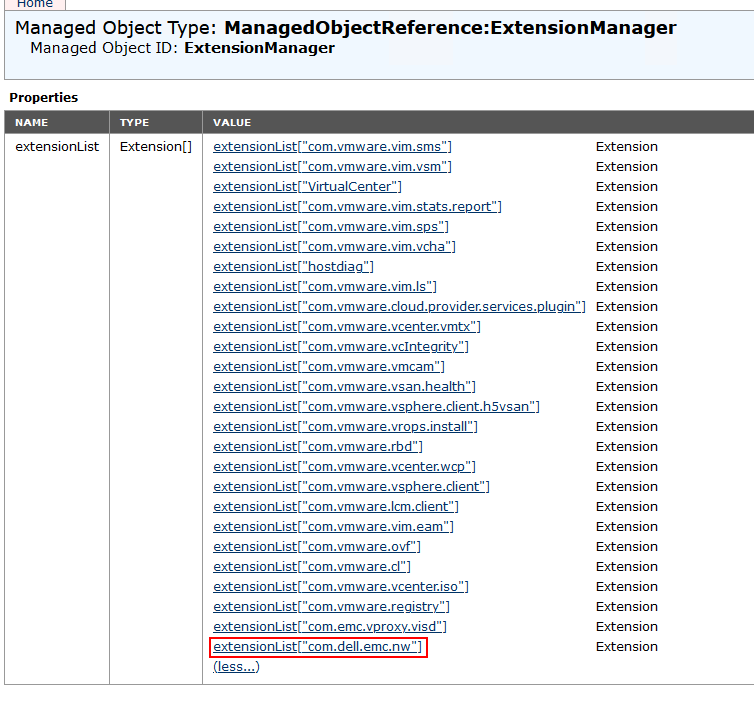
VMware Extension Manager
A. Under Methods, select UnregisterExtension.
B. In the UnregisterExtension window, enter the extension name com.dell.emc.nw and select Invoke Method:
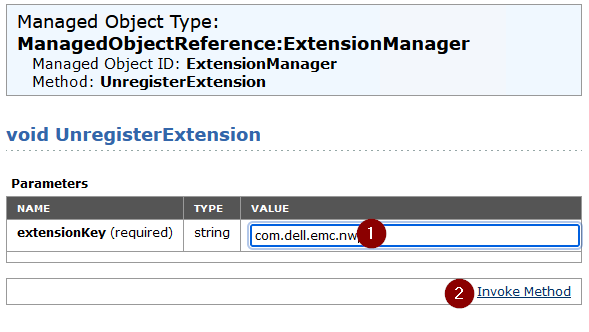
Removing the NetWorker plugin from vSphere
C. Refresh the MOB ExtensionManager window, the com.dell.emc.nw plugins should be gone from the extensionList.

2. Log in to the vCenter server over SSH.
A. The com.dell.emc.nw dir must be removed from the vCenter server's extension folder.
Linux: /etc/vmware-vpx/extensions/com.dell.emc.nw
NOTE: This location can vary depending on vCenter version, see VMware documentation if the plug-in cannot be found in the above indicate path.
Example:
root@vcsa [ ~ ]# ls -l /etc/vmware-vpx/extensions/com.dell.emc.nw
total 4
drwxr-xr-x 3 root root 4096 Apr 17 13:27 locale
root@vcsa [ ~ ]# rm -rf /etc/vmware-vpx/extensions/com.dell.emc.nw
root@vcsa [ ~ ]#
3. Restart the vSphere web client service on the vCenter server:
service-control --restart vsphere-ui
 
4. Wait until the vSphere web client services have started, you can log in to the vSphere web client.
5. Reinstall the vSphere plug-in:
NOTE: The vSphere plugin and vCenter User Interface (VCUI) only support vCenters registered in NetWorker using Fully Qualified Domain Names (FQDN). If the vCenter is registered with a short name alias or IP address, it is not possible to use the vSphere plugin or VCUI. There is no supported method for removing the vCenter and re-adding it with a different alias. The vSphere plugin is not required to perform NetWorker VMware Protection. See: NetWorker: vCenter plug-in and VCUI login fail with "vCenter not registered with NetWorker server"
A. Log in to the NetWorker Web User Interface (NWUI) and go to Protection -> VMware vCenters.
B. Select the vCenter server and under the options [...] select Install vCenter Plugin.
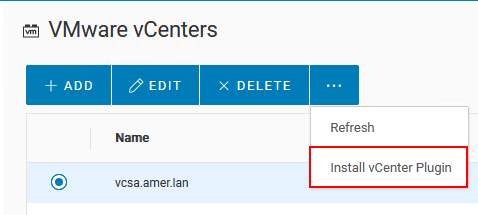
Selecting the vCenter from NWUI
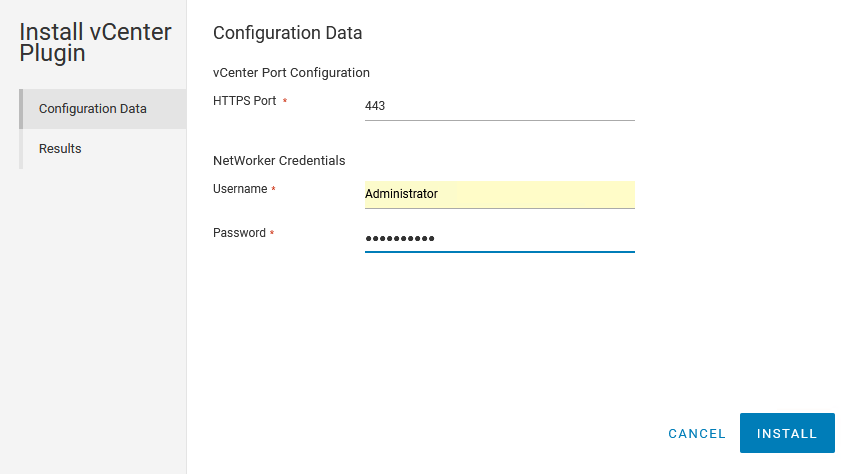
C. Enter the NetWorker Administrator credentials and click Install.
vSphere plugin configuration parameters
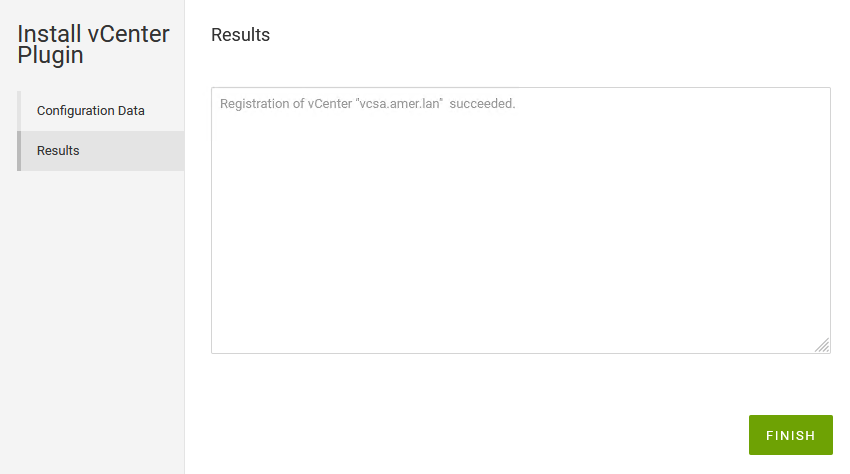
D. The completion status is returned. Click Finish:
vSphere plugin install status
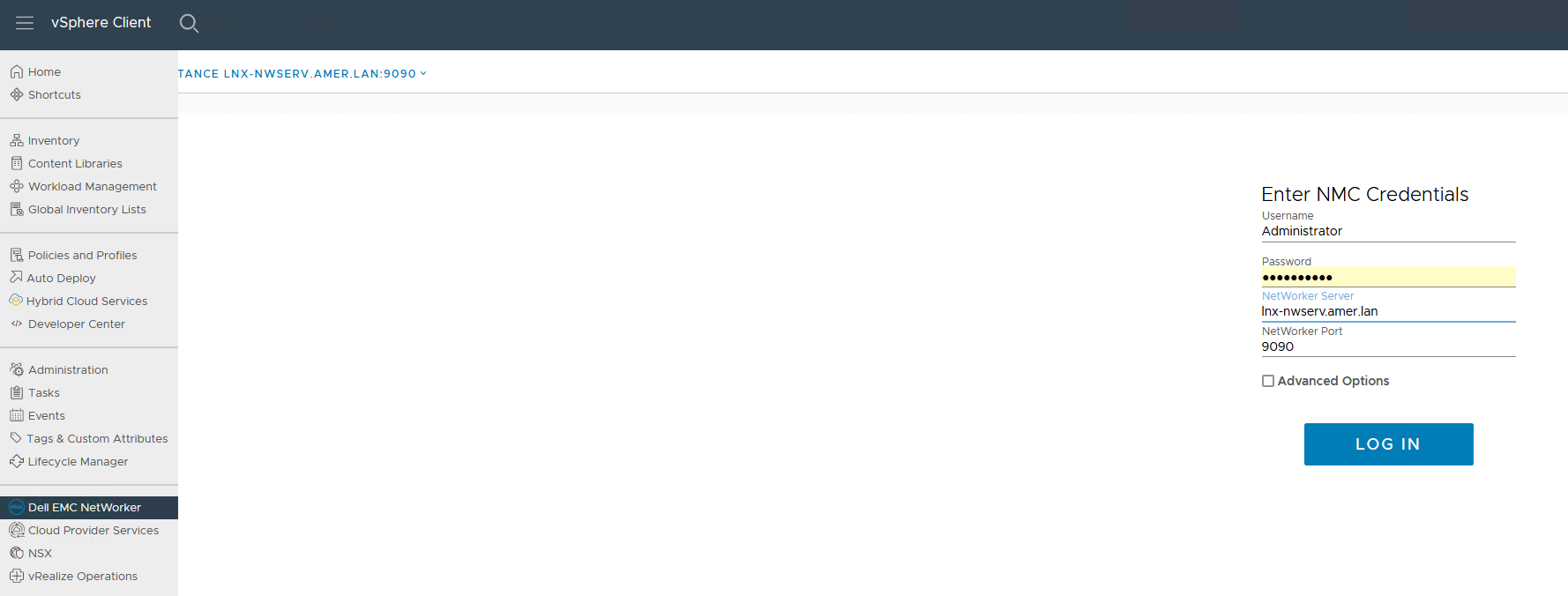
6. Log out of the vSphere web client and log back in.
accessing vSphere NetWorker plugin

Información adicional

The vSphere plug-in is essentially the same as the vCenter User Interface (VCUI). Which is accessible directly from a web browser: https://NetWorker_Address:9090/vcui
Installing the plug-in in vSphere provides access to the VCUI directly in vSphere as an extension.

The NetWorker server's vcui.log details installation attempts of the vSphere plug-in:
Linux: /nsr/authc/logs/vcui.log
Windows: C:\Program Files\EMC NetWorker\nsr\authc-server\tomcat\logs\vcui.log

Productos afectados

NetWorker

Productos

NetWorker
Propiedades del artículo
Número del artículo: 000166557
Tipo de artículo: Solution
Última modificación: 30 abr. 2025
Versión:  5
Encuentre respuestas a sus preguntas de otros usuarios de Dell
Servicios de soporte
Compruebe si el dispositivo está cubierto por los servicios de soporte.