OptiPlex 3040 MFF Microphone Not Recognized
Summary: This article provides information about how to resolve an issue with the microphone not recognized on your Dell OptiPlex 3040 Micro Form Factor (MFF) system.
Ez a cikk a következő(k)re vonatkozik:
Ez a cikk nem vonatkozik a következő(k)re:
Ez a cikk nem kapcsolódik egyetlen konkrét termékhez sem.
Ez a cikk nem azonosítja az összes termékverziót.
Symptoms
OptiPlex 3040 MFF systems may encounter an issue with the microphone not getting recognized when it is connected to the system.

Figure 1: Microphone settings
Cause
Generally this issue is related to an audio configuration issue in the audio software settings.
Resolution
-
Right-click the Dell audio speaker icon and select Sound Manager.

-
Click Advanced.
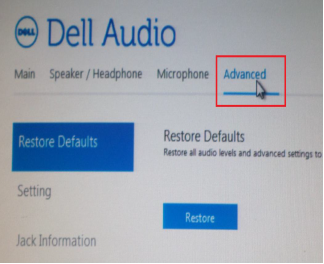
-
Click Jack Information and check the box next to Enable auto popup dialog when a device has been plugged on.
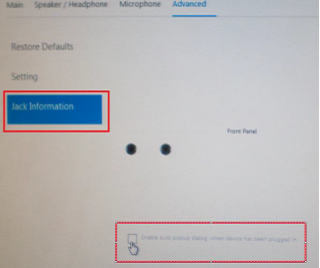
- Connect the microphone to the system.
- In the menu that appears, select Mic-In.
- Test the Microphone.
Érintett termékek
OptiPlex 3040 MicroTermék tulajdonságai
Article Number: 000149418
Article Type: Solution
Utoljára módosítva: 07 okt. 2024
Version: 7
Választ kaphat kérdéseire más Dell-felhasználóktól
Támogatási szolgáltatások
Ellenőrizze, hogy a készüléke rendelkezik-e támogatási szolgáltatással.