VxRail: Cannot Remove vSphere License Through vSphere Web Client
Summary: Customer cannot remove vSphere license through vSphere web client.
Ez a cikk a következő(k)re vonatkozik:
Ez a cikk nem vonatkozik a következő(k)re:
Ez a cikk nem kapcsolódik egyetlen konkrét termékhez sem.
Ez a cikk nem azonosítja az összes termékverziót.
Symptoms
Customer cannot remove vSphere license through vSphere web client.
When you try to remove the license, an error may appear "storage error."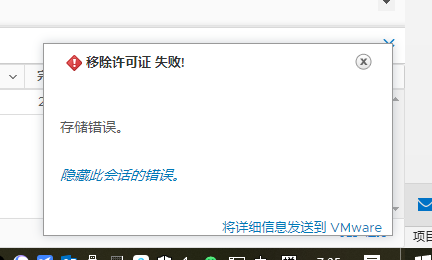
Cause
If the PSC or vCenter had an unexpected reboot, then you may see the PSC or vCenter needing a "fsck" check (File system check).
Resolution
For this situation, check these two things.
-
Confirm if the PSC can be rebooted to verify if there is any OS partition issue. See Broadcom KB https://knowledge.broadcom.com/external/article?legacyId=2147154
-
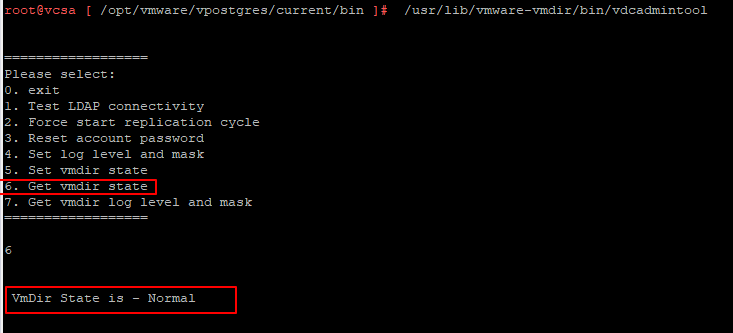
Log in to the PSC node and run the command below to check the vmdir state:
/usr/lib/vmware-vmdir/bin/vdcadmintool
-
If the vmdir state output is read-only, use the command below to change the vmdir state and check again:
"/usr/lib/vmware-vmafd/bin/dir-cli state set --state NORMAL --login administrator --password <password>"

Érintett termékek
VxRail, VxRail Appliance SeriesTermék tulajdonságai
Article Number: 000185499
Article Type: Solution
Utoljára módosítva: 13 jan. 2026
Version: 3
Választ kaphat kérdéseire más Dell-felhasználóktól
Támogatási szolgáltatások
Ellenőrizze, hogy a készüléke rendelkezik-e támogatási szolgáltatással.