Connectrix: DCNM 11.5(4) error: "Command failed: Invocation failed... ...upon applying and testing Call Home configuration
Summary: DCNM 11.5(4) error: "Command failed: Invocation failed; nested exception is: javax.ejb.EJBException: java.lang.NullPointerException" upon applying and testing Call Home configuration.
Ez a cikk a következő(k)re vonatkozik:
Ez a cikk nem vonatkozik a következő(k)re:
Ez a cikk nem kapcsolódik egyetlen konkrét termékhez sem.
Ez a cikk nem azonosítja az összes termékverziót.
Symptoms
Data Center Network Manager (DCNM) 11.5(4) shows the below message upon applying and testing Call Home configuration.
Command failed: Invocation failed; nested exception is: .ejb.EJBException: java.lang.NullPointerException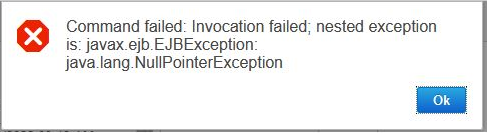
Cause
Error occurs after an upgrade to DCNM 11.5.4 or a fresh deployment of DCNM 11.5.4. So far, this behavior is seen on Windows and OVA DCNM deployments.
Resolution
This is a cosmetic issue with the software. It should still work as expected.
Workaround:
- After configuring Call home, press "Apply" button instead of "Apply and Test" as demonstrated in the image below.
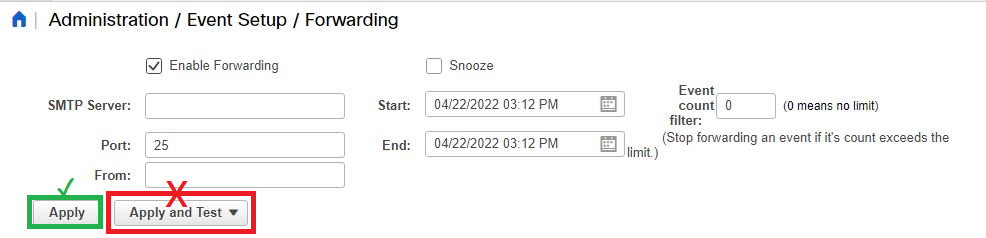
- After applying the configuration, generate a trap from the switch using the Call Home Test CLI command below:
MDS-switch# test pfm snmp test-trap fan
- If the feature is working correctly, the user should receive an email test alert to the email address that is configured.
No other actions are required.
Resolution: Cisco confirmed this BUG has been fixed in version 12.0.2f. If planning to upgrade, they recommend the latest 12.1.2 or the n-1 version 12.1.1e.
Termék tulajdonságai
Article Number: 000198795
Article Type: Solution
Utoljára módosítva: 05 aug. 2025
Version: 8
Választ kaphat kérdéseire más Dell-felhasználóktól
Támogatási szolgáltatások
Ellenőrizze, hogy a készüléke rendelkezik-e támogatási szolgáltatással.