OptiPlex 3000 Thin Client Windows IoT Default Admin Password
Summary: This article discusses the default password for the OptiPlex 3000 Thin Client Windows IoT admin account.
Ez a cikk a következő(k)re vonatkozik:
Ez a cikk nem vonatkozik a következő(k)re:
Ez a cikk nem kapcsolódik egyetlen konkrét termékhez sem.
Ez a cikk nem azonosítja az összes termékverziót.
Instructions
OptiPlex 3000 Thin Client user signs out of the computer and needs a password to regain access to the computer. The admin needs the Windows IoT admin password to log in to the admin account.
The default password for the Admin account is Admin#<Service tag in capital letters> of the device. The default password for the User account is User#<Service tag in capital letters> of the device.
Reference the Windows 10 IoT Enterprise LTSC 2021 for OptiPlex 3000 Thin Client Administrator’s Guide:
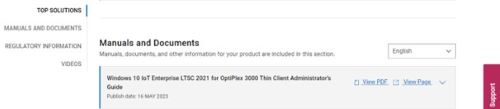
- Click Getting Started in the Table of Contents.
- Click Automatic and manual login.
Note: The default password can be used to sign in to the admin account if the password has not been changed.
Érintett termékek
OptiPlex 3000 Thin ClientTermék tulajdonságai
Article Number: 000214259
Article Type: How To
Utoljára módosítva: 18 máj. 2026
Version: 8
Választ kaphat kérdéseire más Dell-felhasználóktól
Támogatási szolgáltatások
Ellenőrizze, hogy a készüléke rendelkezik-e támogatási szolgáltatással.