Live Optics | Microsoft Azure | Create Azure Credentials
Summary: Live Optics, Create Azure Credentials
Ez a cikk a következő(k)re vonatkozik:
Ez a cikk nem vonatkozik a következő(k)re:
Ez a cikk nem kapcsolódik egyetlen konkrét termékhez sem.
Ez a cikk nem azonosítja az összes termékverziót.
Instructions
To begin a Live Optics Azure collection, you must enter a Client ID, Client Secret, Subscription ID, and Tenant ID as credentials. It is recommended that you create a temporary Service Principal account with a read-only permission which is used only for Live Optics collections. This article describes how to create the credentials with the correct privileges to run a Live Optics Collection.
- Open the Azure portal and select the PowerShell icon.
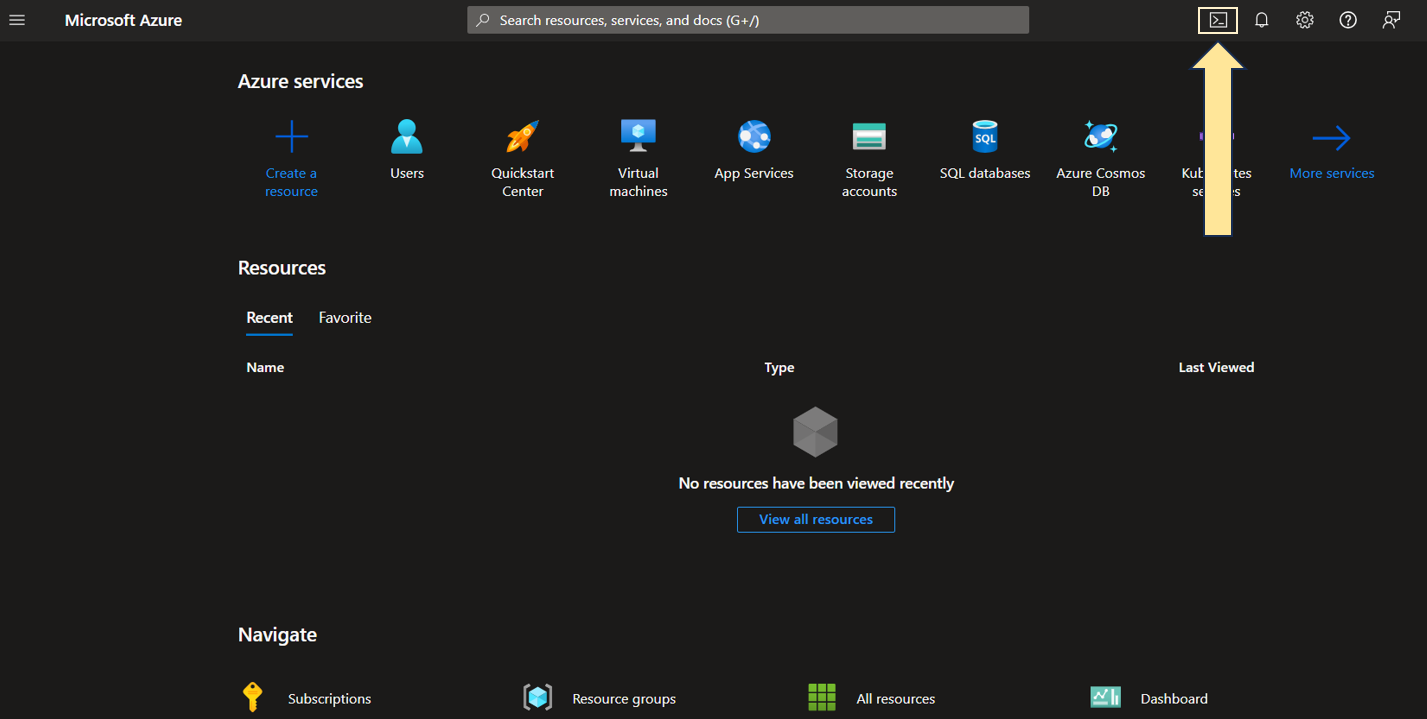
2. Enter the following command in PowerShell to retrieve the list of your Subscription IDs.
PS/home/username>az account list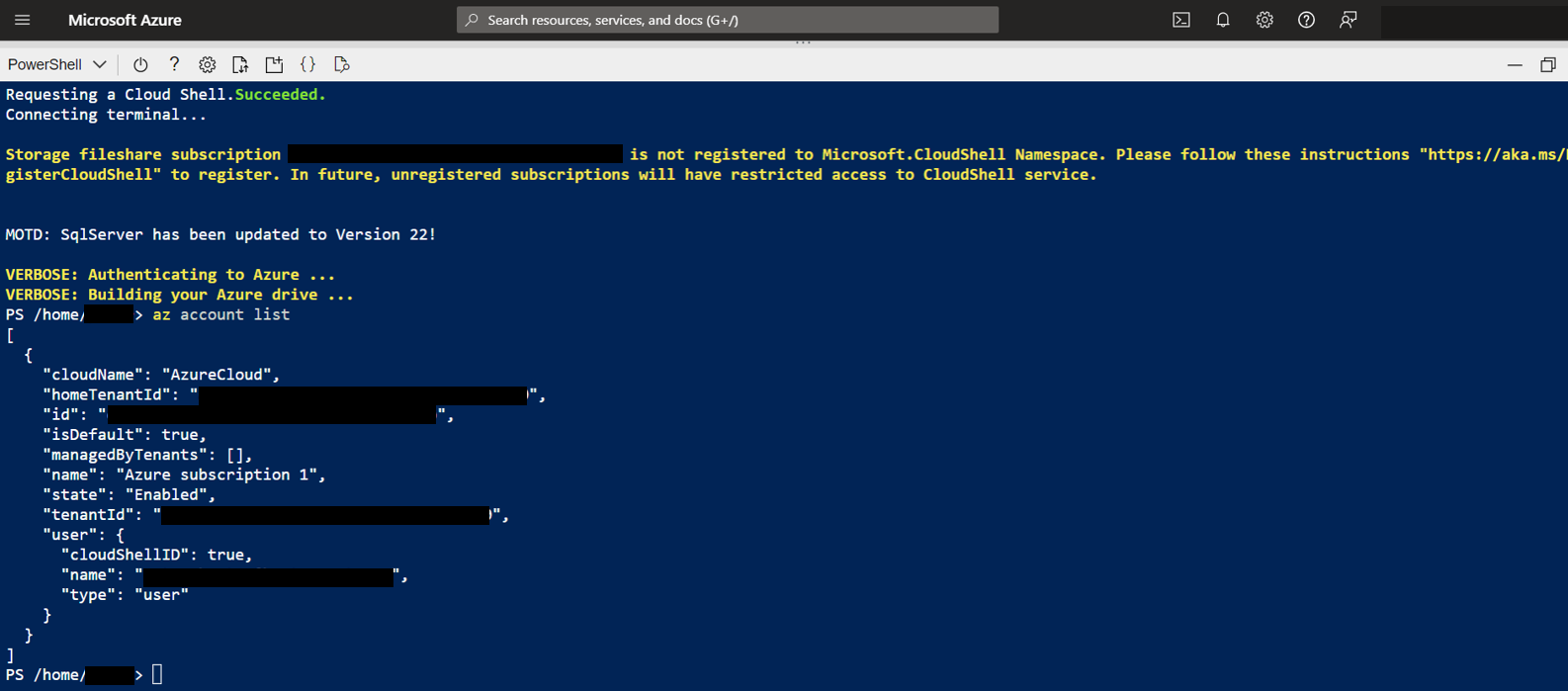
- Choose the Subscription ID for which you wish to run the Live Optics collection from the list (you need the Subscription ID for collector authentication).
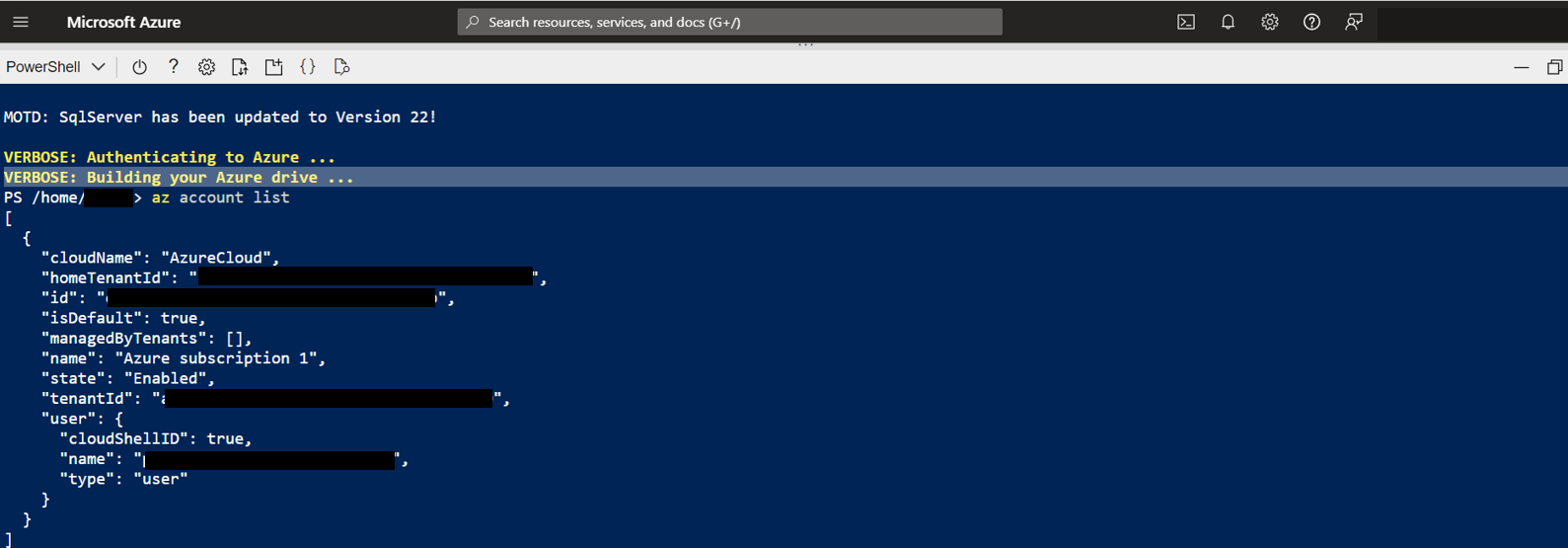
- Enter the following command to set the subscription for the Service Principal account.
PS/home/username>az account set --subscription <subscription ID>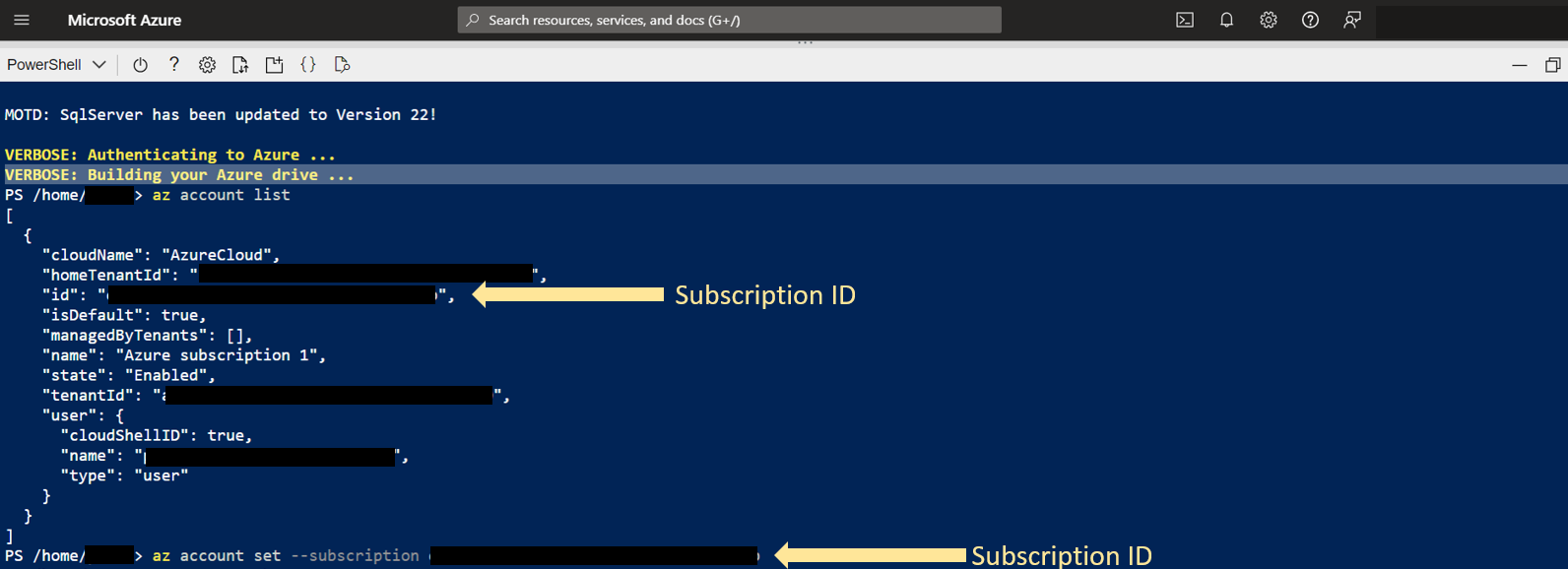
- Use the following command to verify the subscription is correct, and to retrieve the Tenant ID and Subscription ID for collector authentication.
PS/home/username>az account show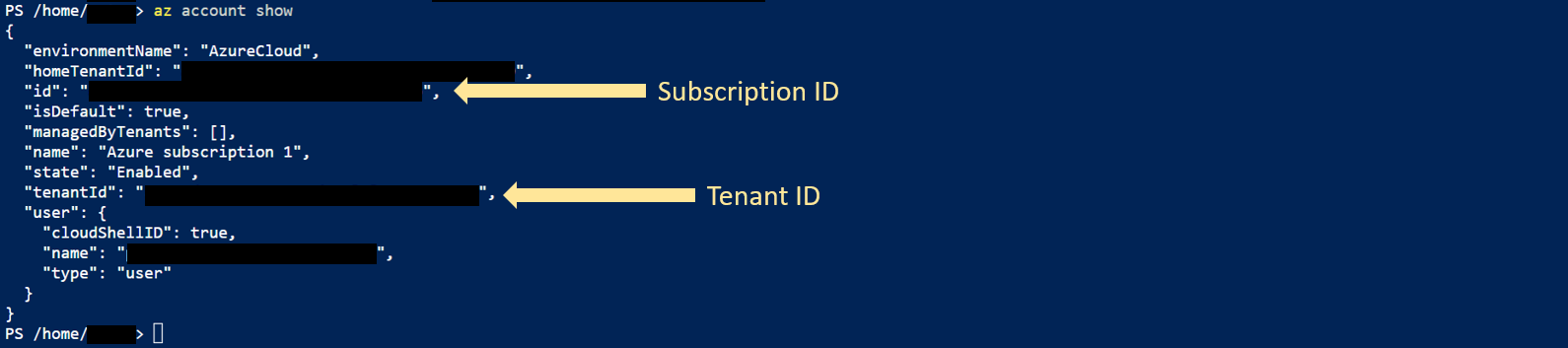
- To create the Service Principle account with read-only permission, enter the following command:
PS/home/username>az ad sp create-for-rbac --name http://<Service Principle Name> --role reader --scopes /subscriptions/<subscription ID>
Copy the Client ID and Client Secret highlighted below are needed for collector authentication.
Additional Information
If you have any questions, please reach out to Live Optics Support at liveoptics.support@dell.com.
Érintett termékek
APEX Cloud Platform for Microsoft AzureTermékek
Dell EMC Cloud For Microsoft Azure StackTermék tulajdonságai
Article Number: 000228863
Article Type: How To
Utoljára módosítva: 22 jan. 2026
Version: 4
Választ kaphat kérdéseire más Dell-felhasználóktól
Támogatási szolgáltatások
Ellenőrizze, hogy a készüléke rendelkezik-e támogatási szolgáltatással.