PowerScale OneFS: HTTP file access in a non-system zone returns a 403 forbidden error.
Summary: When using HTTP file access to a non-system zone IP, you receive a "403 Forbidden error" while access in the System zone works as expected.
Ez a cikk a következő(k)re vonatkozik:
Ez a cikk nem vonatkozik a következő(k)re:
Ez a cikk nem kapcsolódik egyetlen konkrét termékhez sem.
Ez a cikk nem azonosítja az összes termékverziót.
Symptoms
When using HTTP file access to a non-system zone IP, you receive a "403 Forbidden error" while access in the System zone works as expected. 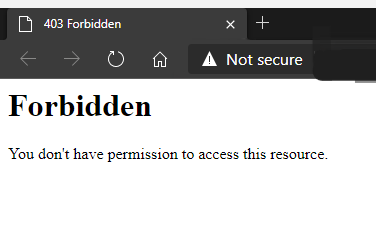
This knowledge article only applies to HTTP file access and would not be related to any issues with the OneFS WebUI.
Cause
By default, HTTP file access is only allowed in the System Zone.
Resolution
To allow access to non-system zones, the below value must be changed.
To see the current value, which is false by default:
# isi_gconfig -t http-config http_multi_zone
Set the value to true:
# isi_gconfig -t http-config http_multi_zone=true
HTTP file access should now work when attempting to access a non-system zone IP.
Note: It may be necessary to clear the browser cache.
Érintett termékek
PowerScale OneFSTermék tulajdonságai
Article Number: 000231970
Article Type: Solution
Utoljára módosítva: 30 dec. 2025
Version: 2
Választ kaphat kérdéseire más Dell-felhasználóktól
Támogatási szolgáltatások
Ellenőrizze, hogy a készüléke rendelkezik-e támogatási szolgáltatással.