Precision 7550 Visual Guide to your computer
Riepilogo: This article is a visual guide to the external ports and features of the Precision Mobile Workstation 7550.
Questo articolo si applica a
Questo articolo non si applica a
Questo articolo non è legato a un prodotto specifico.
Non tutte le versioni del prodotto sono identificate in questo articolo.
Istruzioni
The following article provides a visual guide to your Precision Mobile Workstation 7550 and lists the external ports and features of your laptop.
NOTE: For a more detailed description, see the product guide at www.dell.com/support
Table of Contents:
- Front View
- Top View
- Bottom View
- Rear View
- Left-Hand Side View
- Right-Hand Side View
- AC Adapter View
- Additional Info:
Front View
Display view with RGB Camera
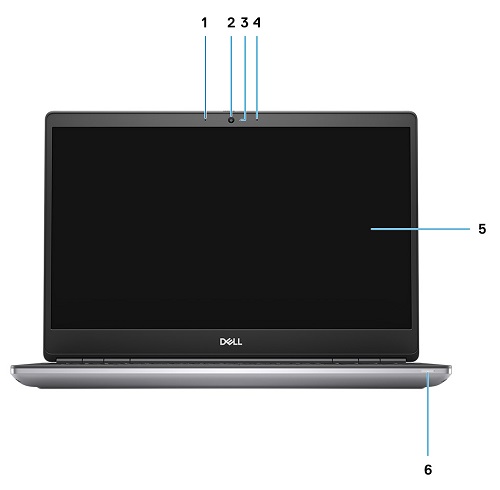
Figure 1: Front View: Display with RGB Camera
| 1 | Microphone | 2 | Camera |
| 3 | Camera LED | 4 | Microphone |
| 5 | Display | 6 | Battery Status LED |
Display view with IR Camera
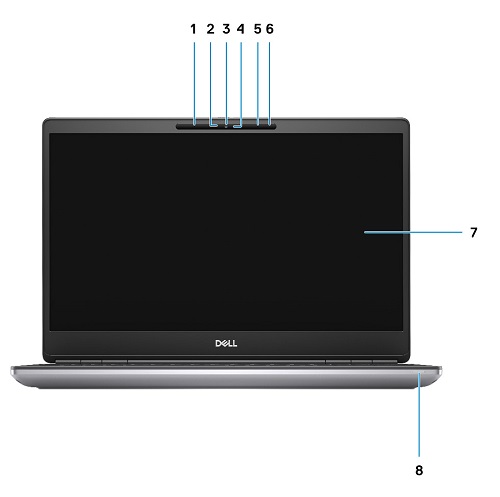
Figure 2: Front View: Display with IR Camera
| 1 | Microphone | 2 | IR camera sensor |
| 3 | Camera | 4 | Camera LED |
| 5 | Microphone | 6 | Proximity sensor |
| 7 | Display | 8 | Battery status LED |
Top View
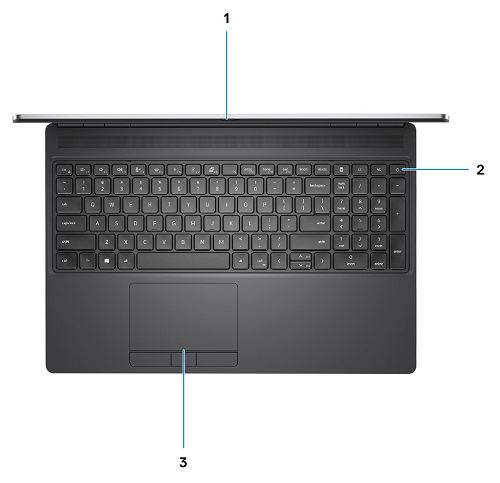
Figure 3: Top View
| 1 | Camera shutter | 2 | Power button (with optional fingerprint reader) |
| 3 | Touchpad |
Bottom View
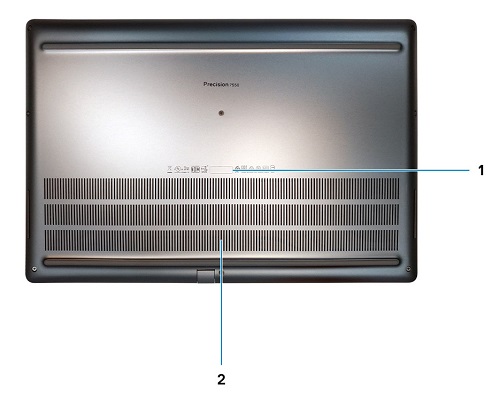
Figure 4: Bottom View
| 1 | Service tag label | 2 | Fan vent |
Rear View
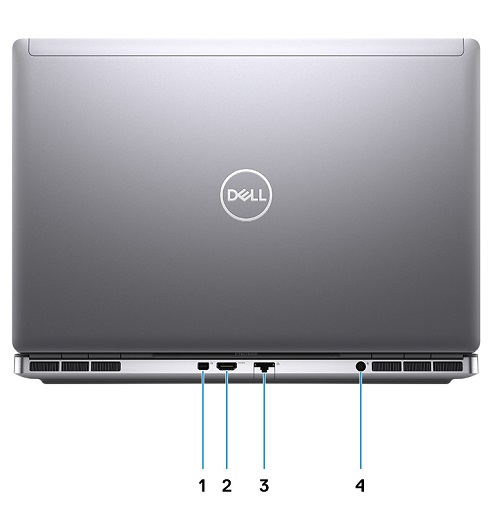
Figure 5: Rear View
| 1 | Mini DisplayPort 1.4 | 2 | HDMI 2.0 port |
| 3 | Network port | 4 | Power adapter port |
Left-Hand Side View
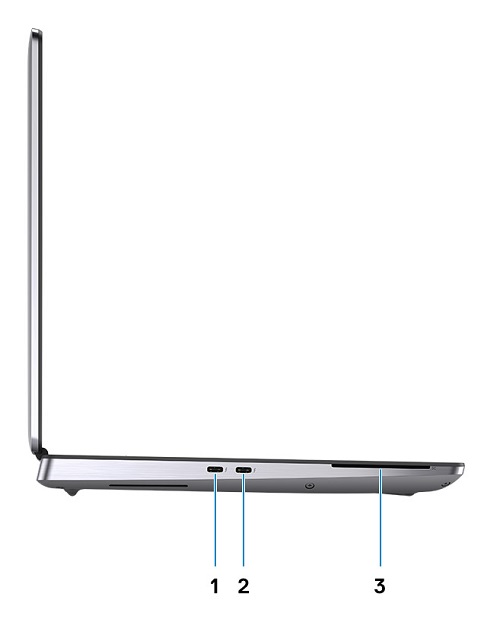
Figure 6: Left-Hand Side View
| 1 | USB 3.2 Gen 2 Type-C Thunderbolt 3 port | 2 | USB 3.2 Gen 2 Type-C Thunderbolt 3 port |
| 3 | Smart card-reader (optional) |
Right-Hand Side View
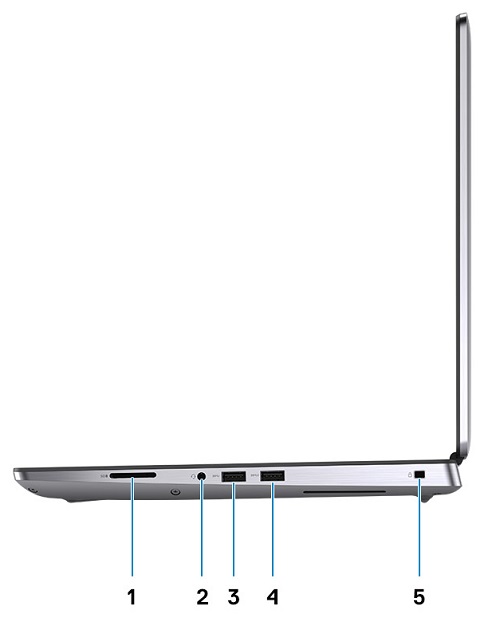
Figure 7: Right-Hand Side View
| 1 | SD-card slot | 2 | Headset and/or Microphone port |
| 3 | USB 3.2 Gen 1 Type-A port | 4 | USB 3.2 Gen 1 Type-A port with PowerShare |
| 5 | Wedge-shaped lock slot |
AC Adapter View
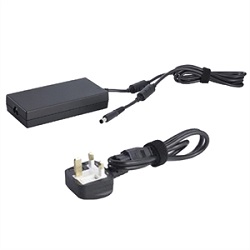
Figure 8: Power Adapter 180 W Barrel Type
| Description | Values |
| Type | 180 W Power Adapter |
| Input Voltage | 100 VAC to 240 VAC |
| Output Current | 9.23 A |
| Output Power | 180 W |
| Output Voltage | 19.50 VDC |
Additional Info:
Prodotti interessati
Precision 7550Proprietà dell'articolo
Numero articolo: 000130468
Tipo di articolo: How To
Ultima modifica: 04 giu 2025
Versione: 5
Trova risposta alle tue domande dagli altri utenti Dell
Support Services
Verifica che il dispositivo sia coperto dai Servizi di supporto.