AppSync: Clustered SQL Server instances are not showing up in the AppSync UI under: Copy Management > Copies > Microsoft SQL Server
Riepilogo: Clustered SQL Server instances are not showing up in the AppSync UI under: Copy Management > Copies > Microsoft SQL Server when Clustered SQL Server virtual (or network) name or associated virtual IP (VIP) is not added as a host in the AppSync UI. ...
Questo articolo si applica a
Questo articolo non si applica a
Questo articolo non è legato a un prodotto specifico.
Non tutte le versioni del prodotto sono identificate in questo articolo.
Sintomi
The expected SQL Server instances are not seen in the AppSync UI in the location as seen here:

Causa
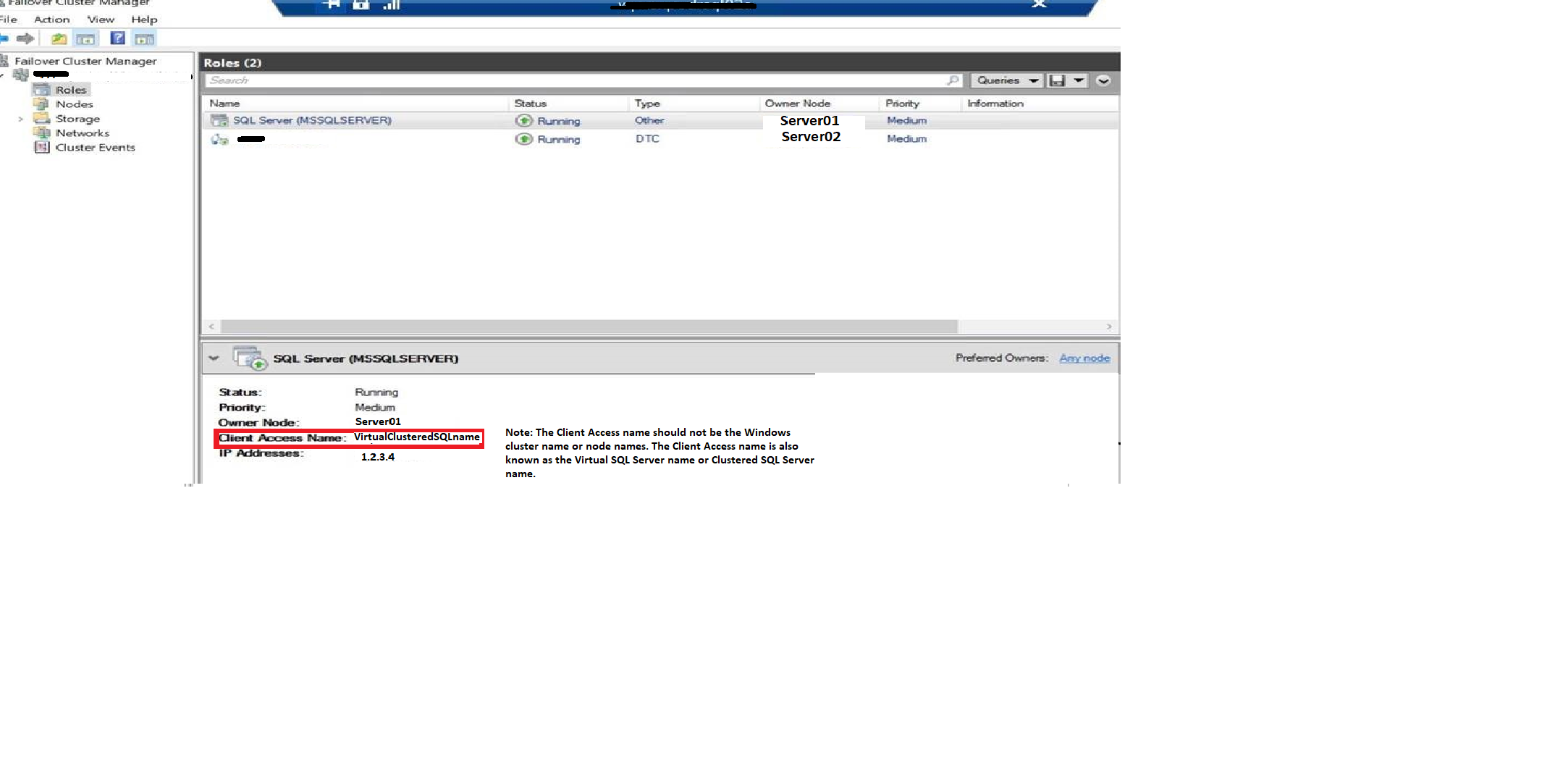
The SQL Server Virtual server name (also called SQL Server Virtual network name) or associated Virtual IP (VIP) is not added as a host to AppSync.
Risoluzione
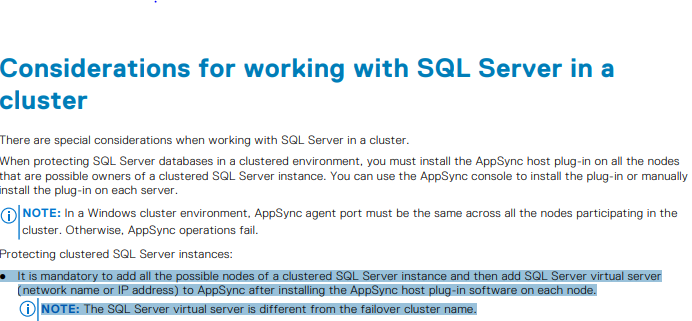
Must ensure the following per page 114 of the AppSync User and Administration Guide:
The SQL Server virtual name is nothing, but the client access name as seen in the Failover Manager in this example:
Prodotti interessati
AppSyncProprietà dell'articolo
Numero articolo: 000187892
Tipo di articolo: Solution
Ultima modifica: 23 ott 2025
Versione: 4
Trova risposta alle tue domande dagli altri utenti Dell
Support Services
Verifica che il dispositivo sia coperto dai Servizi di supporto.