Live Optics | Optical Prime | How to create Cluster Disk from a project
Riepilogo: This article describes how to create a cluster disk using a Live Optics project.
Questo articolo si applica a
Questo articolo non si applica a
Questo articolo non è legato a un prodotto specifico.
Non tutte le versioni del prodotto sono identificate in questo articolo.
Istruzioni
Optical Prime can identify and differentiate locally attached disks and disk clusters within individual devices. It does it using unique LUN naming IDs and disk serial numbers assigned to disks and any applicable clusters.
Prerequisites:
You must have a Live Optics project created from one or more collector runs.
- Open the Live Optics web portal at https://app.liveoptics.com/home/.
- Select a project from your Recent Projects or click All Projects on the right side of the screen to access the full list of completed collections.
- Once the project opens, select the Performance tab on the upper left of the screen.
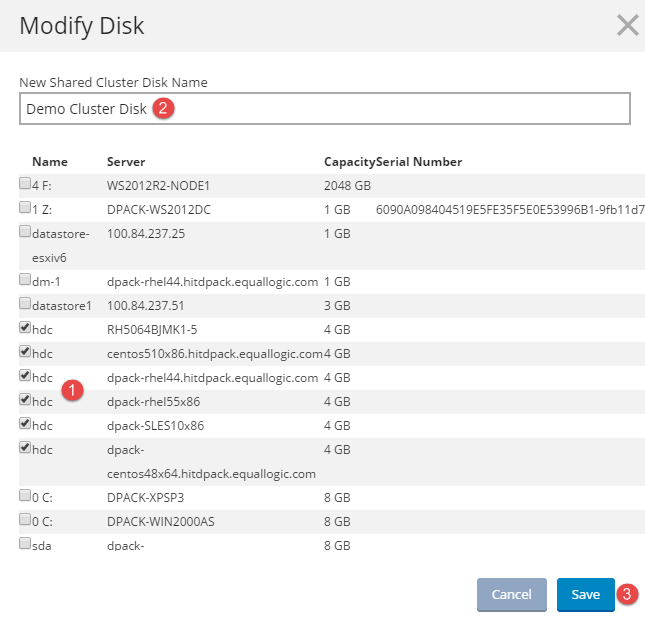
- To create a cluster disk from any local disks listed in the project, expand an individual server and highlight one of the local disk drives listed underneath. The Modify Disk screen opens.
- Select any of the unassigned local disks that you want to include in the cluster disk.
- Enter a name for the new cluster and click Save.
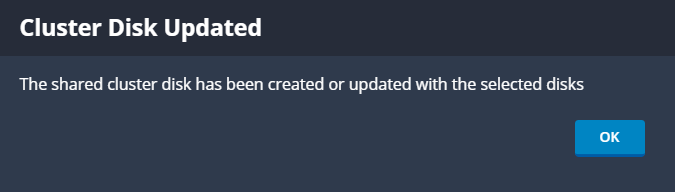
- Once the cluster disk has been created, the following message appears:
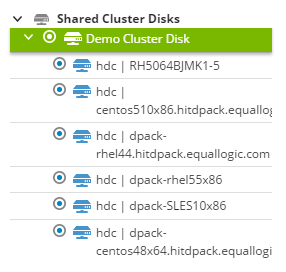
- The newly created cluster disk is now listed in the Shared Cluster Disks list in the project. If there are cluster disks listed prior to creating a new cluster disk, the new cluster is listed at the bottom.
Informazioni aggiuntive
If you have any questions, please reach out to Live Optics Support at liveoptics.support@dell.com.
Prodotti interessati
LiveOpticsProprietà dell'articolo
Numero articolo: 000297418
Tipo di articolo: How To
Ultima modifica: 04 apr 2025
Versione: 1
Trova risposta alle tue domande dagli altri utenti Dell
Support Services
Verifica che il dispositivo sia coperto dai Servizi di supporto.