Dell Unity: Unknown Error While Uploading OE Image Through Unisphere
Riepilogo: UnityOS Image upload may fail due to network instability during the transfer process. This document describes the symptoms, a possible cause, and resolution steps.
Questo articolo si applica a
Questo articolo non si applica a
Questo articolo non è legato a un prodotto specifico.
Non tutte le versioni del prodotto sono identificate in questo articolo.
Sintomi
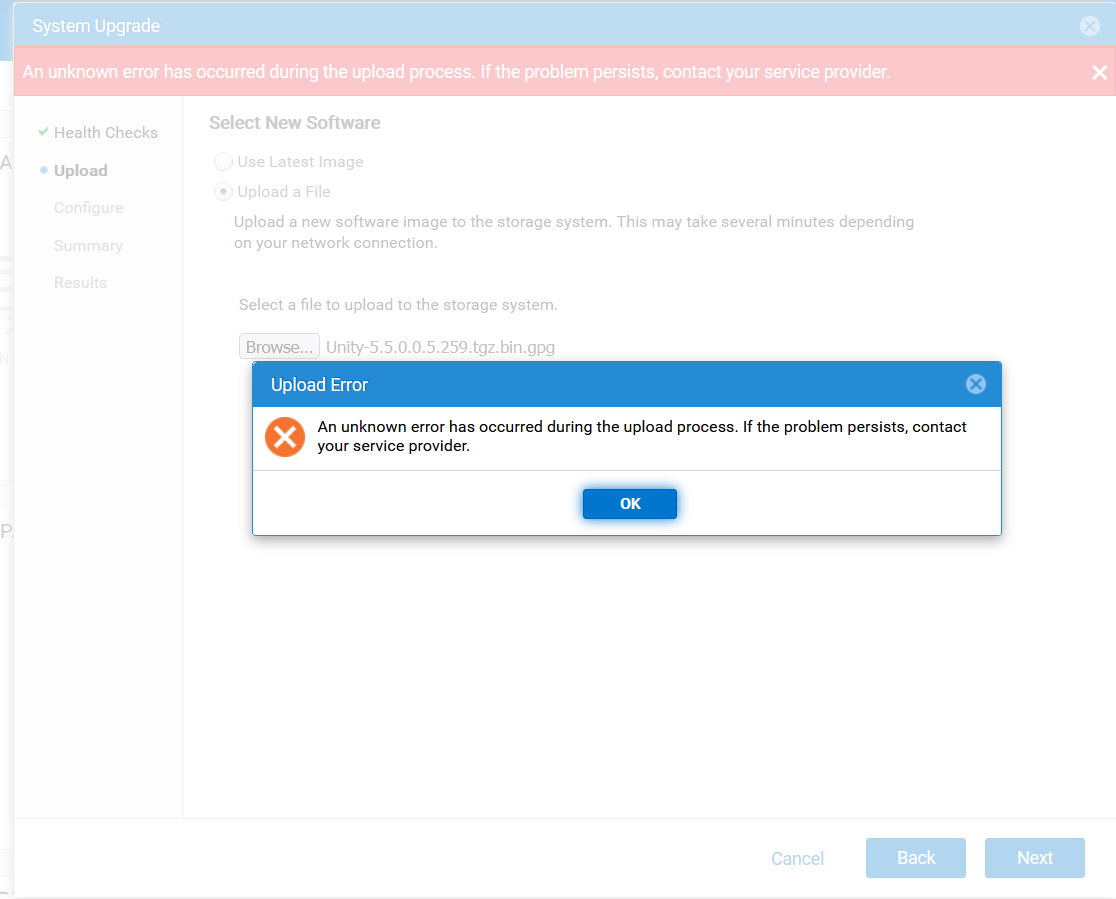
- Uploading the UnityOS Image through Unisphere (UI) fails with the following error:
An unknown error has occurred during the upload process. If the problem persists, contact your service provider.
- Subsequent attempts fail with error code
0x7d13165:The system is processing upgrade image upload and is momentarily not available for this operation, Please try again later.”
- During troubleshooting, UEMCLI and UI sessions disconnect intermittently.
- Uploading the UnityOS Image through WinSCP also fails due to session disconnects.
Causa
These issues can occur due to an unstable network connection between the client system and the Unity array.
Risoluzione
- Ensure the client system used for the upgrade has a stable and reliable network connection.
- Reconnect to the Unity UI from the stable network environment and retry the upload.
- Once the upload is complete, proceed with the upgrade process.
Informazioni aggiuntive
Troubleshooting:
- Verify if there is enough space in the directory.
- Check if an older upgrade image is preventing the upload of the new UnityOS Image.
- Verify if the checksum of the upgrade file is correct as described in Dell Unity: Upgrade File uploaded is incorrect format (Error Code: 0x6000cc4) (User Correctable)
- Upload logs using UEMCLI as detailed in Dell Unity: How to upgrade the Unity Operating Environment (OE) (User Correctable)
Prodotti interessati
Dell EMC Unity, Dell Unity 450F DC, Dell Unity 300, Dell Unity 300 DC, Dell Unity 350F DC, Dell Unity 400 DC, Dell EMC Unity Family |Dell EMC Unity All Flash, Dell EMC Unity Hybrid, Dell Unity Operating Environment (OE)Proprietà dell'articolo
Numero articolo: 000412686
Tipo di articolo: Solution
Ultima modifica: 12 gen 2026
Versione: 1
Trova risposta alle tue domande dagli altri utenti Dell
Support Services
Verifica che il dispositivo sia coperto dai Servizi di supporto.