Dell Unity: Failed to add role mapping for LDAP user when forest level authentication is configured. (User Correctable)
요약: Customer configured forest level LDAP authentication on Unity for GUI management. The LDAP connection was verified OK but customer was unable to add role mapping for LDAP users.
이 문서는 다음에 적용됩니다.
이 문서는 다음에 적용되지 않습니다.
이 문서는 특정 제품과 관련이 없습니다.
모든 제품 버전이 이 문서에 나와 있는 것은 아닙니다.
증상
- Customer configured forest level LDAP authentication on LDAP server port 3268 for Unisphere management. Customer followed the Security Configuration Guide to specify userPrincipalName in the User ID Attribute field in Advanced window.
Dell EMC Unity™ Family Security Configuration Guide (delltechnologies.com)
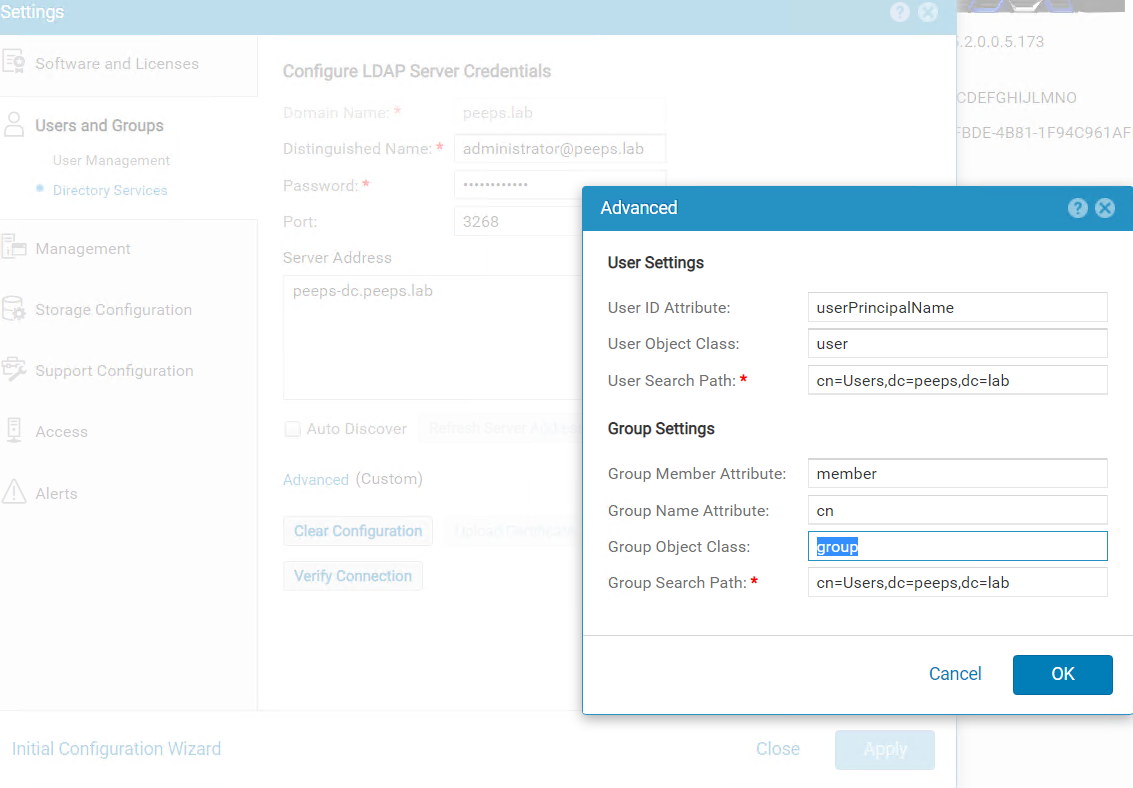
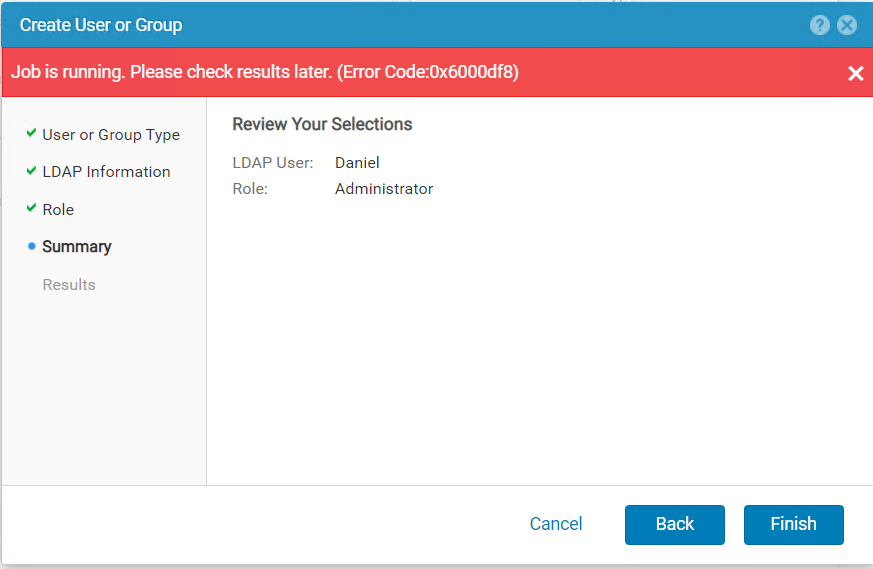
When trying to add LDAP user in Users and Groups --> User Management --> Manage Users & Groups, the following errors were received.
Dell EMC Unity™ Family Security Configuration Guide (delltechnologies.com)
When trying to add LDAP user in Users and Groups --> User Management --> Manage Users & Groups, the following errors were received.
원인
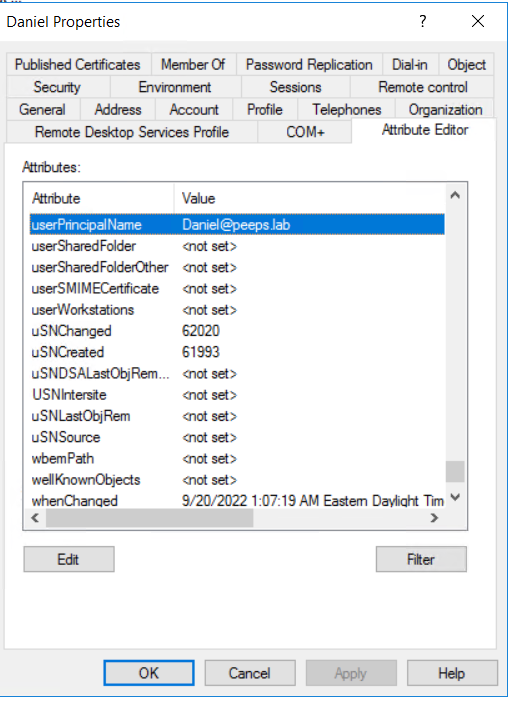
- When forest level LDAP authentication is configured, the username of the LDAP user for role mapping should be configured in the format of <username>@<domain> which is exactly the userPincipalName that customer configures for the user in LDAP server.
해결
- If Windows Domain Controller is the LDAP server, the userPrincipalName can be retried from user's properties via Active Directory Users and Computers. Please note the Advanced Features in View tab needs to be enabled to show the Attribute Editor of user.
해당 제품
Dell EMC Unity문서 속성
문서 번호: 000203550
문서 유형: Solution
마지막 수정 시간: 15 5월 2026
버전: 4
다른 Dell 사용자에게 질문에 대한 답변 찾기
지원 서비스
디바이스에 지원 서비스가 적용되는지 확인하십시오.